Team‑level offboarding checklists
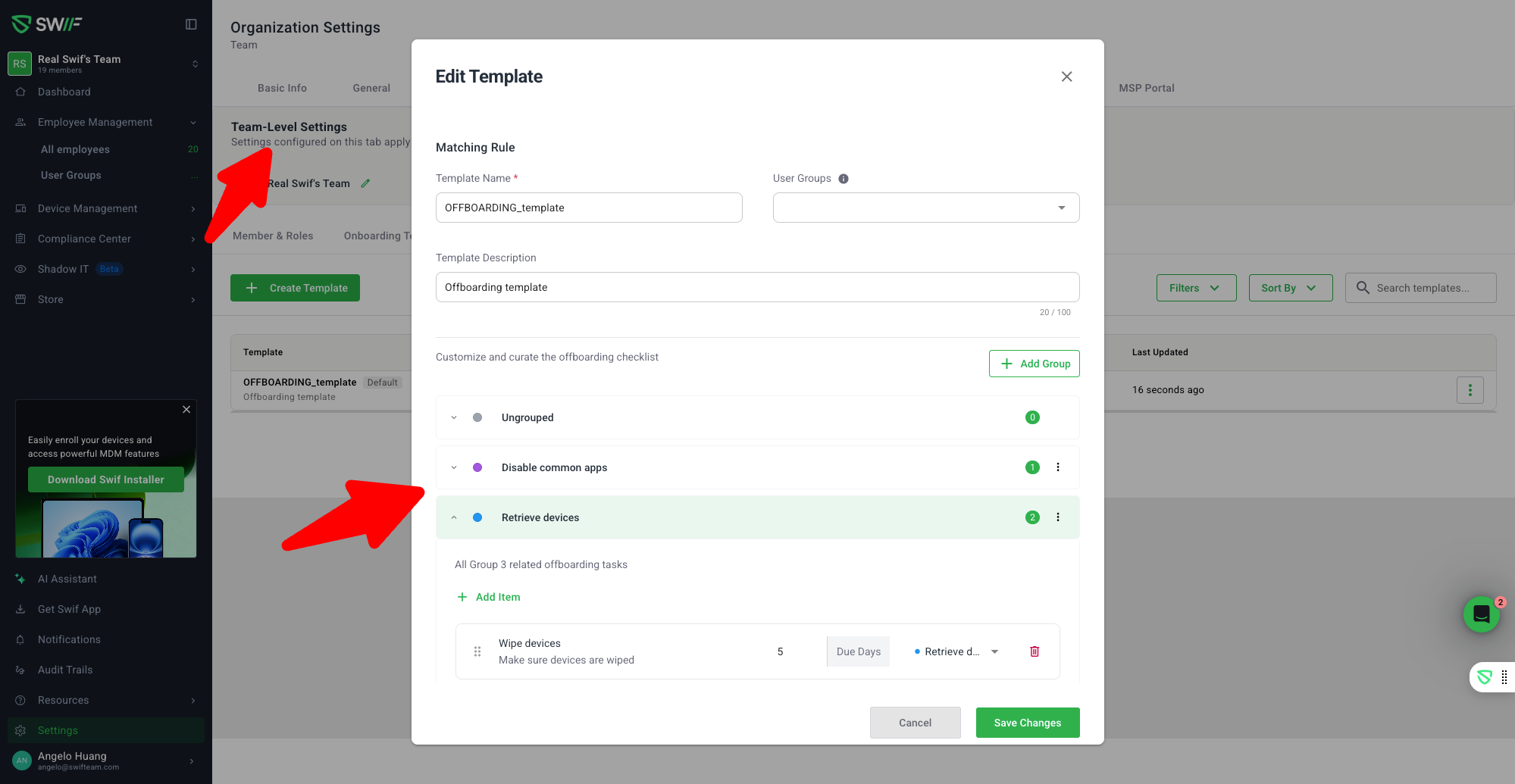
You can now fully manage IT offboarding checklists per team, instead of relying on a single, organization‑wide checklist.
This work follows the team onboarding improvements introduced earlier.
✅ Team‑specific offboarding templates
Offboarding checklists have moved from Settings → General into
Settings → Teams → Offboarding Templates, so each team can have its own process.✅ User‑group–based rules with a clear default
Each team can have one default offboarding template that applies to everyone.
Additional templates can be targeted to specific User Groups (and a User Group can only belong to one template), so you can tailor offboarding steps for different types of employees.
✅ Cleaner, more powerful templates table
New User Group column; the old Apps Approved column has been removed.
Long descriptions are truncated so the table stays readable.
Filter, Sort, and pagination now work correctly, even with many templates.
Clicking a User Group name opens its details panel so you can quickly review who’s included.
✅ Better offboarding workflow behavior
Customized offboarding checklists can be used before any “system default” offboarding flow is completed — the default flow is now optional.
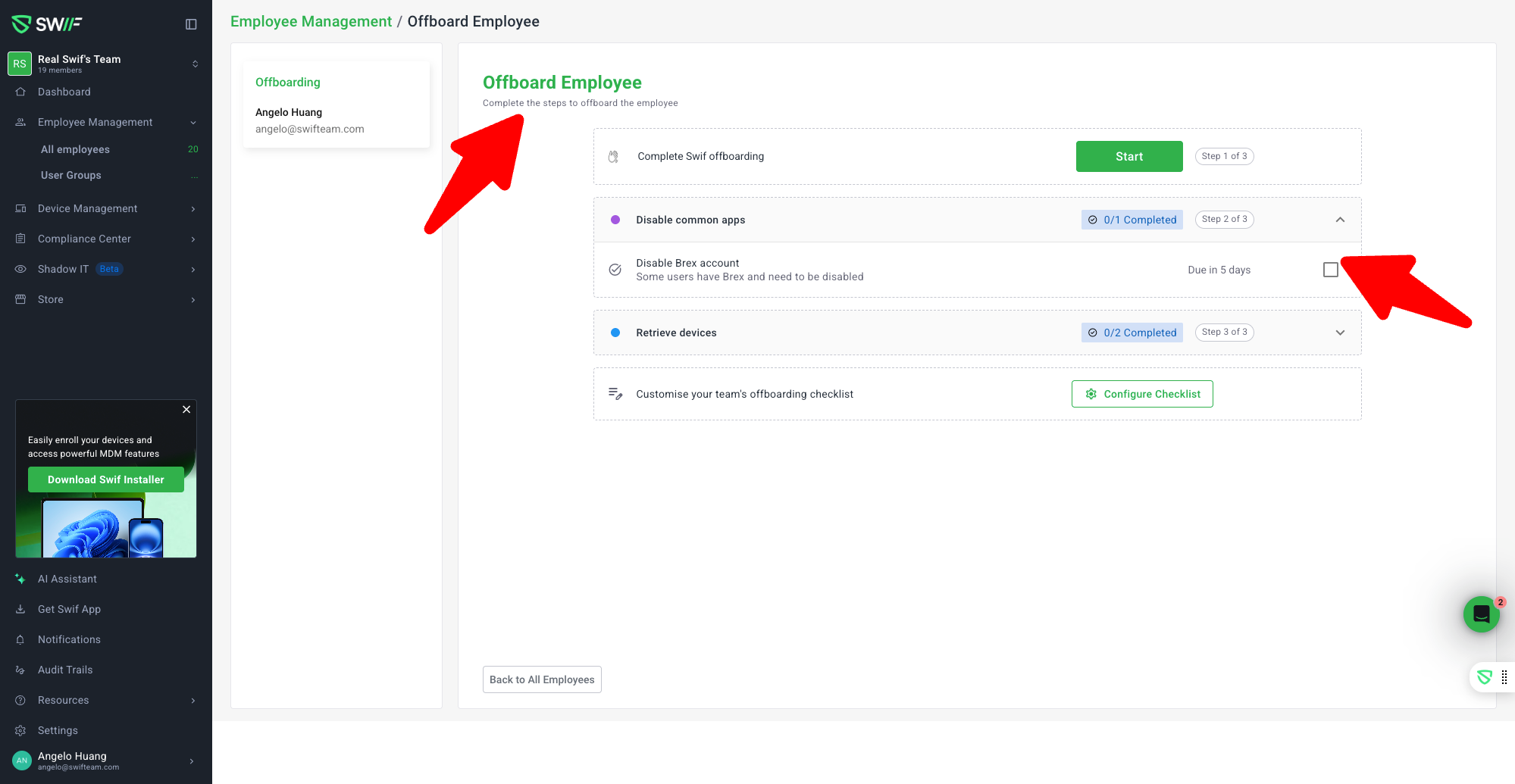
For Active employees, once default offboarding is started or any custom checklist item is checked, their status becomes Offboarding and remains there while TODOs are still incomplete.
If an employee is already Inactive, the “Offboard employee” button is hidden to avoid accidental actions.
✅ Consistent, snappier UI
Offboarding and Onboarding templates are now sibling tabs under Settings → Teams.
The old sliding animation between these tabs has been removed for a faster, less distracting experience.
Date formats are consistent with the rest of Swifteam, making it easier to scan template activity.
Learn more:
Team onboarding checklists changelog:
Team Onboarding ChecklistsTeam‑level offboarding checklist settings help article:
https://help.swif.ai/en/articles/13266385-team-level-offboarding-checklist-settings