Swif CLI Onboarding & MCP Integration
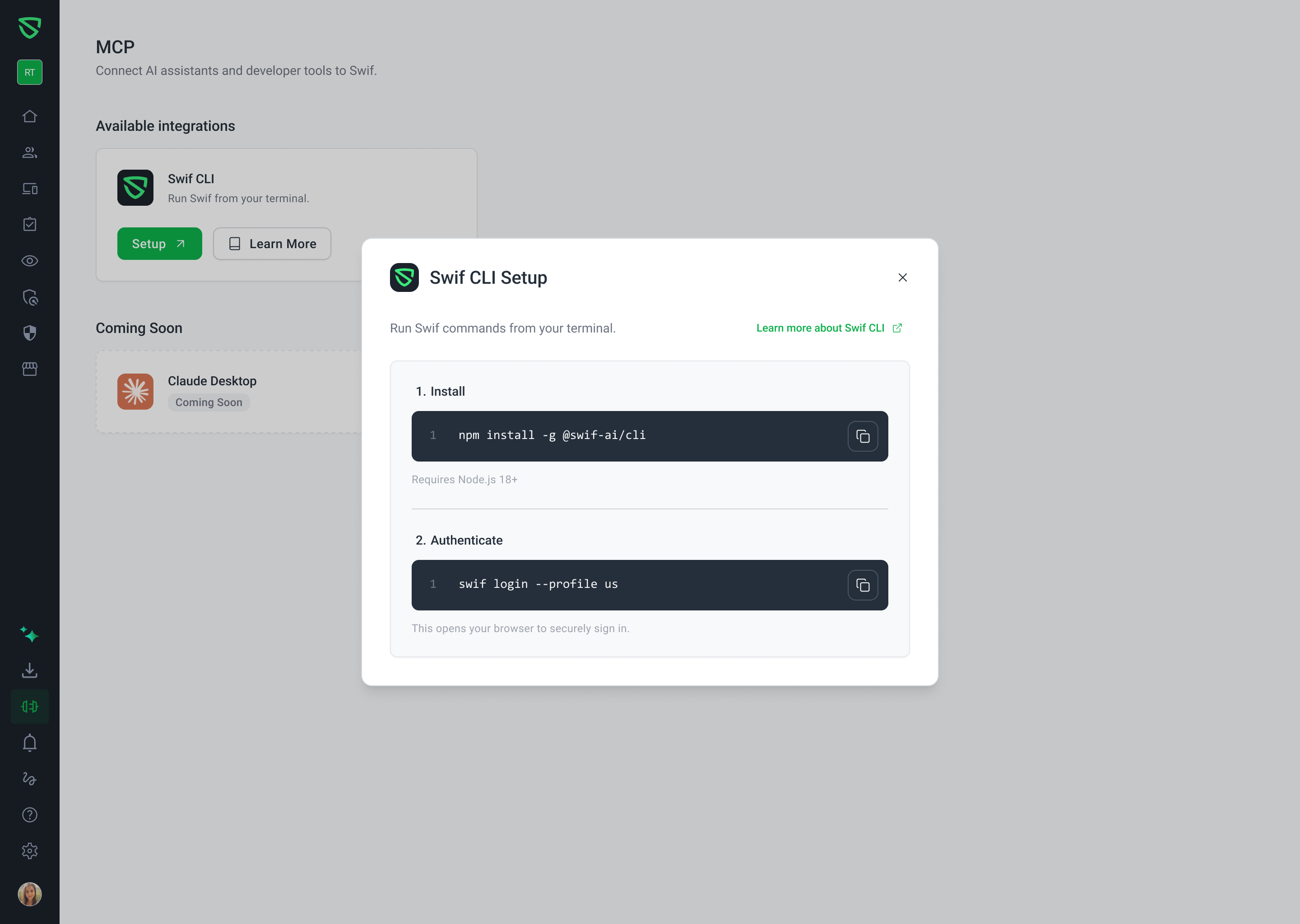
We are excited to announce significant updates to the Swif CLI onboarding experience and the introduction of the Model Context Protocol (MCP) integration page within the Swif Webapp. These changes streamline how IT admins and engineers set up and manage their command-line tools and AI integrations.
New MCP Navigation & Page
Centralized Integration Hub: A new MCP navigation item has been added to the main sidebar, positioned between Download App and Notifications.
CLI Entry Point Migration: The Swif CLI setup and management have been moved from Account Settings to this dedicated MCP page for better accessibility.
Coming Soon Integrations: We’ve added a "Coming Soon" section featuring upcoming integrations for Claude Desktop and Cursor, expanding Swif's reach into AI-driven workflows.
Enhanced CLI Setup Experience
Dynamic Setup Modal: Clicking Setup now opens a redesigned Swif CLI Setup modal, providing clear, step-by-step instructions for terminal integration.
Environment-Aware Authentication: The authentication commands within the setup modal now dynamically adjust to your active environment (
us,eu, ordev), ensuring you connect to the correct profile immediately.
# Example authentication command for US environment swif login --profile usSimplified State Management: We have removed the "Connected / Not Connected" status indicators to provide a cleaner, more focused onboarding flow.
Documentation & Resources
Updated Guidance: The Learn More button now links directly to our comprehensive guide: Getting Started with Swif CLI.
For more information on managing your fleet via the terminal, visit our Help Center.