Shadow IT Insights Dashboard – New Metrics Experience
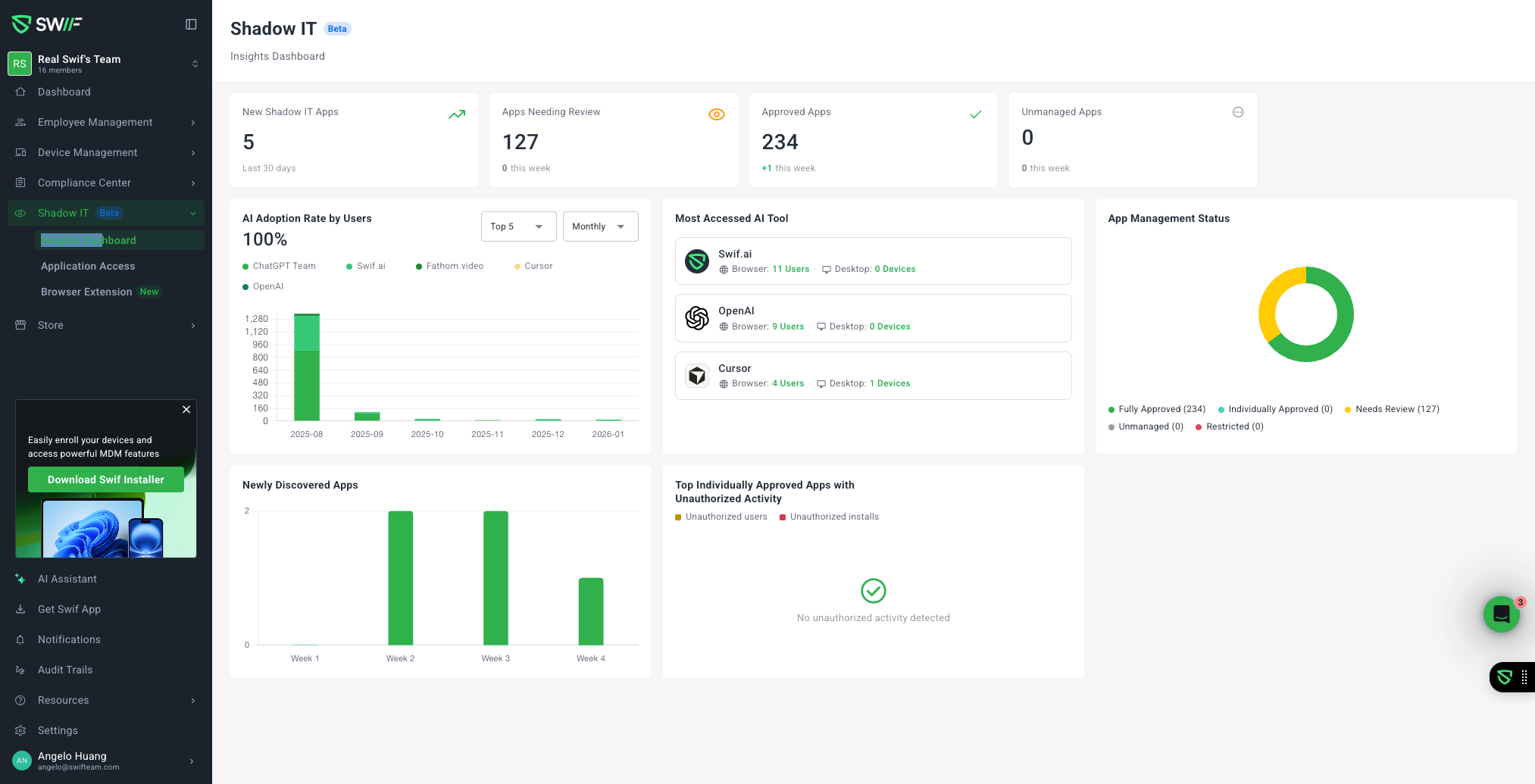
We’ve refreshed the Shadow IT experience to make it easier to understand app usage, risk, and review status at a glance.
New “Insights Dashboard” tab
The former Dashboard tab has been renamed to Application Access and continues to show the existing app/account tables.
A new Insights Dashboard tab is now available for Shadow IT, providing a dedicated, metrics‑first view of your organization’s unmanaged and AI tools.
New metrics and visualizations
The Insights Dashboard now includes:
New Shadow IT Apps (last 30 days)
See how many new Shadow IT apps have appeared in your environment in the past month, with a clear empty state when there are no new apps.Unmanaged Apps (requires attention)
Quickly identify how many apps are currently classified as Unmanaged and need admin action.Apps Needing Review (pending review)
Track apps that are still in a “Needs Review” state so security and IT teams can prioritize reviews.AI Adoption Rate by Users (monthly trend, per app)
Visualize how AI tools are being adopted over time, with monthly trends per app.Includes a Top AI filter so you can focus on the most-used AI apps instead of plotting all tools at once.
Review Status Breakdown
Understand the overall review posture with a breakdown of:
Swif Approved, Reviewed Safe, Reviewed Unsafe, and Needs Review.App Management Status
See how well apps are governed, broken down into Managed, Unmanaged, and Restricted.Newly Discovered Apps (weekly trend)
Track discovery of new apps over time with a weekly trend, so you can spot spikes or emerging risk.Top Unmanaged Apps (user/device breakdown)
Identify which unmanaged apps are most widely used, including how many users and devices are involved.
Notes and current limitations
Some originally proposed elements (such as PII Events, Sensitive App prolonged activity, Prohibited apps, and the CTA banner on Application Access) are not included yet due to pending backend work.
The “Most Accessed AI Tool” metric is also deferred until supporting time‑usage data is available.
The date filter for “Top Unauthorized Activity” has been removed for now, as the backend currently only returns the top 3 items without date filtering.
These updates are now live for authorized users under Shadow IT → Insights Dashboard in the Swif.ai web app.