New: Use Swif in Grok
Release Date: November 10, 2026
Category: AI & Integrations
Ask Grok about your devices, apps, compliance, and employees, in plain language. The new Swif connector for Grok connects Grok, on the web and in the Grok app for Mac, to your Swif tenant, so you get answers from live Swif data without leaving the chat.
Grok joins Claude and ChatGPT as an AI assistant you can use with Swif. It works with every Grok plan.
What's New
Ask About Your Fleet
Devices: list devices, and filter them by team, operating system, or status. Ask for a breakdown by operating system.
Compliance: see whether each device is compliant, why it isn't, and how to fix it. Grok uses the same verdict as the Swif console.
Apps: see what's installed on a device, or find every device with a given app, such as Microsoft Teams.
Browser extensions: see the Chrome, Edge, Firefox, and Safari extensions on a device.
Manage Employees and Teams
Teams and employees: list your teams, and who's on each one.
Add an employee: give Grok their name, email, and team.
Move an employee to another team: their devices stay assigned to them.
Built-In Safeguards
Confirms before changes: Grok checks the details with you before it adds or moves an employee.
Asks when a name is ambiguous: if several teams share a name, Grok asks which one you mean, instead of guessing.
No duplicates, no made-up data: Grok won't add an employee who already exists, or invent test employees.
Read-only devices: the connector can't change, lock, or wipe devices, or delete employees.
Secure sign-in: you enter your Swif API key on Swif's own connection page, so Grok never sees it. Grok uses a sign-in token from Swif instead.
Getting Started
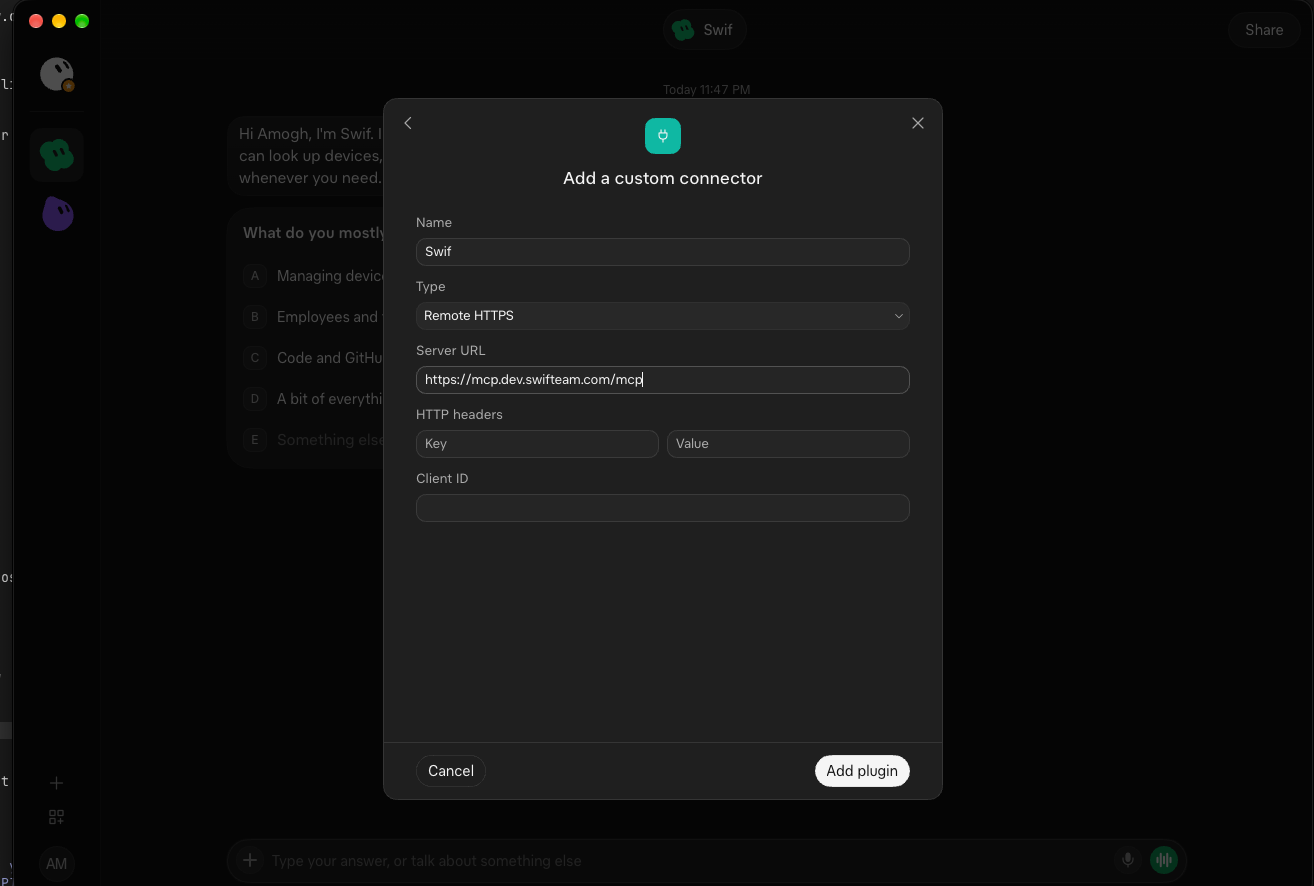
In Grok, click Connect apps, then Add a custom connector.
Enter Name
Swif, choose Remote HTTPS, and enter the Server URLhttps://mcp.swifteam.com/mcp, orhttps://mcp.eu.swifteam.com/mcpfor the EU region.Click Add plugin. Then, on the Swif connection page, enter your Swif API key, accept the agreement, and approve.
Open Swif in Grok's sidebar, and ask a question.
Coming soon: a Swif plugin for Grok Build, xAI's coding tool.
Learn More: