New: See and Control MCP Servers Across Your Fleet
Release Date: November 16, 2026
Category: Agentic Security
AI coding agents, such as Claude Code, Cursor, Codex, and Hermes, connect to tools and data through MCP servers. Each one an employee adds can run commands, or reach company data, and until now, you couldn't see which ones were in use. The new MCP Security page shows every MCP server on your devices, and lets you approve or block them in one click.
What's New
Every MCP Server, in One Place
New MCP Security page, under Agentic Security, with every MCP server found on your Macs, Windows, and Linux devices.
See who uses each one: its agents, how many devices and people have it, when it was last seen, and what your policy decides.
Filter by agent, or by decision.
Approve or Block in One Click
Approve or Block a server right from the list. Remote servers are added to your policy as hosts, and local ones as packages.
More than one policy? Choose which to change. The device's own policy is selected for you.
Devices pick up the change at their next check-in.
Find What Your Policy Would Block
New Violations tab: every server your policy blocked, or would block, for the last 30 days, or any dates you choose.
Click a violation to see the server, with the device already open.
Each Device's MCP Servers, and How They Changed
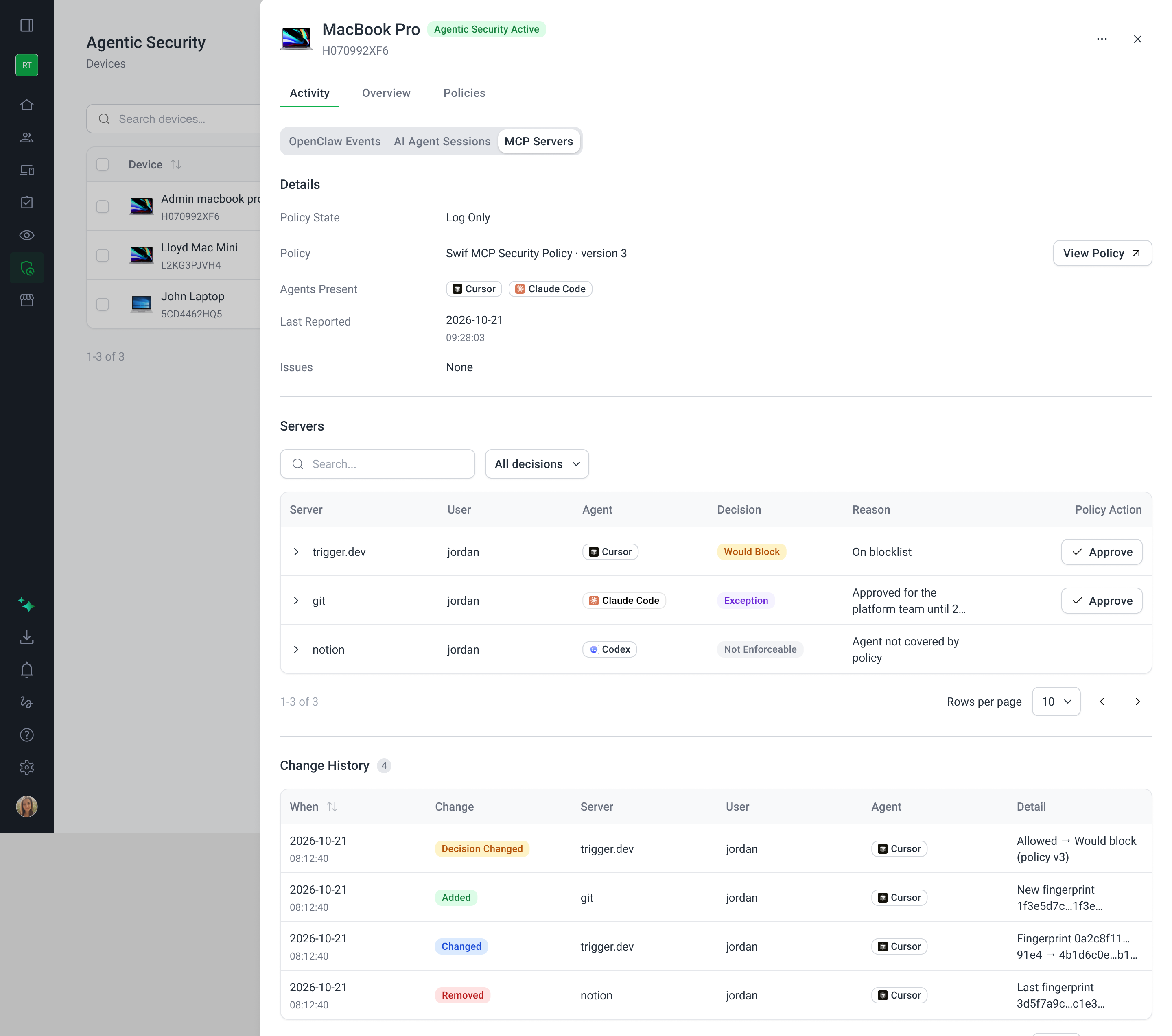
New MCP Servers tab on each device, under Activity: its policy, its agents, and any problems reading its settings.
Change History: when each server was added, changed, or removed, and by which agent.
Built to Keep Secrets Safe
Environment variables and headers show names only. Their values, such as API keys, are never collected or shown.
Good to Know
Not enforceable: Swif reports MCP servers in Claude Desktop and Codex, but can't block them. In block mode, they show as Not enforceable.
Managed in Claude: claude.ai connectors, such as Gmail or Notion, are set up in your Claude account, not on the device. They show as Managed in Claude, and never count as violations.
Getting Started
If you haven't yet, create a Swif MCP Security Policy, and assign it to your devices.
Go to Agentic Security > MCP Security. Devices report their MCP servers every 15 minutes.
Review the Servers and Violations tabs, and approve or block servers as needed.
Learn More: