New Integration: Secureframe Continuous Compliance Sync
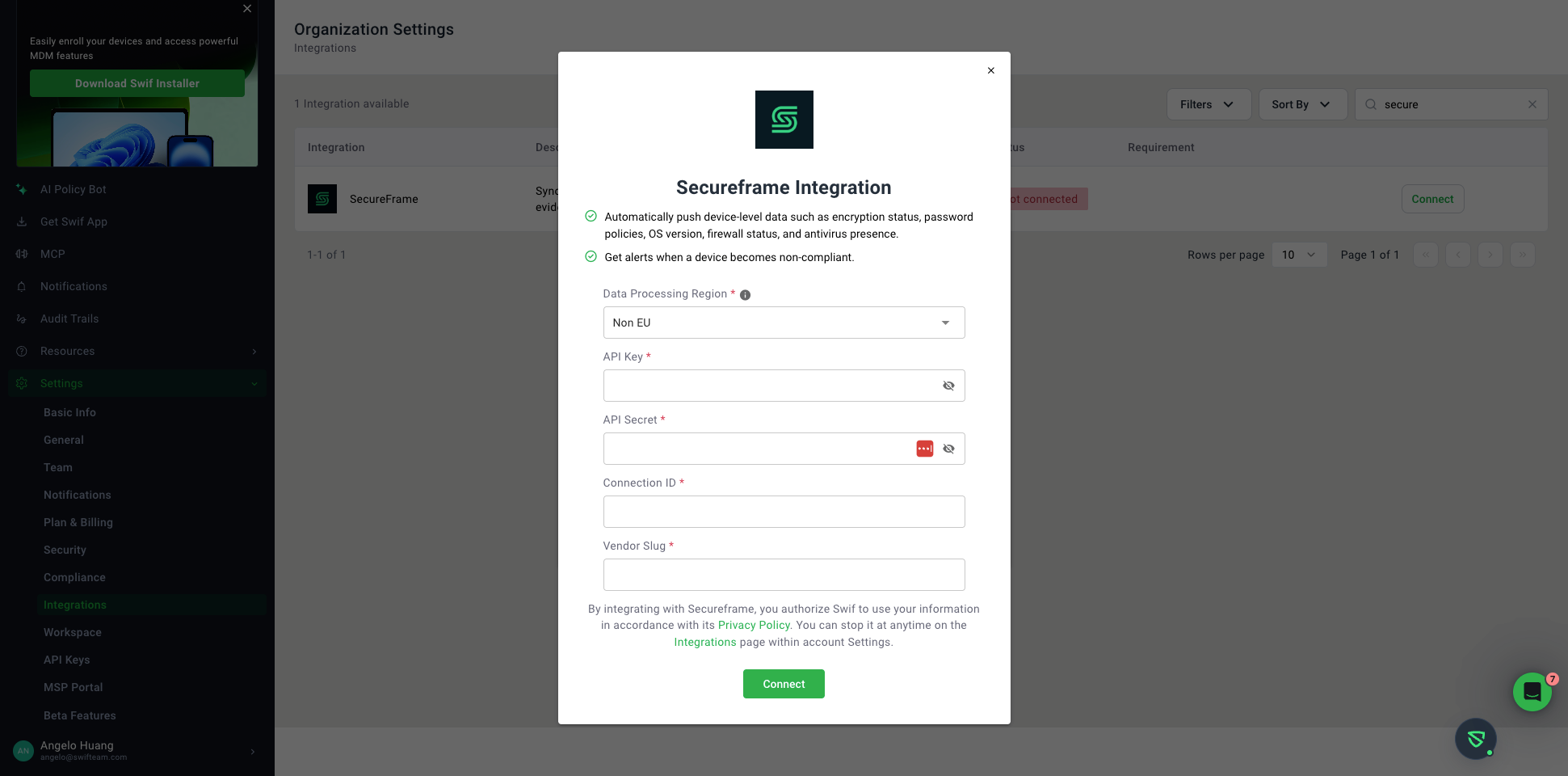
We are pleased to introduce our native Secureframe Integration in the Swif Web App! You can now seamlessly connect Swif MDM to Secureframe to automate compliance evidence collection, streamline audit readiness, and keep your device fleet continuously synchronized.
What’s New
Automated Device Inventory & Evidence Sync
Hardware & Asset Inventory: Automatically pushes hardware specs, serial numbers, device models, OS versions, CPU, memory, and MAC addresses to your Secureframe asset registry.
Continuous Security Controls Verification: Syncs real-time security postures and compliance evidence directly to Secureframe controls, including:
Disk Encryption: FileVault (macOS) and BitLocker (Windows) status.
Antivirus & EDR: Active verification for endpoint security tools (e.g., CrowdStrike Falcon, XProtect).
Screen Lock & Session Timeouts: Inactivity lock screen policies.
OS Auto-Updates & Local Firewall: Patch management and firewall enforcement status.
Password Manager: Verification of installed security extensions.
Intuitive Setup & Management
Self-Service Connection: Configure the integration directly under Settings → Integrations → Secureframe using your Secureframe API credentials, Custom Connection ID, and region settings (US / EU).
On-Demand Manual Sync: Trigger immediate fleet-wide synchronization via the "Sync Now" button anytime you need up-to-the-minute evidence reflected in your audit dashboard.
Device-Level Sync Visibility: View integration status, sync health, and timestamps directly on individual device detail pages.
Getting Started
Generate an API Key and Secret in your Secureframe Console (Company Settings → API Keys).
Create a Custom Connection for Swif MDM under Monitoring → Integrations.
In Swif MDM, navigate to Settings → Integrations → Secureframe, enter your credentials, and click Connect.
For step-by-step instructions and troubleshooting tips, check out our How to Connect Secureframe with Swif MDM Guide.