Swif's browser security - LLM Account Monitoring
Release Date: May 13, 2026
Category: Shadow IT
Monitor and control personal AI accounts across your team.
Employees often use AI tools like ChatGPT, Claude, and Gemini with personal accounts instead of their work accounts, so company data can end up in accounts your organization doesn't control. With LLM Account Monitoring, you create rules that find personal accounts on AI tools, and decide what happens next. All of this happens through Swif's browser security.
What's New
Find Personal Accounts on AI Tools
Six AI tools supported: ChatGPT, Claude, Gemini, Copilot, Perplexity, and DeepSeek.
Work vs. personal: each sign-in is classified as Work, Personal, or Unknown, based on your organization's work domains.
No sign-in needed: works on enrolled devices, even if employees haven't signed in to the extension.
Choose What Happens
Track Only: record personal account sessions silently, for reporting.
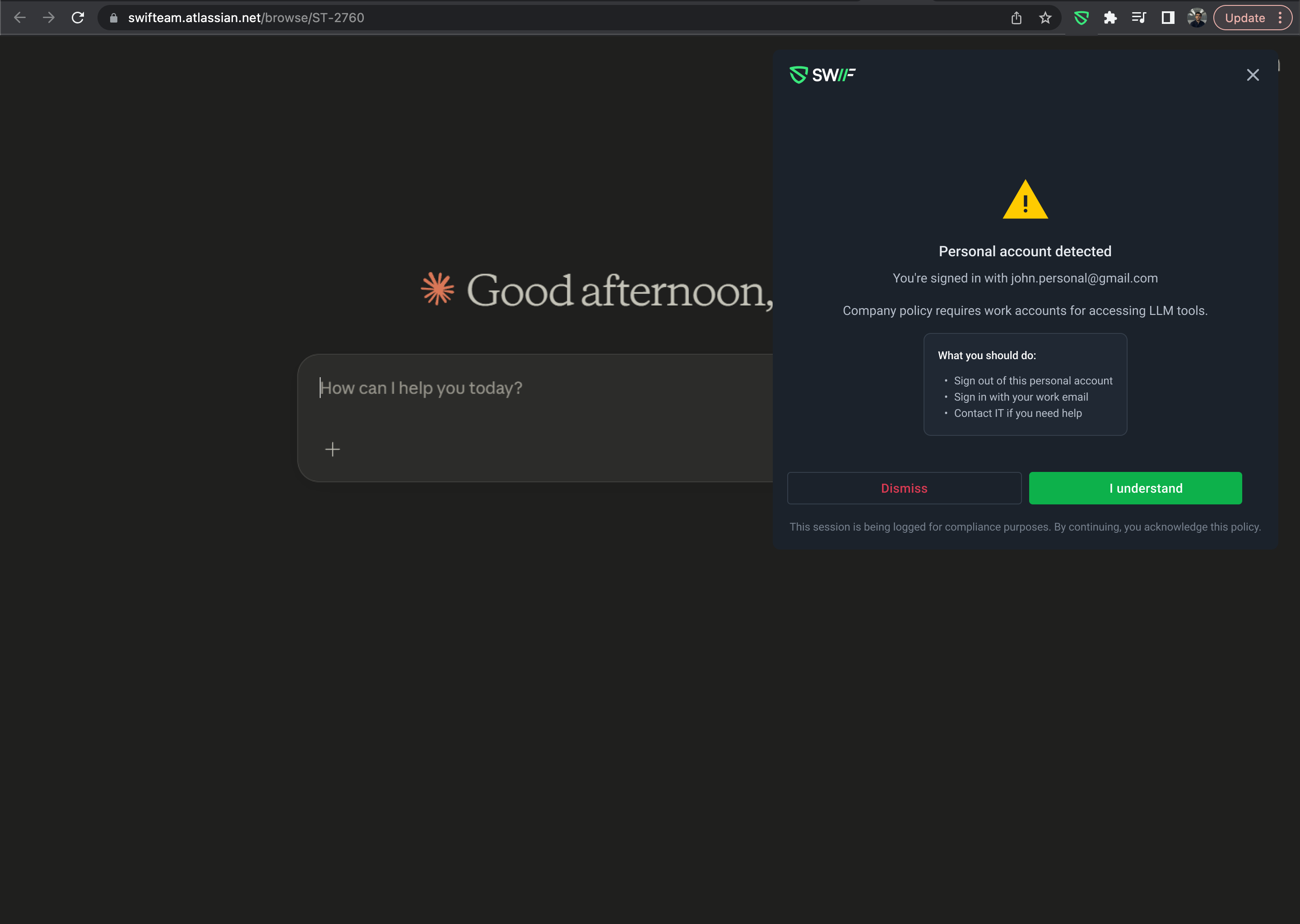
Show Acknowledgement Notice: remind employees that they're using a personal account on a monitored AI tool.
Block Access: stop employees from using the tool with a personal account, until they switch to a work account.
Create Rules for Each Team
Work Domains: your organization's domain is filled in for you. Add more, such as a subsidiary's.
User Groups: apply different rules to different teams.
Tool Selection: monitor all six tools, or only the ones you choose.
Manage Rules in One Place
Rules Table: filter and sort rules, and see each rule's tools at a glance.
Quick Edits: edit or delete any rule from its row menu.
Privacy by Design
No Content Collected: Swif never reads or stores prompts, responses, or chat history.
No Credentials: passwords and authentication tokens are never collected.
Admin-Controlled: monitoring applies only to the tools and groups in your rules.
Getting Started
Go to Settings > Team Settings > LLM Account Monitoring.
Click Create Rule, and choose your work domains, user groups, AI tools, and action.
Click Create.
Learn More: