Group – Link a User Group to a Device Group from the User Group Page
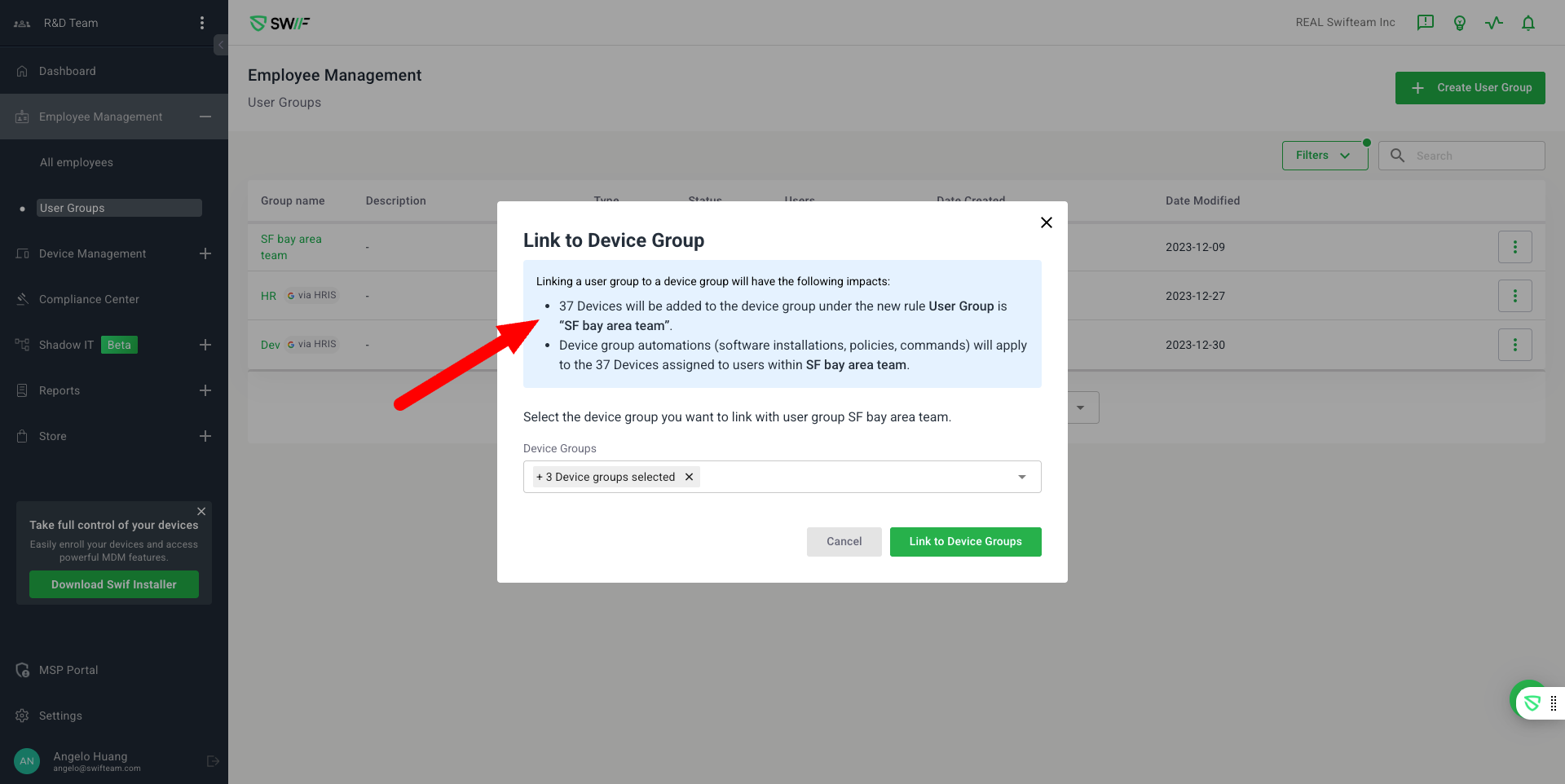
Admins can now link user groups to device groups directly from the user group page, streamlining group management and making the process more intuitive. Previously, this action was only possible from the device group creation or edit page.
Key Features:
Direct Linking from User Group Page:
Admins can initiate the linking of user groups to device groups without navigating away from the user group page.Intuitive Linking Flow:
A new modal dialog allows selection of device groups to link, with clear highlighting of the impacts of linking.Smart User Group Filtering:
The dropdown for device group selection only includes eligible Smart user groups, ensuring relevant options.Visual Feedback and State Management:
Device groups already linked to the user group remain visible in the selection list but are disabled and visually distinct (e.g., grayed out or labeled as “Linked”).
Unlinked device groups are enabled and selectable.
Linked device groups cannot be re-selected until unlinked.
Removing a linked device group re-enables it in the selection list.
Bulk Linking:
Multiple device groups can be linked to a user group in a single action.Success Confirmation:
A clear success message is shown upon completion of the linking action.