Enhanced VPP License Visibility for Apple Devices
Summary
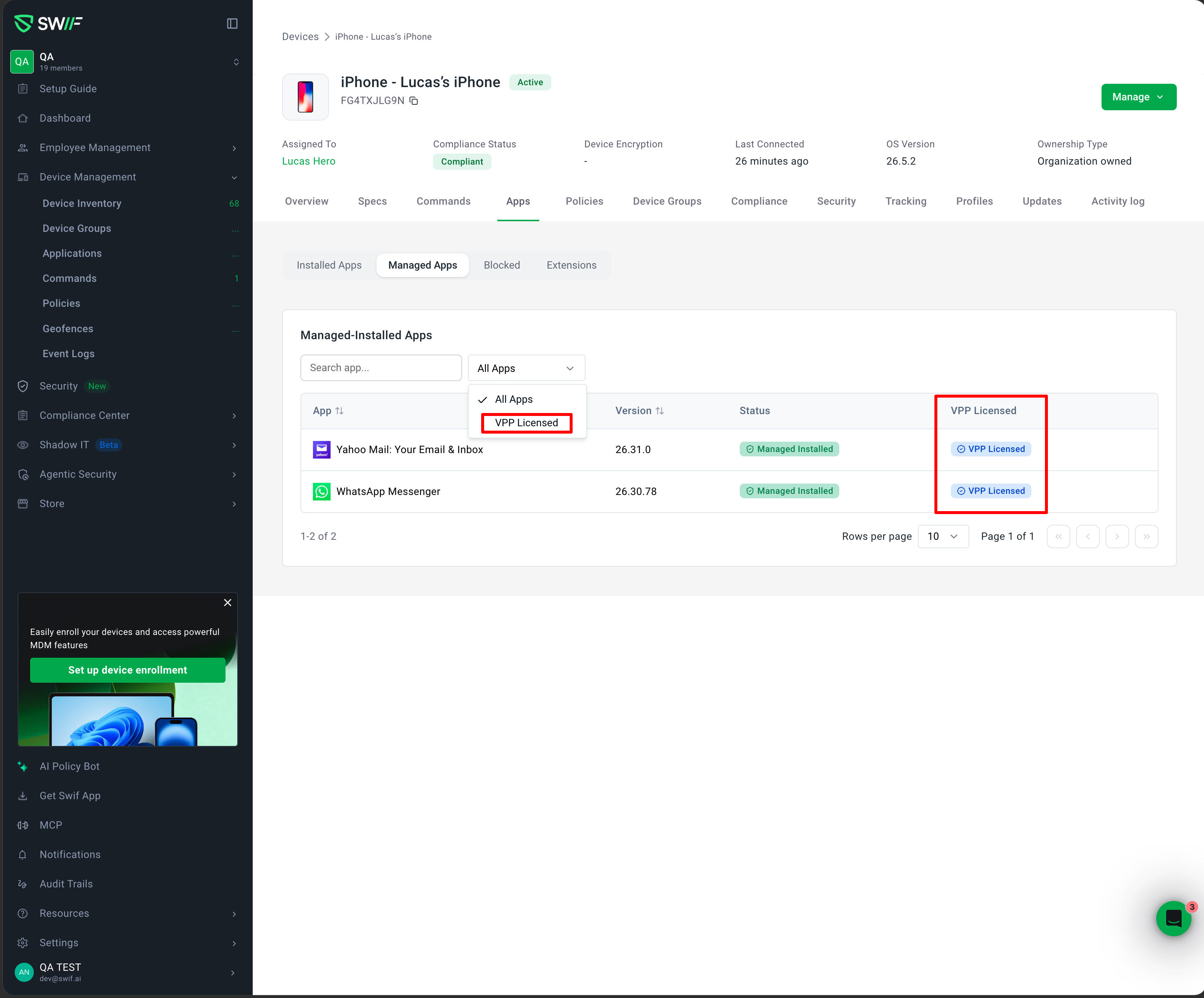
We have introduced enhanced visibility and filtering for Volume Purchase Program (VPP) applications within the Swif Web App. This update provides administrators with clearer insights into which managed applications on Apple devices are utilizing licenses from Apple Business Manager (ABM).
Key Features
VPP Licensed Column: A new "VPP Licensed" column has been added to the Device Details > Applications tab. For organizations connected to Apple Business Manager, this column displays a dedicated badge for applications installed via VPP.
Informative Tooltips: Hovering over the VPP badge provides immediate context with a tooltip: "This application is installed using a VPP license from Apple Business Manager."
Advanced License Filtering: The application table now includes a "License" filter group. Administrators can quickly toggle between "All Apps" and "VPP Licensed" to isolate and audit licensed software inventory.
Conditional UI: To maintain a clean workspace, VPP-specific interface elements (columns and filters) are automatically hidden for organizations that are not connected to Apple Business Manager.
User Experience Improvements
Refined Filtering Logic: Based on user feedback, the default filter option has been renamed to "All Apps" to more accurately represent the inclusion of both licensed and standard managed applications.
Consistent Design: The new UI elements follow our latest design standards for iconography and accessibility, ensuring a seamless experience across different browsers and screen sizes.