Desktop app: IT onboarding checklist (no-login needed)
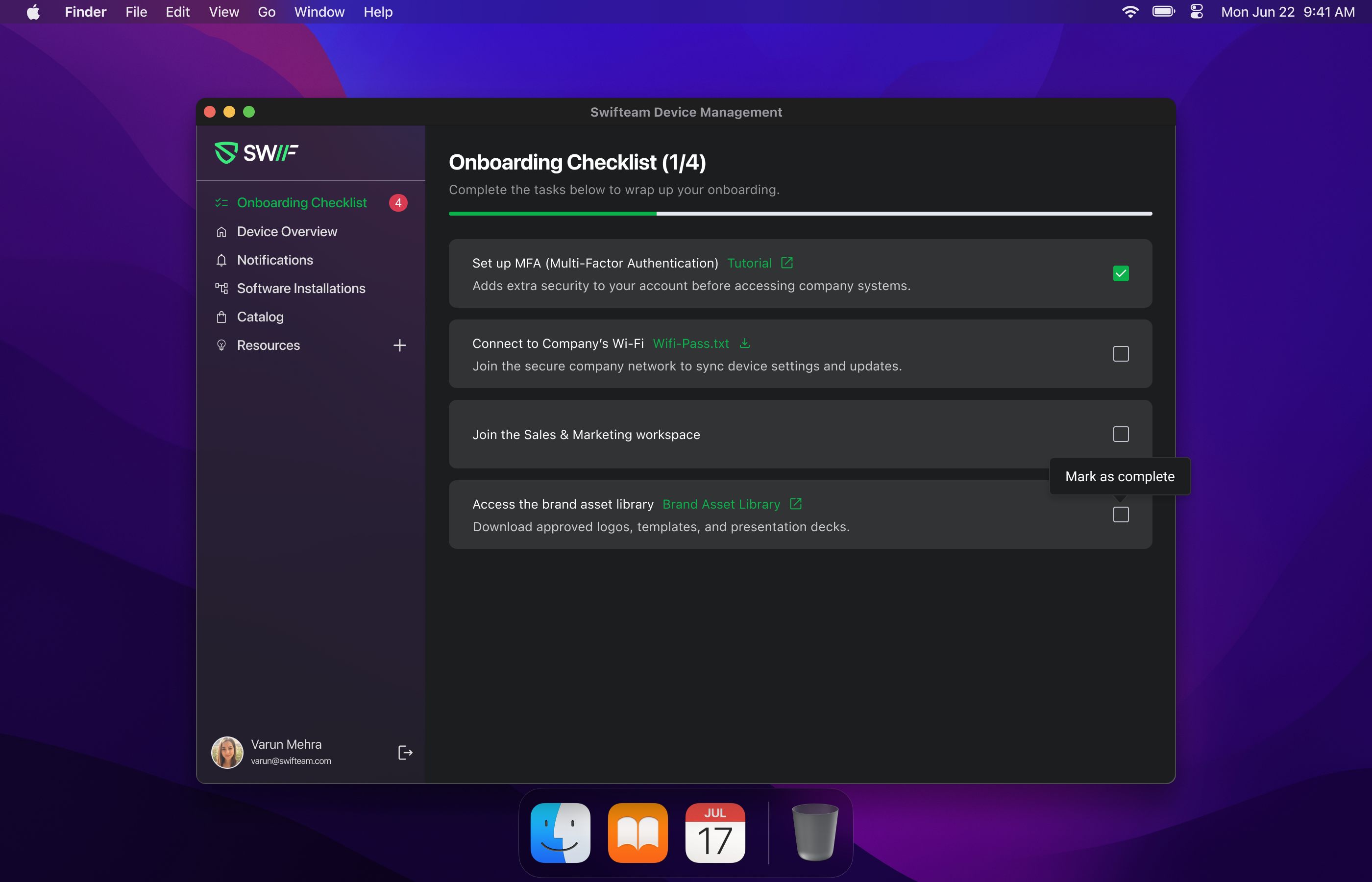
We’ve added a new IT onboarding experience to the Swif Desktop App so new hires can see and complete their onboarding checklist without signing into Swif.
What’s new
Onboarding Checklist page in the desktop app
New “Onboarding Checklist” page for employees, based on the latest designs.
Checklist items, grouping, and labels are fully driven by your Employee Checklist Templates.
No-login employee experience
New hires can access and complete their onboarding checklist without logging into Swif.
The app uses a secure, device-serial–based token flow for all checklist API calls in this mode.
Real-time progress & auto-hide behavior
Employees can mark items as completed directly from the desktop app.
Completion state is persisted to the backend so admins see accurate progress.
When all tasks are done, the Onboarding Checklist page is automatically hidden and the user is redirected back to the Overview page.
If there are no pending tasks (empty or all completed), the checklist page will not appear.
Template-driven mandatory tasks
Mandatory tasks are honored from your configured templates (e.g., Swif MDM templates).
No hardcoded mandatory items — everything comes from backend/template configuration.
Technical notes
Implements device-serial–based token auth for checklist APIs in the desktop app.
Available in Swif Desktop App build
1.0.155+1for:macOS
Windows
Linux x86
Linux ARM64
Docs