Compliance control device coverage in details
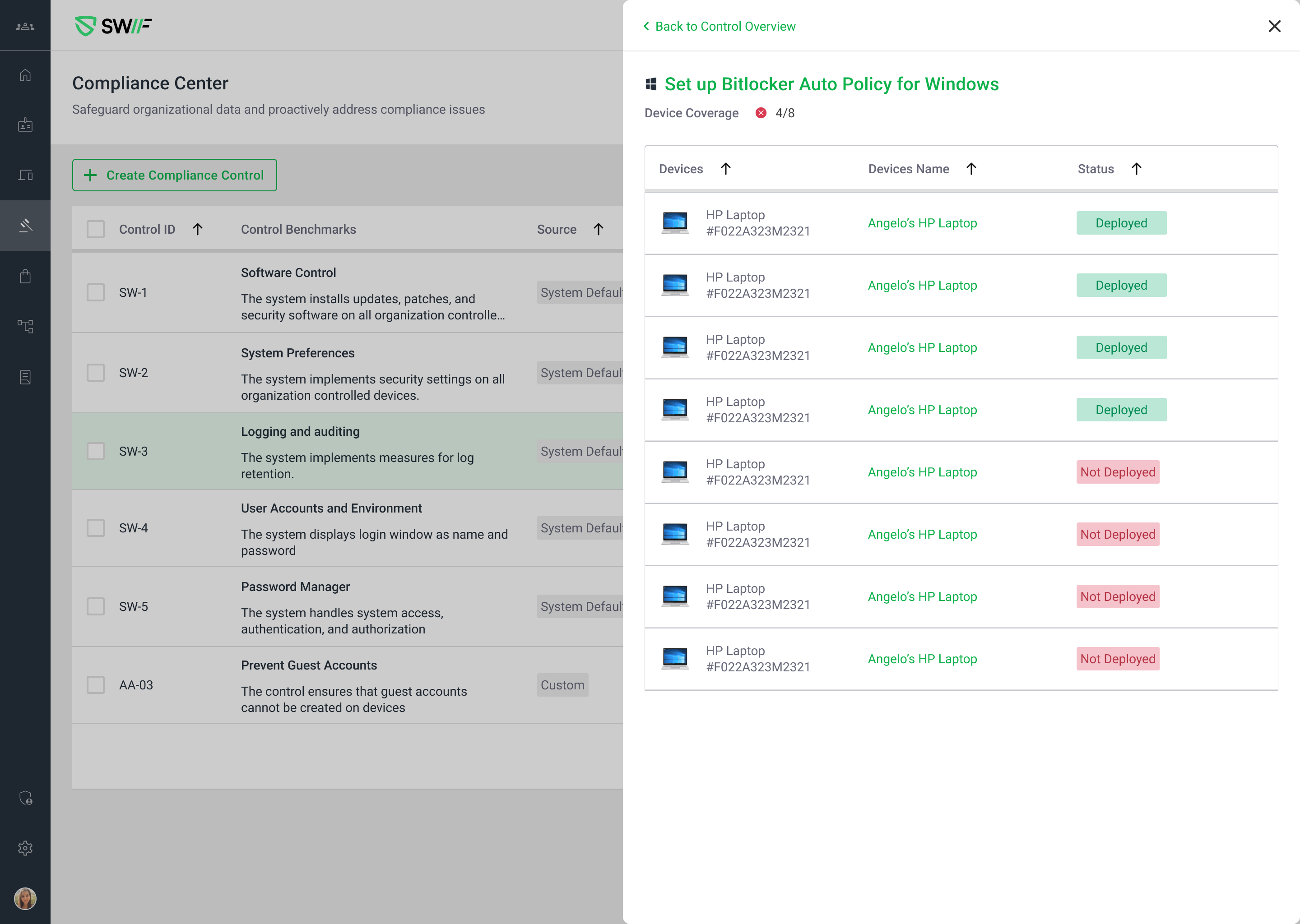
The key features of are:
Device Coverage Snapshot: Displays which device serial numbers are compliant and which are not for each compliance control, providing a clear snapshot view.
Interactive Device Coverage Panel: Users can click on the device coverage indicator (e.g., “4/100”) to open a detailed panel showing all devices, their names, serials, and compliance status.
Support for Single and Multiple Policies:
For a single policy, the device coverage panel shows details specific to that policy.
For multiple policies, each device coverage item is clickable and opens a panel with tabs for each policy, allowing users to switch between them.
Detailed Device Status: The panel lists each device’s compliance status (e.g., Deployed/Not Deployed) and supports expandable details for recommended actions and settings.
Comprehensive Metadata: The compliance control details panel displays metadata such as Control ID, Status, Source, Compliance, Framework, Type, and Requirements.
Enhanced Navigation: Users can navigate between controls and close overlays easily, with UI elements supporting smooth transitions.
Consistent Status Icons and Tooltips: Compliance status icons and tooltips are shown in both the device coverage and control list, ensuring clarity and consistency.