Command Templates – 8x8, Bitdefender
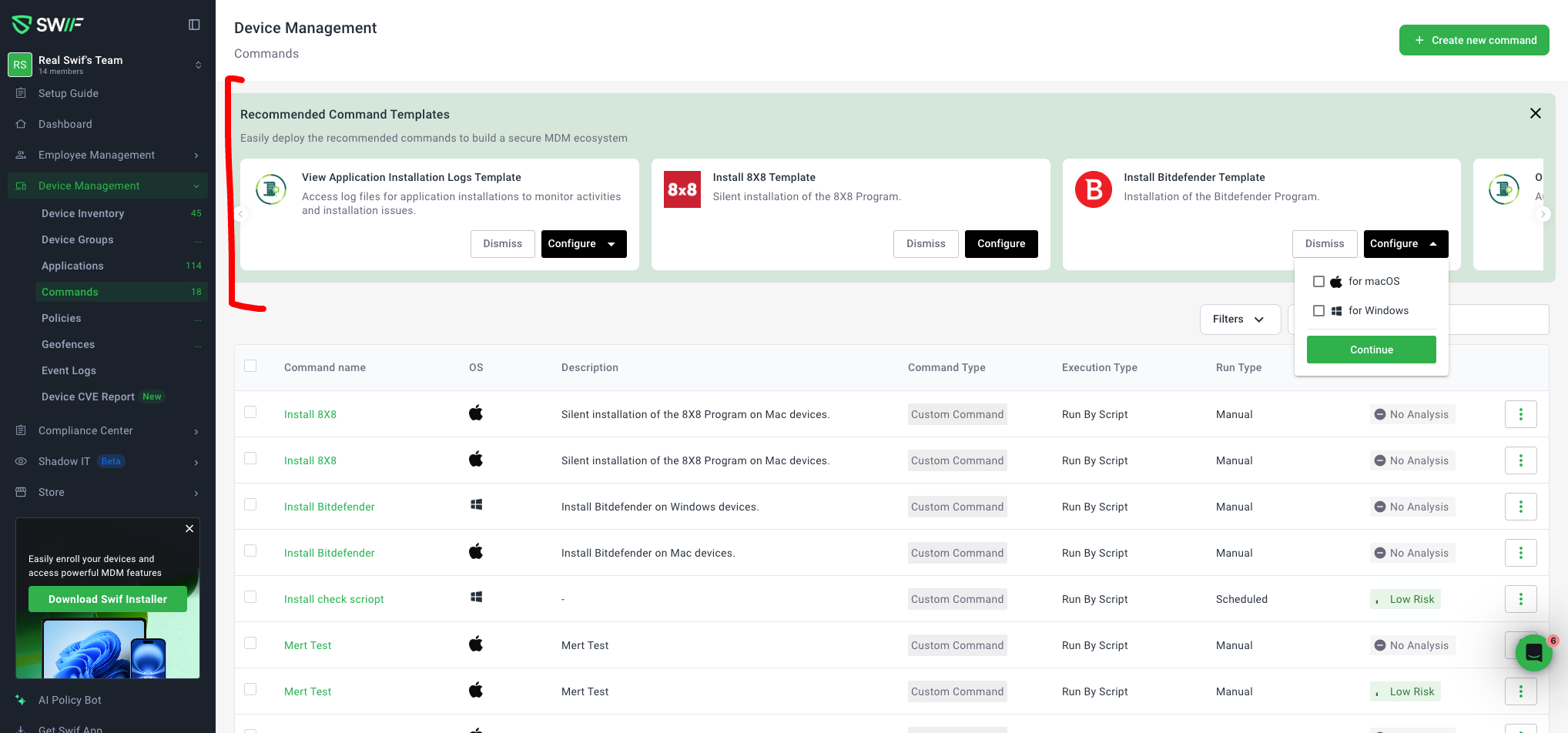
We’ve expanded the Command Templates library with two examples that showcase common installation and packaging patterns:
New macOS DMG Install Template (8x8):
Adds a template based on 8x8 command to demonstrate a standard DMG app installation (drag‑to‑
/Applicationspattern).The template clearly documents:
How the DMG is mounted.
How the
.appbundle is copied/installed into/Applications.Any cleanup/unmount steps used to detach the DMG.
Inline comments in the script and description explain each step so admins can reuse this pattern for other DMG‑based apps.
New Package Unpacking Template (Bitdefender):
Adds a template based on Bitdefender command to demonstrate unpacking / extracting a package before installation.
The template walks through:
How the package is downloaded or accessed.
How it is unpacked/extracted (e.g., via
pkgutil,tar,unzip, or a vendor‑specific tool).Where the unpacked contents are stored and how they are then used by the installer.
The unpacking flow is documented in the template description so it’s easy to adapt to other security or enterprise packages with similar requirements.
Consistent UX & Discoverability:
They appear alongside existing templates when creating a command, with naming and metadata aligned to prior Command Template work.
Admins can create commands directly from these templates to validate that scripts and to quickly model other DMG or unpack‑first installs.
These additions provide ready‑made, production‑tested examples for DMG app installs (8x8) and package unpack‑then‑install flows (Bitdefender), making it easier to build reliable macOS installation commands.
For more details, please check out How to Install Bitdefender GravityZone Using a Command Template in Swif.