Command Templates – Retrieve Software Installation Logs (Mac, Windows, Linux)
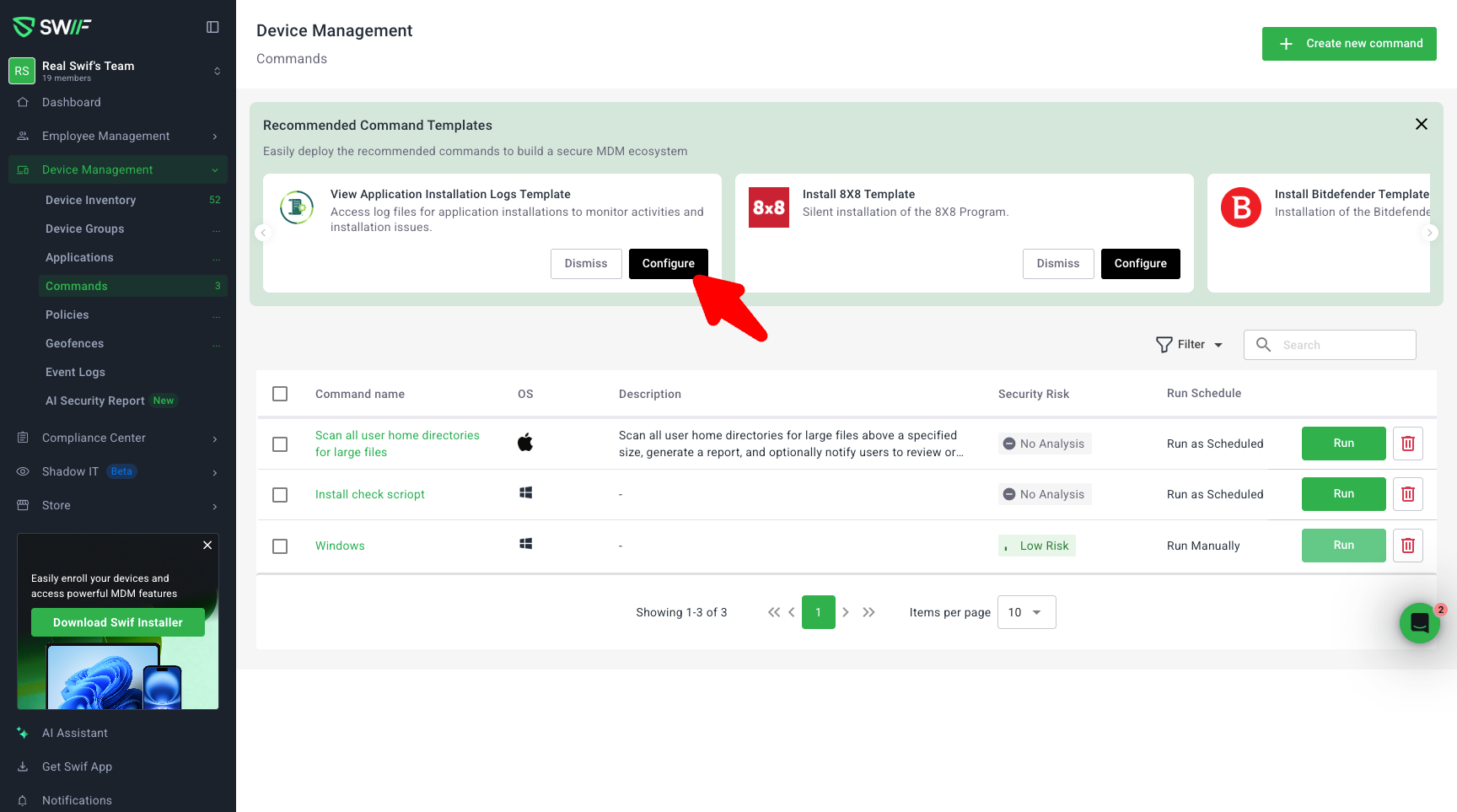
We’ve added a new “Software Installation Logs” command template in Device Management → Commands to make troubleshooting installs much faster:
New Recommended Template: A “Recommended Command Template” block now appears on the Commands page, suggesting a prebuilt command to retrieve installation logs. You can launch it directly from the CTA, or access it later from the “Create Command” flow if you dismiss the recommendation.
Multi‑OS Support: The template comes with prefilled commands for macOS, Windows, and Linux, so you don’t have to look up paths or syntax:
Windows:
Get-Content -tail 100 "C:\ProgramData\gorilla\gorilla.log"macOS:
tail -n 100 /Library/Managed\ Installs/Logs/ManagedSoftwareUpdate.logLinux:
tail -n 100 /var/log/swif-agent.log
Per‑OS Control: In the first step, you can decide which OSes to include by using Skip or Save & Continue for each OS. You must act on all OS rows before continuing, and you can’t proceed with all three skipped, so every run creates at least one command.
Clear Review & Editing: A final confirmation step summarizes the commands that will be created (only for non‑skipped OSes). From there, you can go back and edit an OS’s configuration; previously saved OS configs stay read-only until you intentionally return to that step to change them.
Consistent UI & CTAs: The flow follows the same layout and patterns as our Application Templates, including CTA styling aligned with the app store–style CTAs, and removes confusing “Skip / Save & Continue” behavior from later steps (device/group selection) so users only make that decision once, upfront.
This update makes it one click to generate the right install-log commands across platforms, with a clearer, guided flow and consistent UI.