Changelog: New Linux Enrollment Method for Universal Blue (Bluefin) Devices
Release Date: 2025-12-16
Key Features
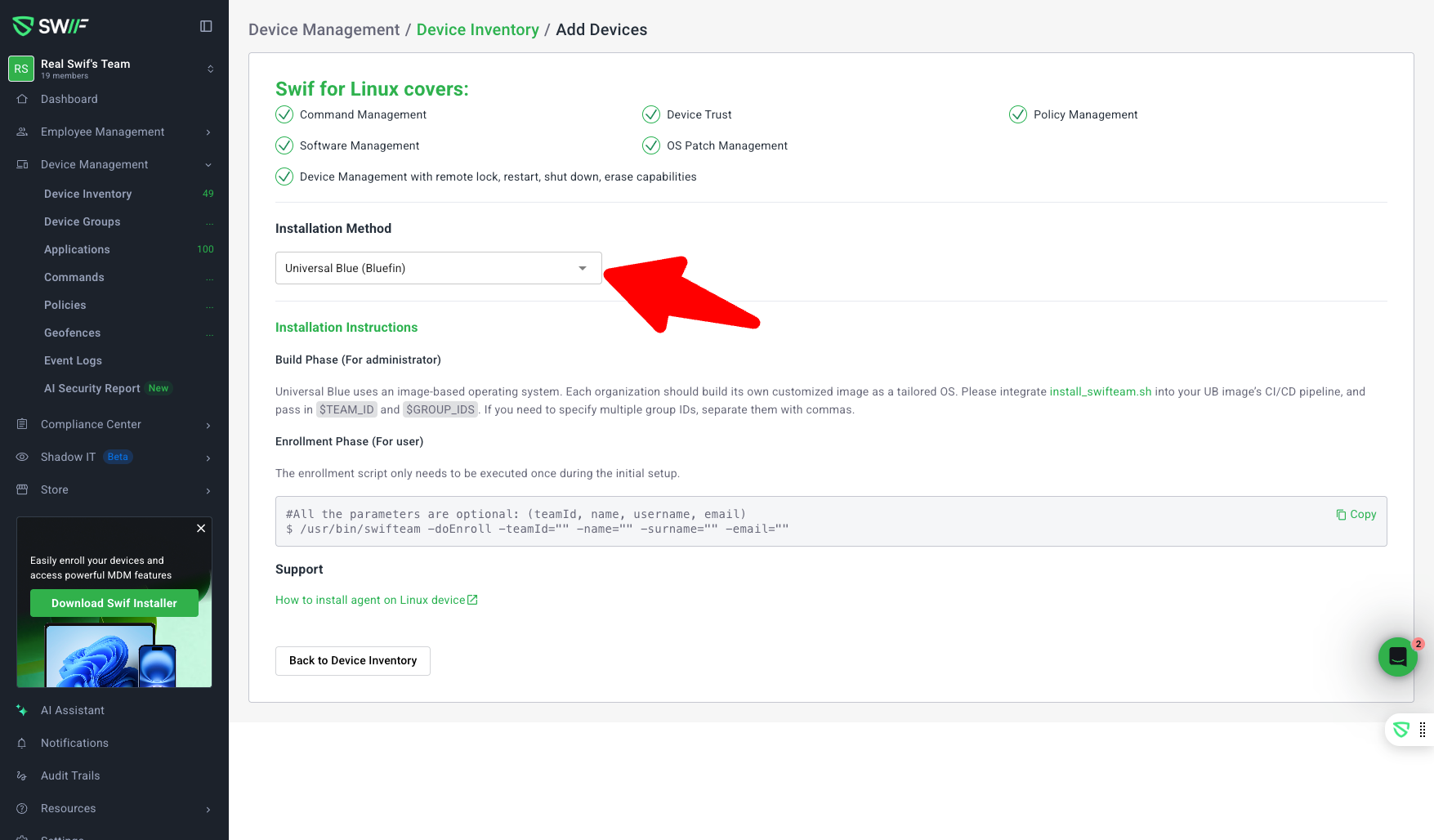
1. New Enrollment Flow for Universal Blue (Bluefin)
Introduced a dedicated frontend flow for enrolling Universal Blue (Bluefin) Linux devices.
The enrollment UI now auto-fills both
teamIdandgroupIdfields.Admins can select which
groupIdto use during enrollment.The flow does not support BYOD or additional configurations.
2. Streamlined Build & Enrollment Phases
Build Phase (for administrators):
Organizations can integrate the
install_swifteam.shscript into their Universal Blue image’s CI/CD pipeline.Supports passing
$TEAM_IDand$GROUP_IDS(multiple group IDs can be comma-separated).
Enrollment Phase (for users):
A simple, copyable script is provided for device enrollment:
/usr/bin/swifteam -doEnroll -teamId="" -name="" -surname="" -email=""All parameters (
teamId,name,surname,email) are optional, as values are typically injected via the image build process.
3. Improved User Experience
The installer script in the UI is copyable as a single command (comments are excluded from the copy action).
Help Center link is now present in both the Add Device page and the Installer popup, directing users to the official enrollment guide.
UI improvements based on feedback, including spacing adjustments and clearer instructions.
4. Documentation & Edge Cases
All edge cases and limitations are documented within the UI and linked help resources — Enrolling Universal Blue (Bluefin) Linux Devices into Swif.