Changelog: New Features for Compliance Control Notification Triggers
Overview
We are excited to announce the release of new features designed to enhance the management of compliance control notifications within the Swif.ai application. These updates focus on improving the user interface and experience, providing more flexibility and control over notification triggers related to compliance control status changes.
Key Features
1. Enhanced UI/UX for Notification Triggers
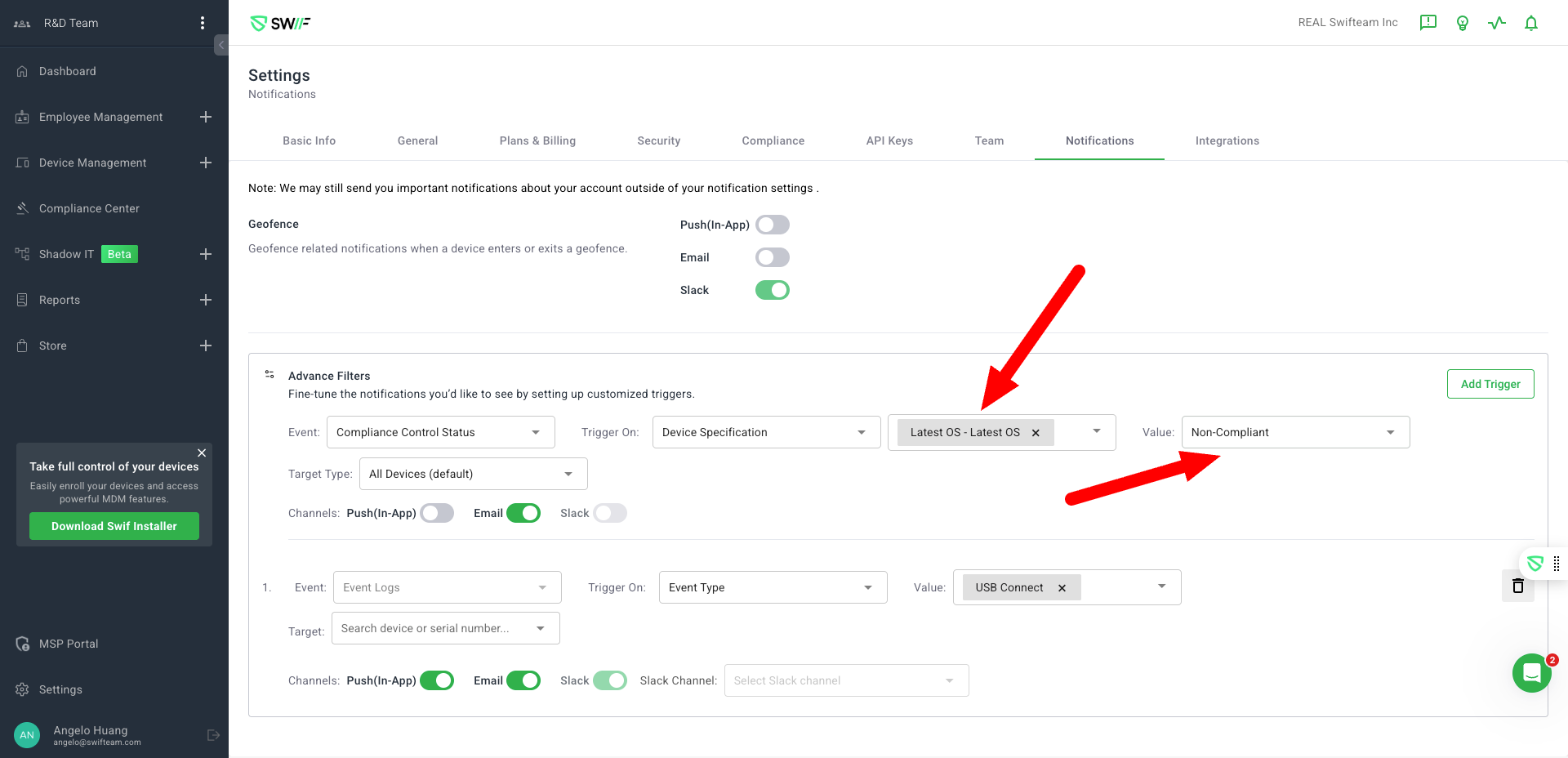
Add, Edit, and Manage Triggers: Users can now easily add, edit, and manage notification triggers for compliance control status changes through an intuitive interface.
Notification Channels: Select from multiple notification channels including Push, Email, and Slack. Users can also choose specific Slack channels for notifications.
2. Advanced Filtering Options
Filter by Control and Device: Advanced filtering options allow users to target notifications by control, control type, device group, or serial number, providing granular control over notification delivery.
3. Manage Active Triggers
View and Edit Triggers: Users can view a list of active triggers along with their configurations, and make edits as needed.
Delete Triggers: Easily delete triggers that are no longer needed.
4. User Flows and Accessibility
User Flows: Detailed user flows are provided for creating, editing, and deleting triggers, as well as viewing notification history.
Accessibility Improvements: The design includes accessibility enhancements, tooltips, and handles empty/error states gracefully.
Design Consistency: The UI is consistent with Swif’s design system, ensuring a seamless user experience.
Scenarios
The following scenarios have been confirmed to ensure the robustness of the new features:
Adding a new compliance control notification trigger.
Receiving notifications when compliance control status changes.