Centralized Browser Extension Management
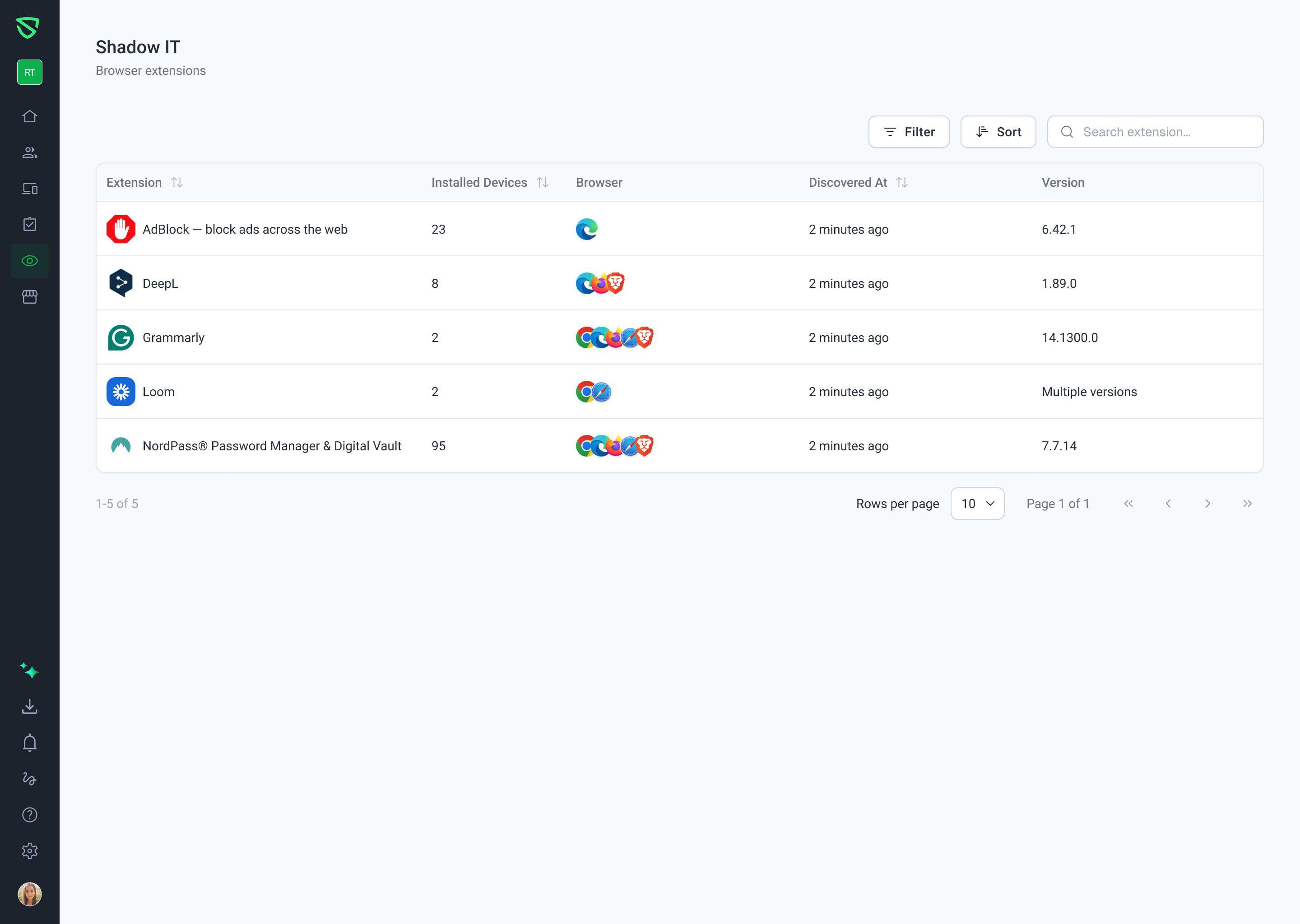
We’ve introduced a new Browser Extensions dashboard within the Shadow IT section to provide administrators with full visibility into third-party extensions installed across their fleet.
New Features & Improvements:
Centralized Inventory: A new dedicated page under Shadow IT > Browser Extensions aggregates all user-installed extensions discovered on enrolled devices.
Multi-Browser Visibility: Track extensions across Chrome, Edge, Safari, and Firefox. For extensions present on multiple browsers, the UI now displays stacked icons with tooltips listing all relevant browsers.
Smart Version Tracking: The dashboard now displays specific version numbers when all installations match, or flags "Multiple versions" when discrepancies are detected across the fleet.
Granular Device Details: Clicking any extension opens a details panel showing specific device metadata, including Device Name, Serial Number, Assigned User, Browser Type, and Last Seen detection timestamps.
Advanced Filtering & Search:
Filter the main inventory by Browser.
Sort by Extension Name, Installed Device Count, or Discovery Date.
Search the details panel by Device Name or Serial Number for rapid auditing.
Navigation Clarity: The previous "Browser Extension" page has been renamed to "Download Swif Extension" to clearly distinguish agent deployment from third-party extension monitoring.
For more details on how to use these new capabilities, please refer to our Help Center article.