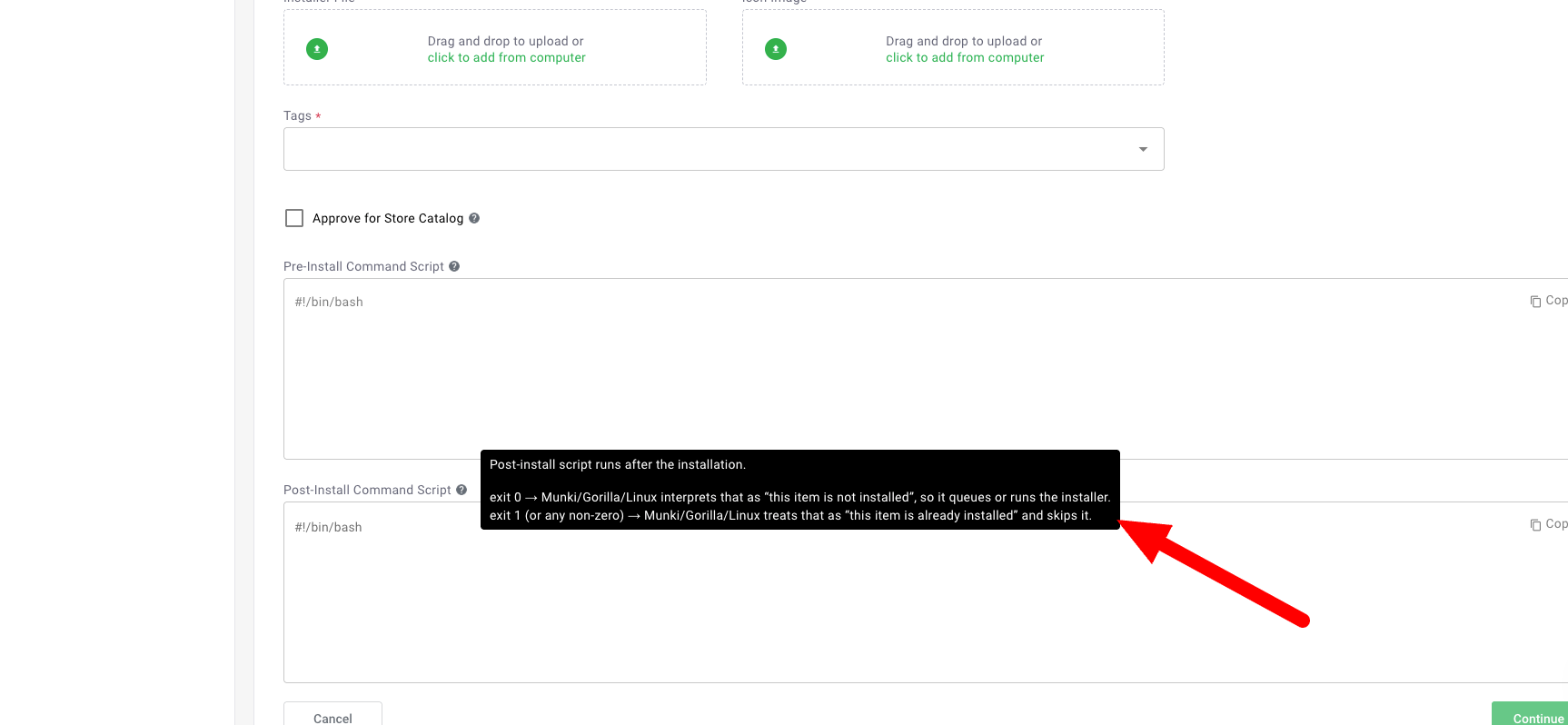
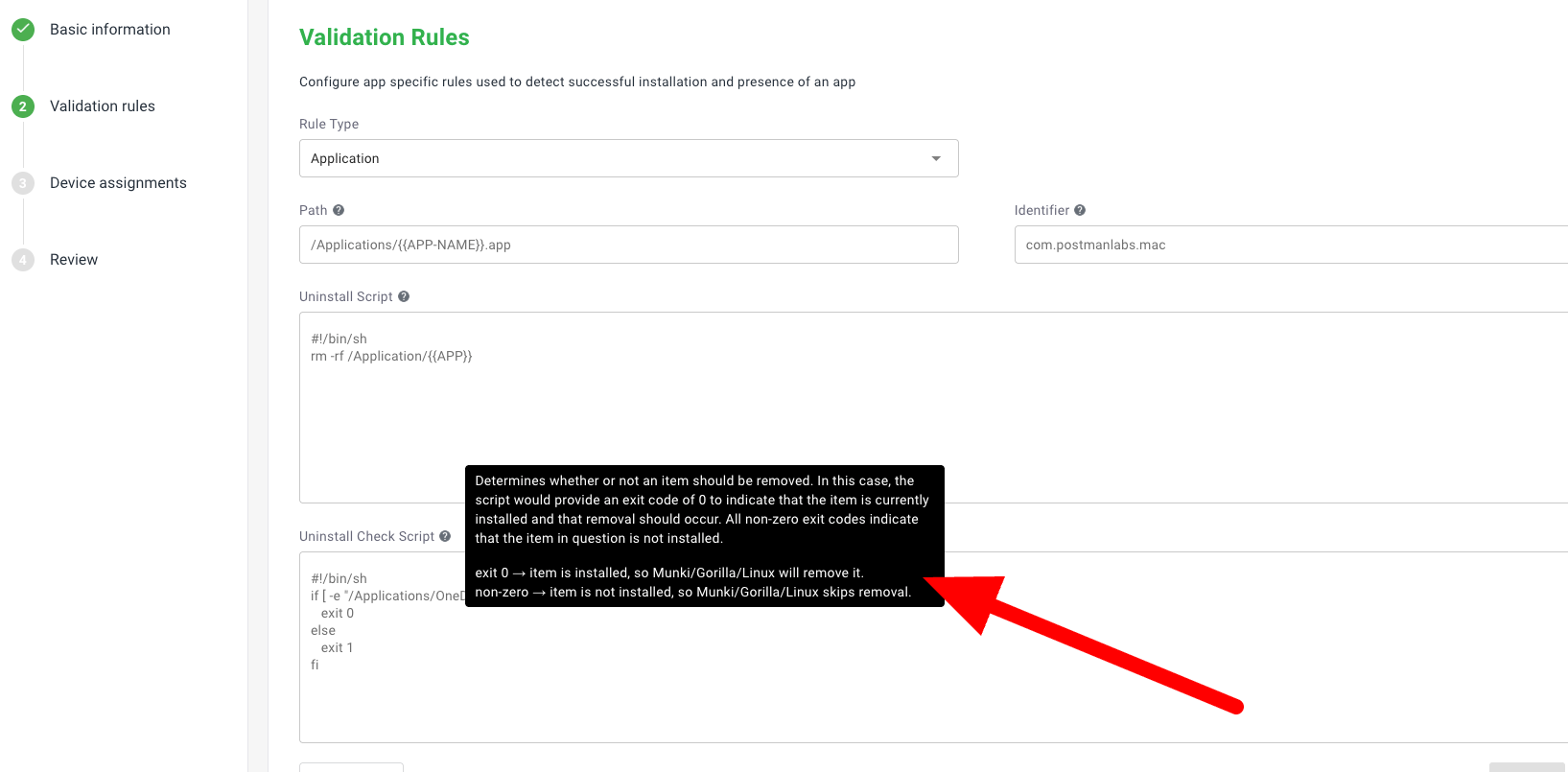
General notice of status code of script editor
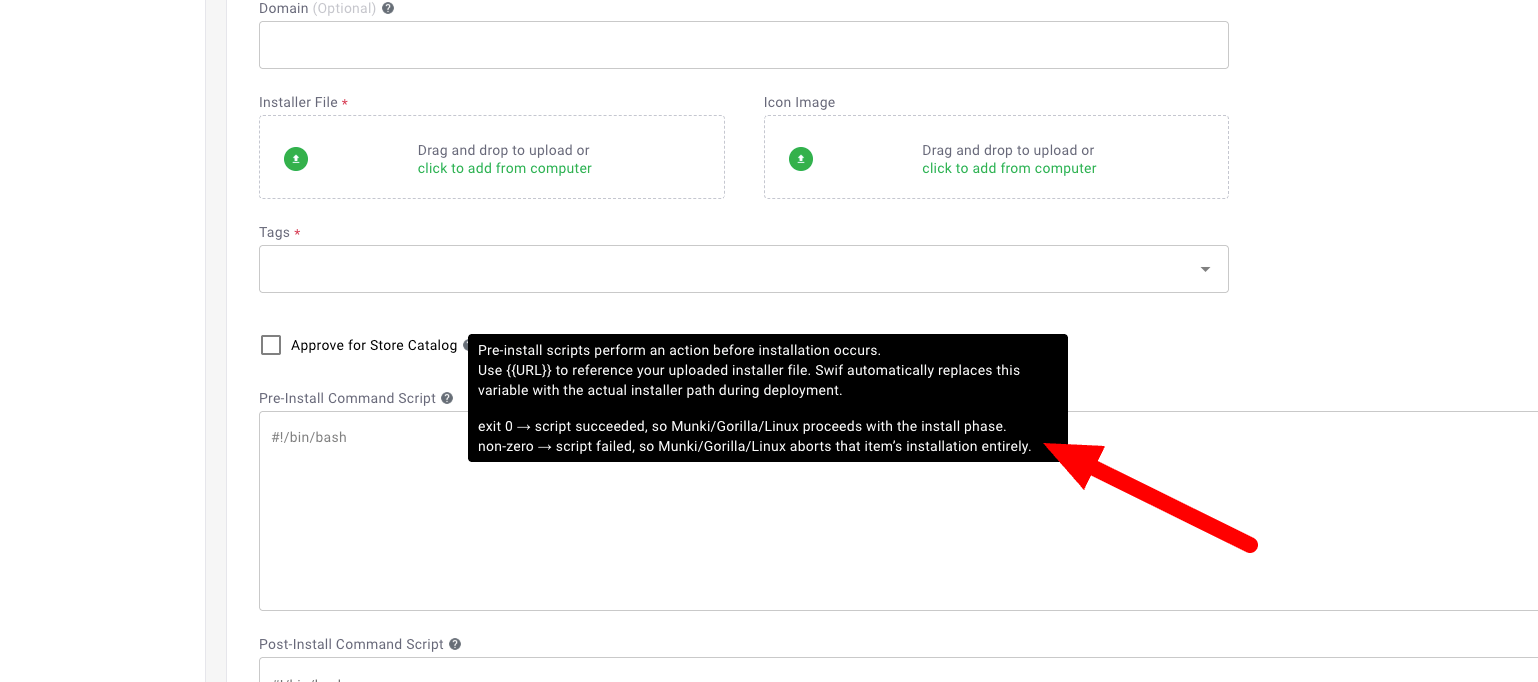
Here are the key features of “General notice of status code of script editor"):
Purpose: Add a general notice about shell script exit codes to the script editors for Mac, Windows, and Linux custom application commands (preinstall_script, installcheck_script, uninstallcheck_script).
Notice Content:
exit 0→ success (the condition is true, or the command ran without error)exit 1(or any non-zero) → failure (something went wrong, or the condition is false)For each script type, the meaning of exit codes matches the documentation:
preinstall_script:
exit 0= proceed with install, non-zero = abort installinstallcheck_script:
exit 0= not installed (run installer), non-zero = already installed (skip)uninstallcheck_script:
exit 0= installed (remove), non-zero = not installed (skip)
The notice is clearly visible and consistently placed above or near the script input area for each platform and script type.
You can also find screenshots and further implementation details attached.