Temporary Admin Elevation – New admin configuration UI
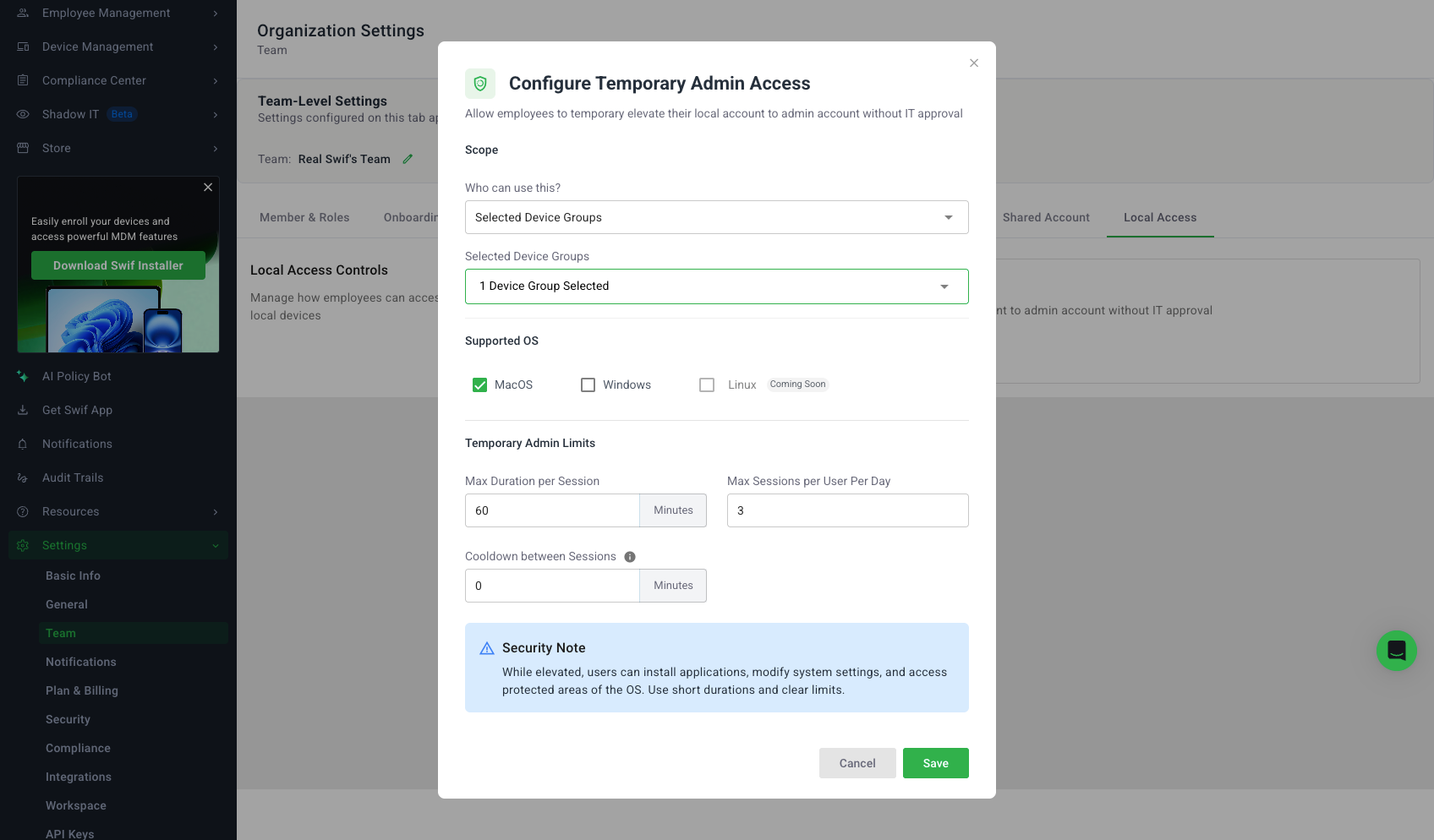
We’ve added a dedicated configuration experience in the Swif admin web app for Temporary Admin Elevation.
What’s new
New settings page at Settings → Local Account Controls → Temporary Admin Access with:
An intro/empty state when the feature hasn’t been configured yet
A clear “configured” state once you’ve saved a policy
Configuration modal for Temporary Admin Elevation that lets admins:
Enable or disable Temporary Admin Access
Choose scope: All devices or Selected device groups (with a “Choose device groups” selector)
Select allowed OSes (macOS, Windows, Linux)
Set guardrails:
Max elevation duration per session (e.g., 15 / 30 / 60 / 120 minutes)
Max sessions per user per day (and/or week)
Cooldown time between elevation sessions
Validation, loading, and error handling
Required fields and numeric ranges are validated client‑side
The Save button stays disabled until inputs are valid
Loading spinners and inline/toast error messages are shown when fetching or saving config
Post‑configuration summary
After saving, the main panel shows:
Whether Temporary Admin Access is enabled
Scope summary (all devices vs selected groups)
Current limits (session duration, sessions per day/week, cooldown)
Supported OSes
Admins can quickly re‑open the modal to edit or turn the feature off, which returns the page to the intro state
Device users can request elevation at the Swif desktop app:
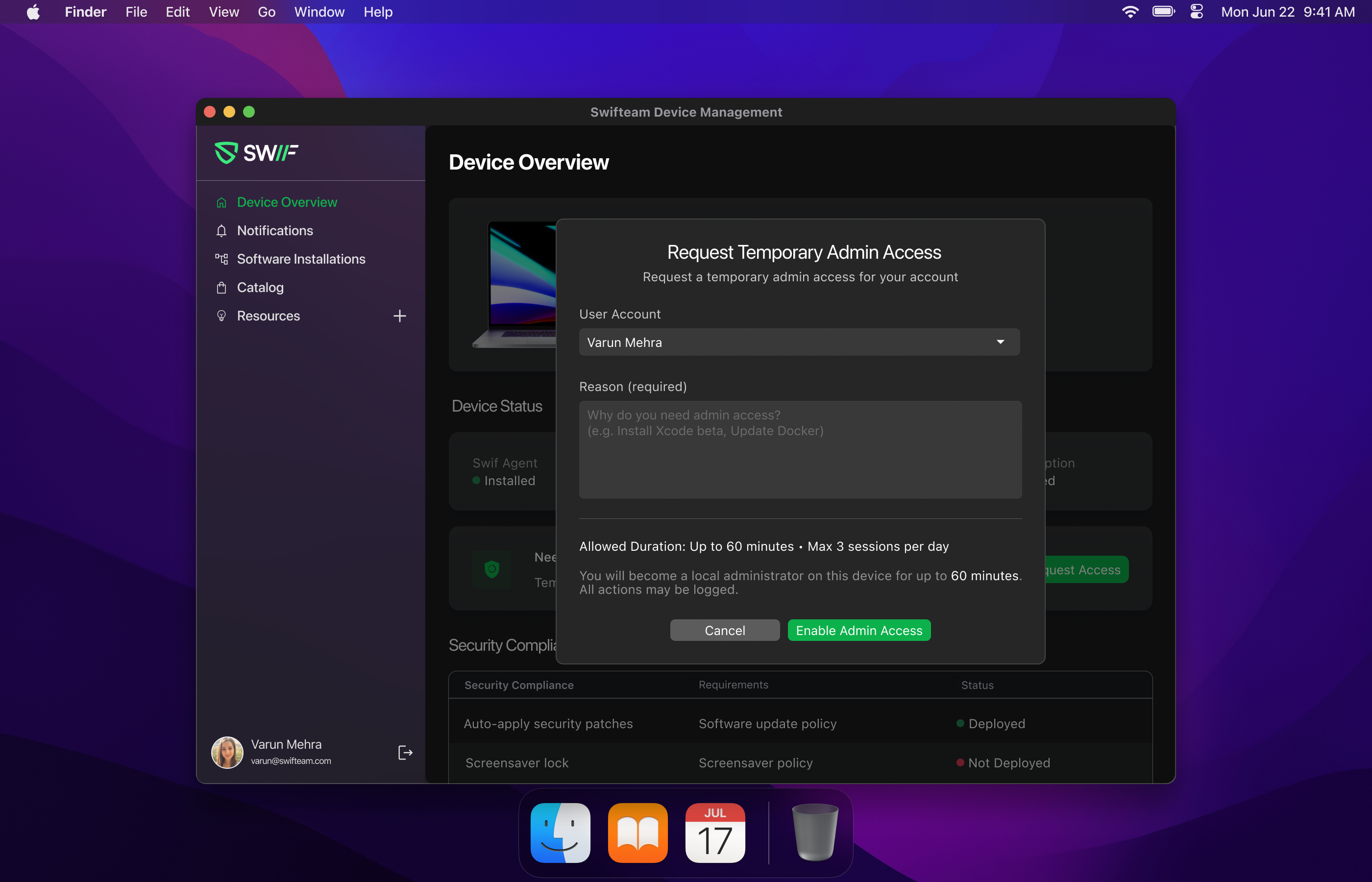
You can read more about how the feature works end‑to‑end in our help article:
Temporary Admin Elevation | Help Center | Swif.ai