Swif In-App Notification System
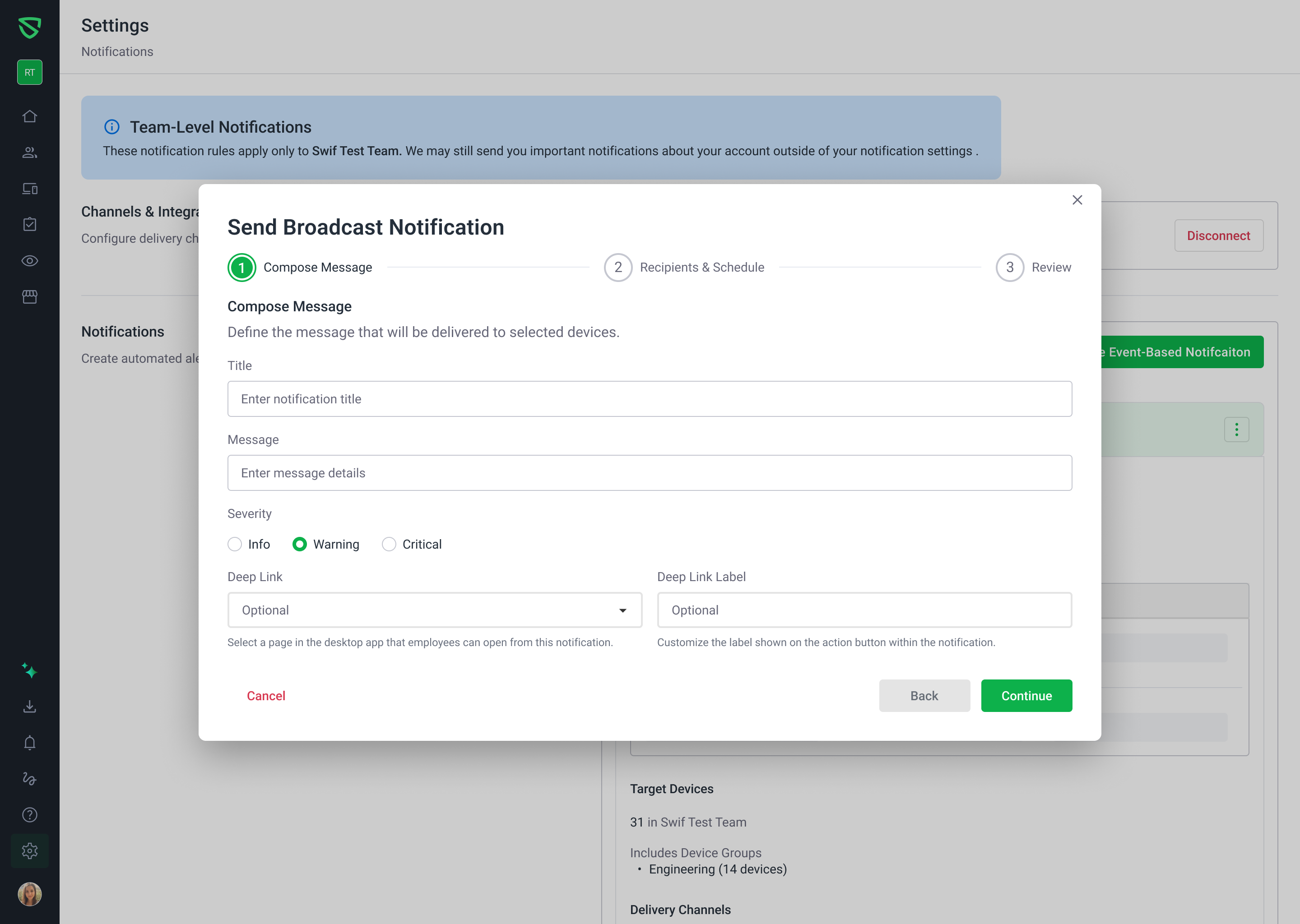
We are excited to announce the launch of our new In-App Notification System, designed to streamline communication between administrators and employees directly within the Swif ecosystem. This update spans both the Swif Webapp and our Desktop applications across macOS, Windows, and Linux.
📢 Admin Broadcasts & Scheduling
Administrators can now create and broadcast custom notifications to specific devices or groups. This feature includes:
Flexible Scheduling: Send notifications immediately or schedule them for a future date/time based on your organization's timezone.
Recurring Alerts: Set up daily, weekly, or monthly automated reminders.
Deep Linking: Guide employees to specific actions by linking notifications directly to the
Overview,AppInstalled, orAppStorepages within the desktop app.Delivery Analytics: Track the success of your communications with real-time metrics on "Sent," "Read," and "Failed" statuses.
💻 Enhanced Desktop Experience
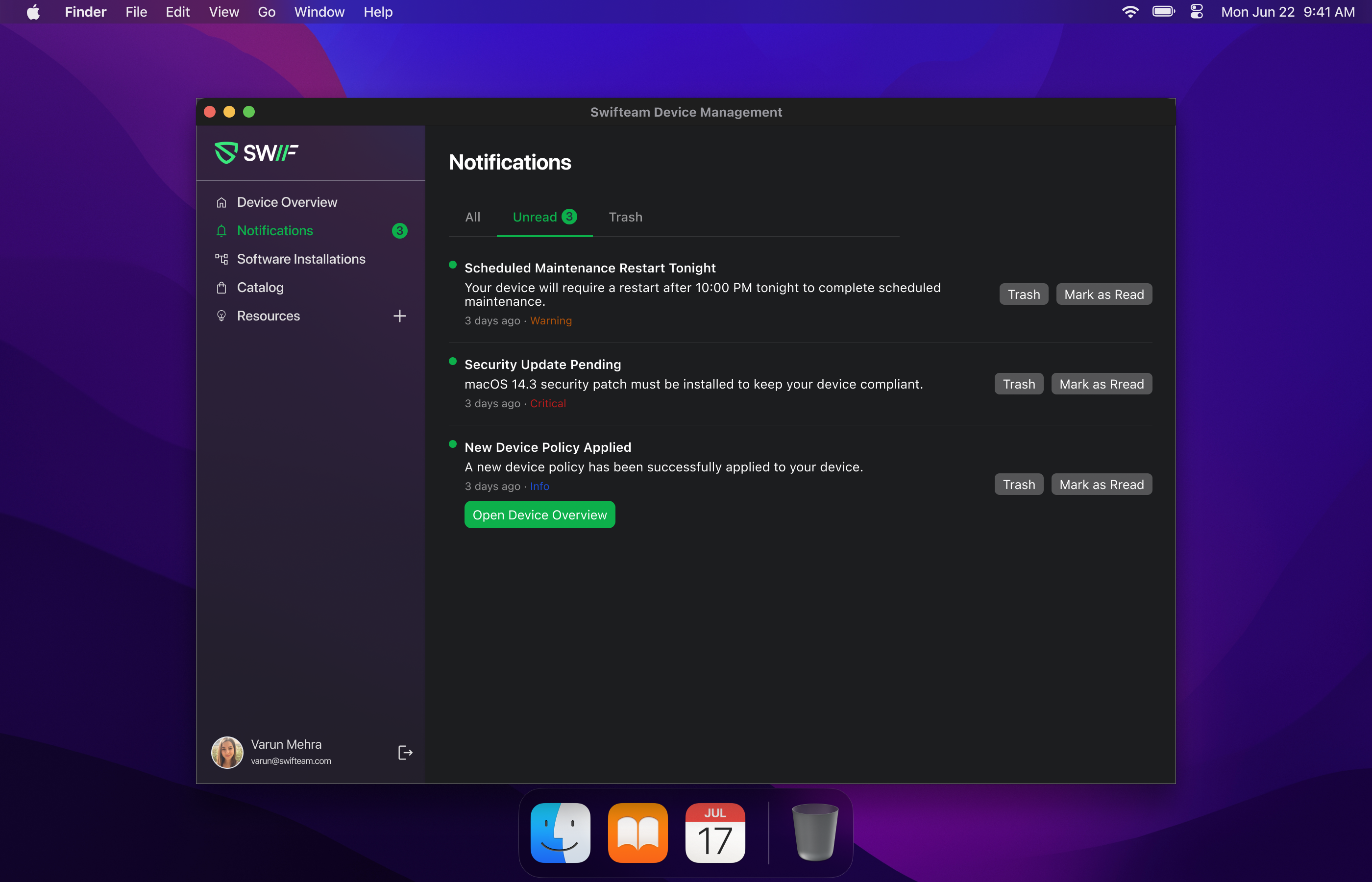
The Swif Desktop App has been updated with a dedicated notification center to keep employees informed without causing "notification fatigue":
Organized Tabs: View notifications across All, Unread, and Trash categories.
System vs. Admin Alerts: Critical system alerts (like FileVault key rotations) are now pinned and clearly labeled to ensure they aren't missed.
Smart Alert Logic: The app will only trigger a popup for new, unread messages to minimize interruptions during the workday.
Cross-Platform Support: Consistent notification behavior and UI across macOS, Windows, and Linux.
For a detailed guide on how to set up and use these new features, please visit our Help Center:
Introducing the Swif In-App Notification System