Shadow IT: Per‑App “Block Sign‑up” Control
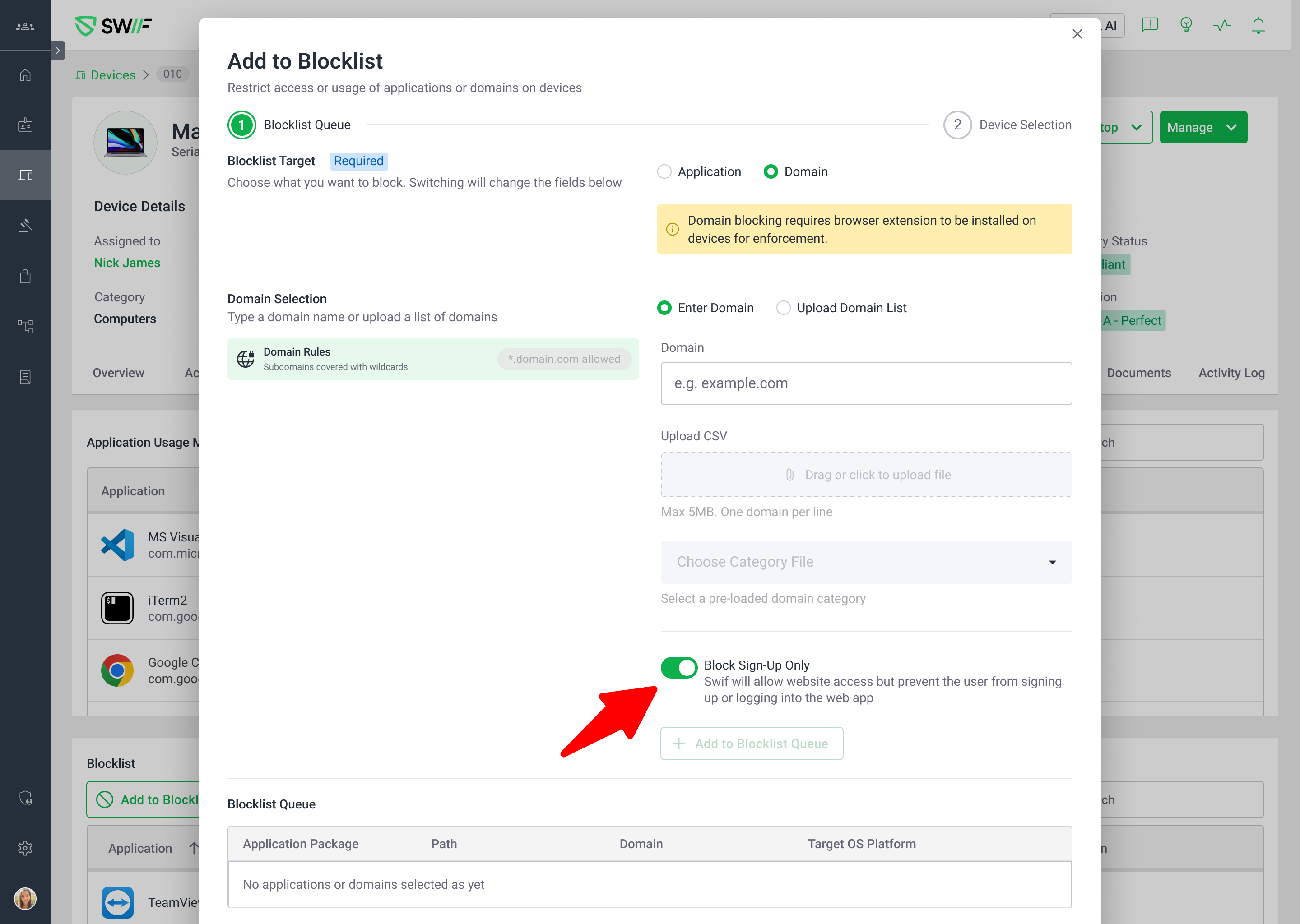
You can now control “Block sign-up” on a per‑application basis for Shadow IT apps directly in the Swif.ai web app.
What’s new
Added a “Block sign-up for this app” toggle in the Shadow IT → App detail / consolidated blocking view for each Shadow IT application. You can find the same toggle at the consolidated blocking view at Device details, Groups, or the software page.
The control is scoped at the domains (not global/team), so you can align blocking behavior with the specific risk profile of each domain. The control can then be assigned to devices or groups to be effective.
Added basic analytics/telemetry for:
Viewing the “Block sign-up” control.
Toggling it on/off.
Behavior & precedence
This blocklist control is scoped to the domains you uploaded, not the entire team or tenant. The blocklist can then be assigned to devices or groups to be effective.
When enabled:
New sign‑ups to those specific domains are blocked according to Swif’s standard enforcement (for example, via the browser extension on managed devices).
When disabled:
Sign‑up behavior control will be removed.
Docs
Shadow IT blocklist key features: Shadow IT – Manage Blocklist Key Features | Help Center | Swif.ai
Block from device details: Shadow IT – Block Applications from Device Details | Help Center | Swif.ai
Block from device group page: Shadow IT – Block Applications from the Device Group page | Help Center | Swif.ai
Block from software page: Shadow IT – Block Applications from the Software page | Help Center | Swif.ai