Remote Desktop for Linux - RustDesk
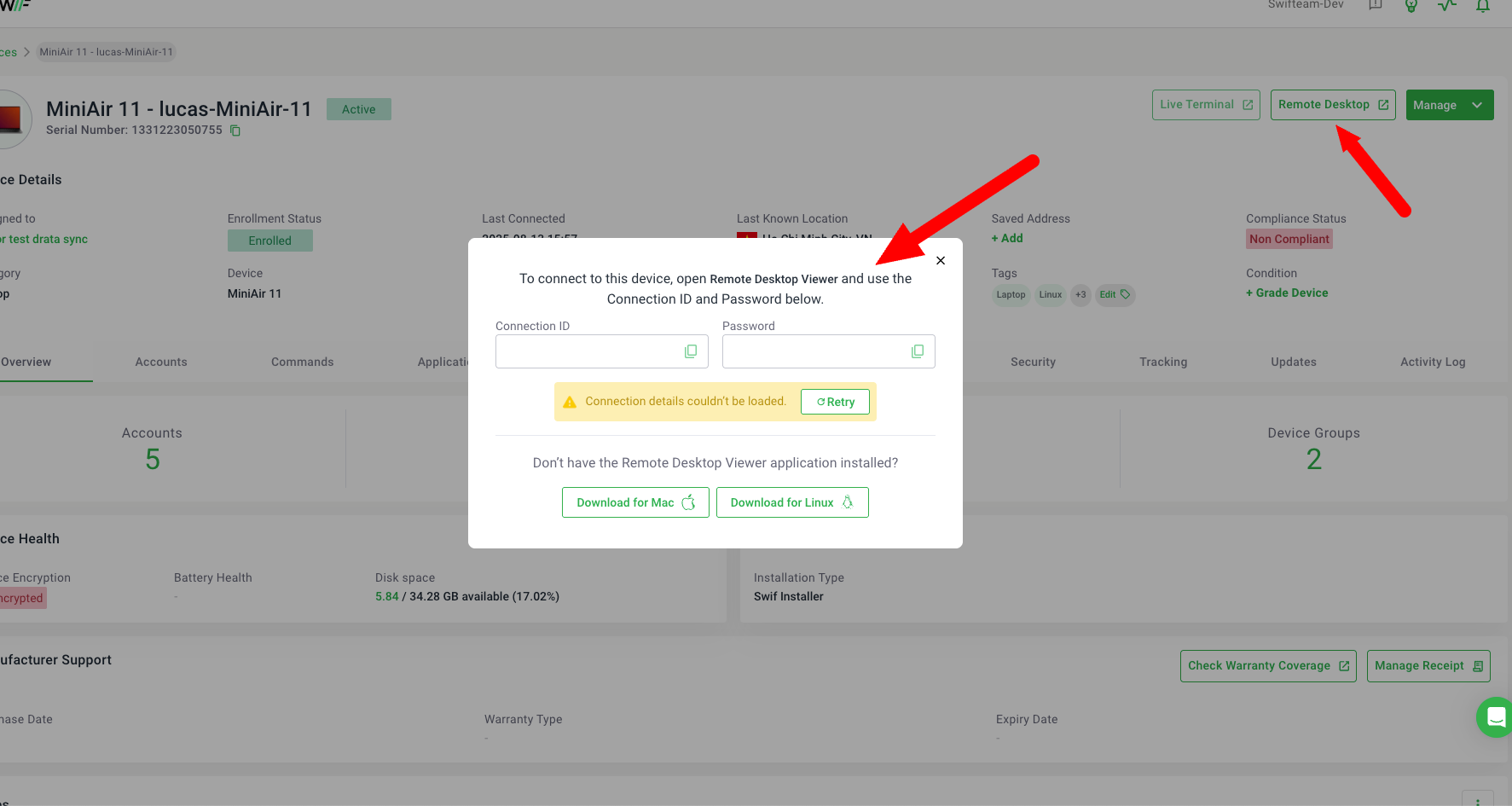
Here are the key features of Remote Desktop for Linux - RustDesk:
Remote Desktop for Linux Devices: Adds support for remote desktop access on Linux devices (specifically PopOS/Ubuntu-based with GUI) using RustDesk, similar to existing Splashtop integration for Windows and Mac.
Remote Desktop Button: When enabled by the
LINUX REMOTE DESKTOP POLICY, a Remote Desktop button appears for eligible Linux devices in the device details page.ID and Password Display: Clicking the button queries the MDM and displays the returned RustDesk ID and password in a modal/dialog for the customer (no dynamic link yet).
Download Controller: The modal provides download buttons for the RustDesk Controller, allowing team admins to download the appropriate client.
Error Handling: If the API request fails, the modal shows a notice and a retry button.
For details, visit Linux Remote Desktop (RustDesk) Policy.