Redesigned in‑app notification panel
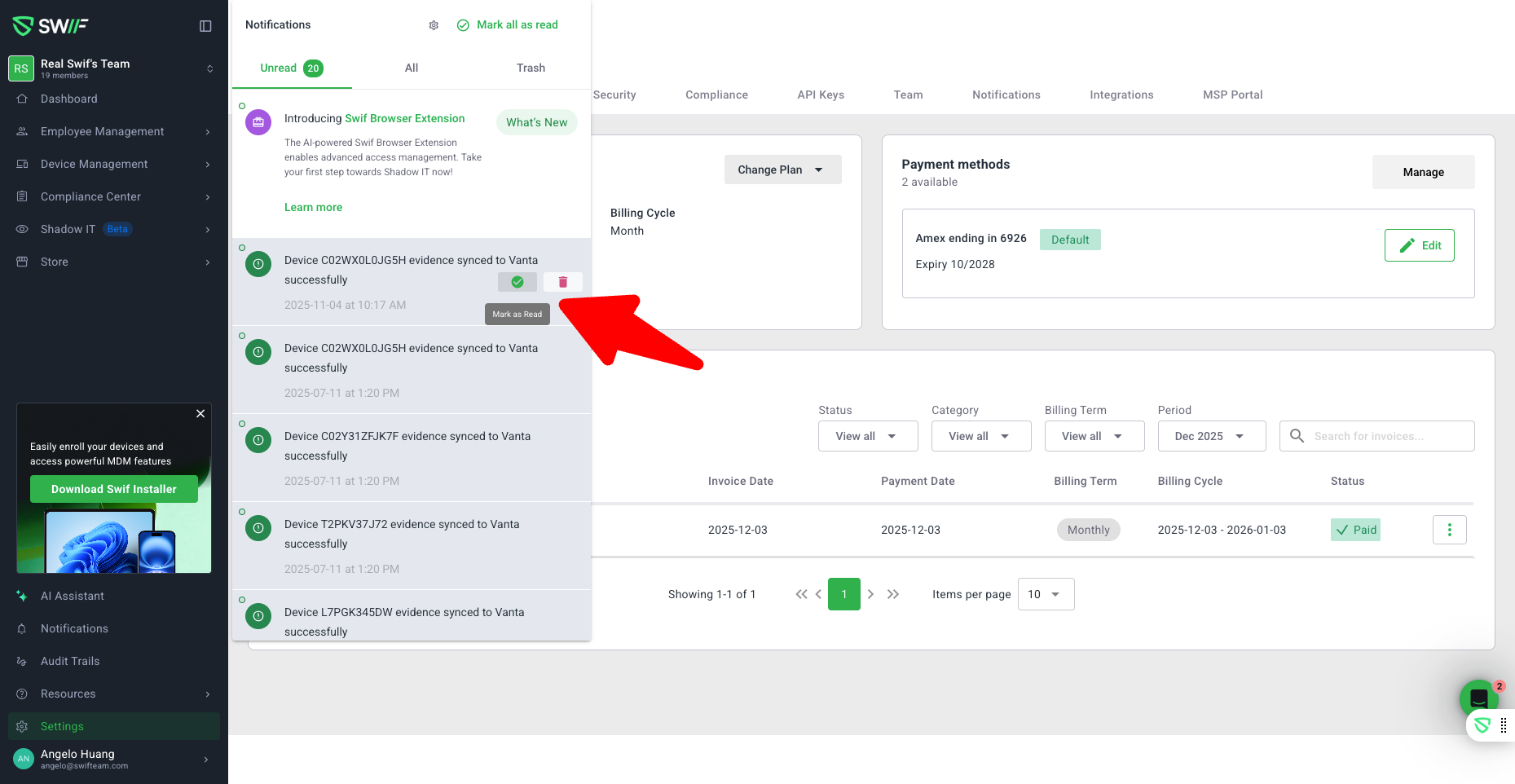
We’ve refreshed the in‑app notification panel to make it easier to manage updates without leaving your current view.
New tabs for better organization
Notifications are now grouped into three tabs:Unread (default): shows only unread notifications
All: shows all non‑trashed notifications (read and unread)
Trash: shows only deleted notifications
Context-aware hover actions
Manage notifications directly from the panel with actions that appear on hover:In Unread: Mark as read or Trash
In All: Mark as unread or Trash
In Trash: Restore (keeping the original read/unread state) or Delete permanently
Improved empty states
Each tab now has a clear empty state so it’s obvious when there’s nothing to review in Unread, All, or Trash.Quick access to notification settings
A new Notification settings gear button in the panel header takes you directly to Settings → Notifications to fine‑tune how and when you’re notified.