Redesigned Device Details – Overview & Specs
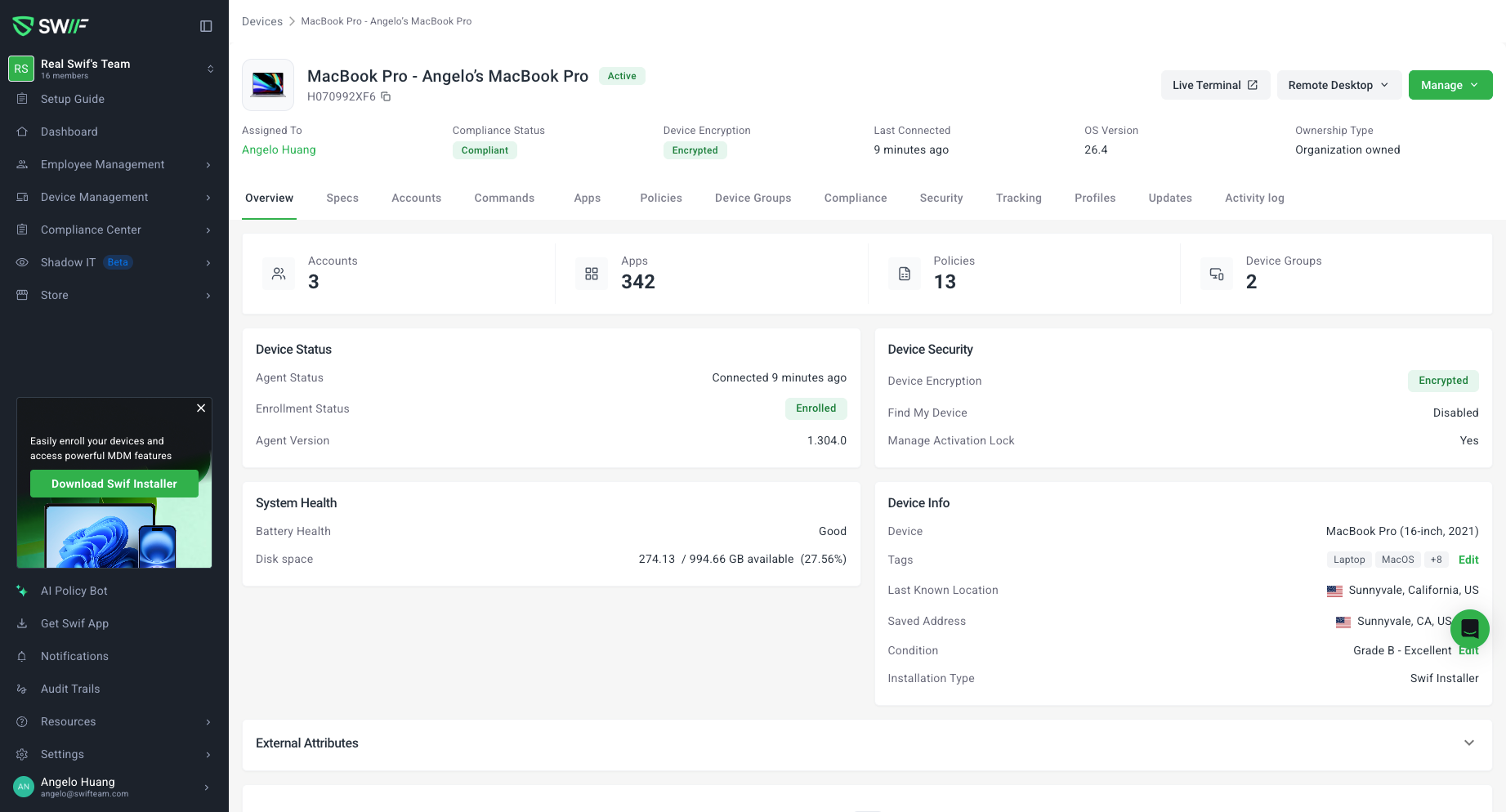
We’ve refreshed the Device Details experience to make it faster and easier to understand the state of any device at a glance.
Cleaner Overview header
The header now focuses on the most important status fields only:
Assigned To, Compliance Status, Device Encryption, Last Connected, OS Version, and Ownership Type.Clear, structured sections
The Overview tab has been reorganized into focused sections so you can quickly find what you need:Management – key management KPIs for the device
Device Status – enrollment, agent, and connectivity details
Device Security – encryption, compliance, and policy posture
System Health – operational and health signals
Device Info – general device information (including Device, Tags, Saved Address, Last Known Location)
External Attributes – additional attributes, now in a collapsible section
Notes – device notes with improved spacing and readability
New Specs tab
We’ve introduced a dedicated Specs tab next to Overview. This separates low‑frequency, reference-only data from day-to-day operational views, including:Hardware details
Network details
Manufacturer and support information
Improved actions and archived state
The Device Details action menu now uses our updated components for consistent, accessible interactions.
Archived devices get a clearer, read‑only visual state, with actions disabled or hidden where appropriate to match current product rules.
These changes do not alter how compliance, encryption, or ownership are calculated; they only improve how the information is organized and displayed.