Re-sync a device evidence to Vanta
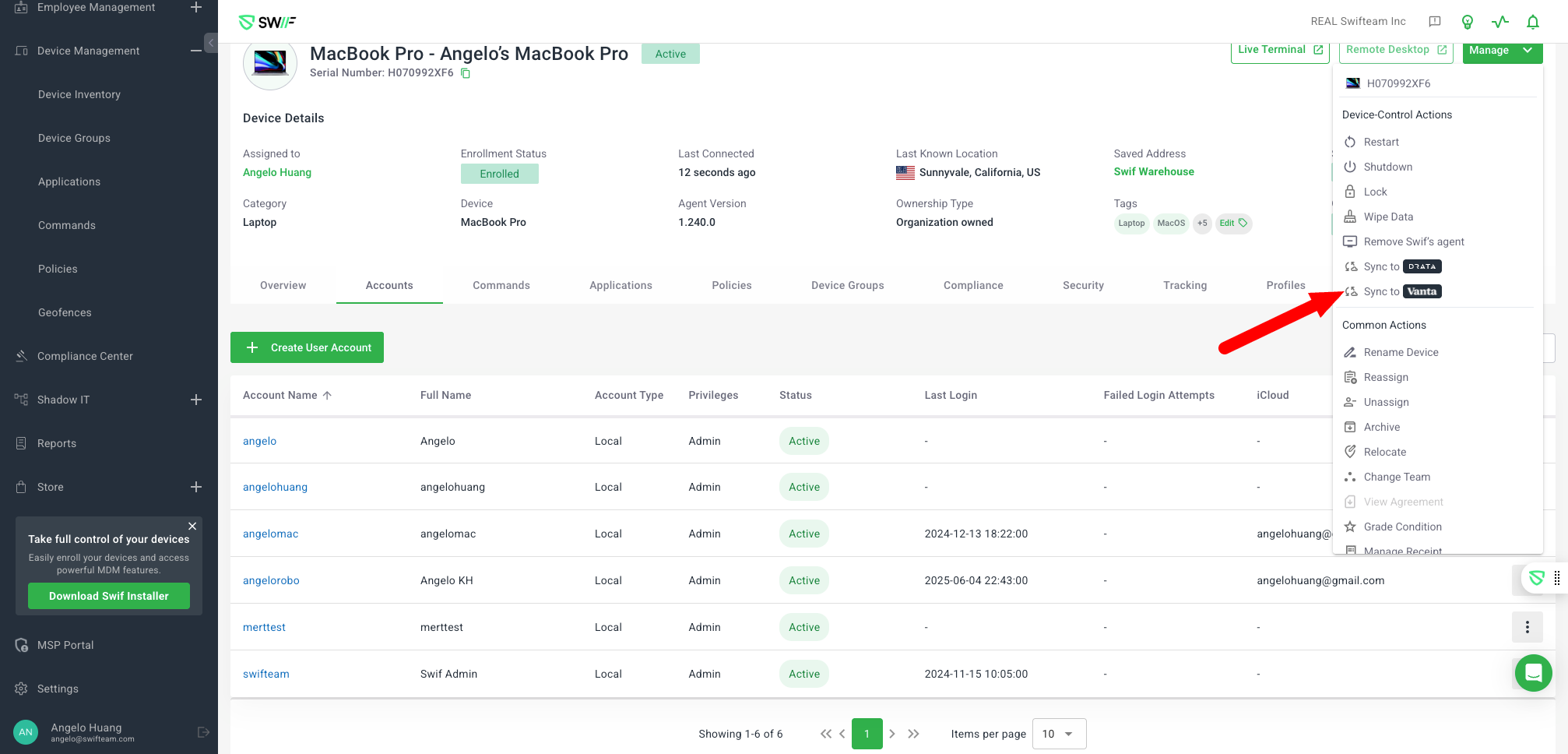
Here are the key features of Re-sync a device Vanta evidence:
On-demand Re-sync Option: Adds a button to allow customers to manually trigger a re-sync of device evidence to Vanta, overriding existing evidence.
Eligibility Requirements:
Device must be a laptop or phone.
Device must be enrolled and have an owner.
Vanta integration must be enabled.
Feedback to User: After re-sync, the UI provides feedback on which evidence types were synced (e.g., Device Info, Auto Updates, Hard Drive Encryption, Lock Screen, Password Policy for Vanta).
In-app Notification: Users receive a SYNC_EVIDENCE_FINISH notification when the sync is complete.
Evidence Overriding: New evidence from a re-sync will override any previous evidence in Vanta (and Thoropass, when supported).
UI Controls: The Re-sync button is only visible for eligible devices and when the required integrations are enabled.