Policy Setup UI Improvements for Checkbox
Release Date: November 21, 2025
Overview
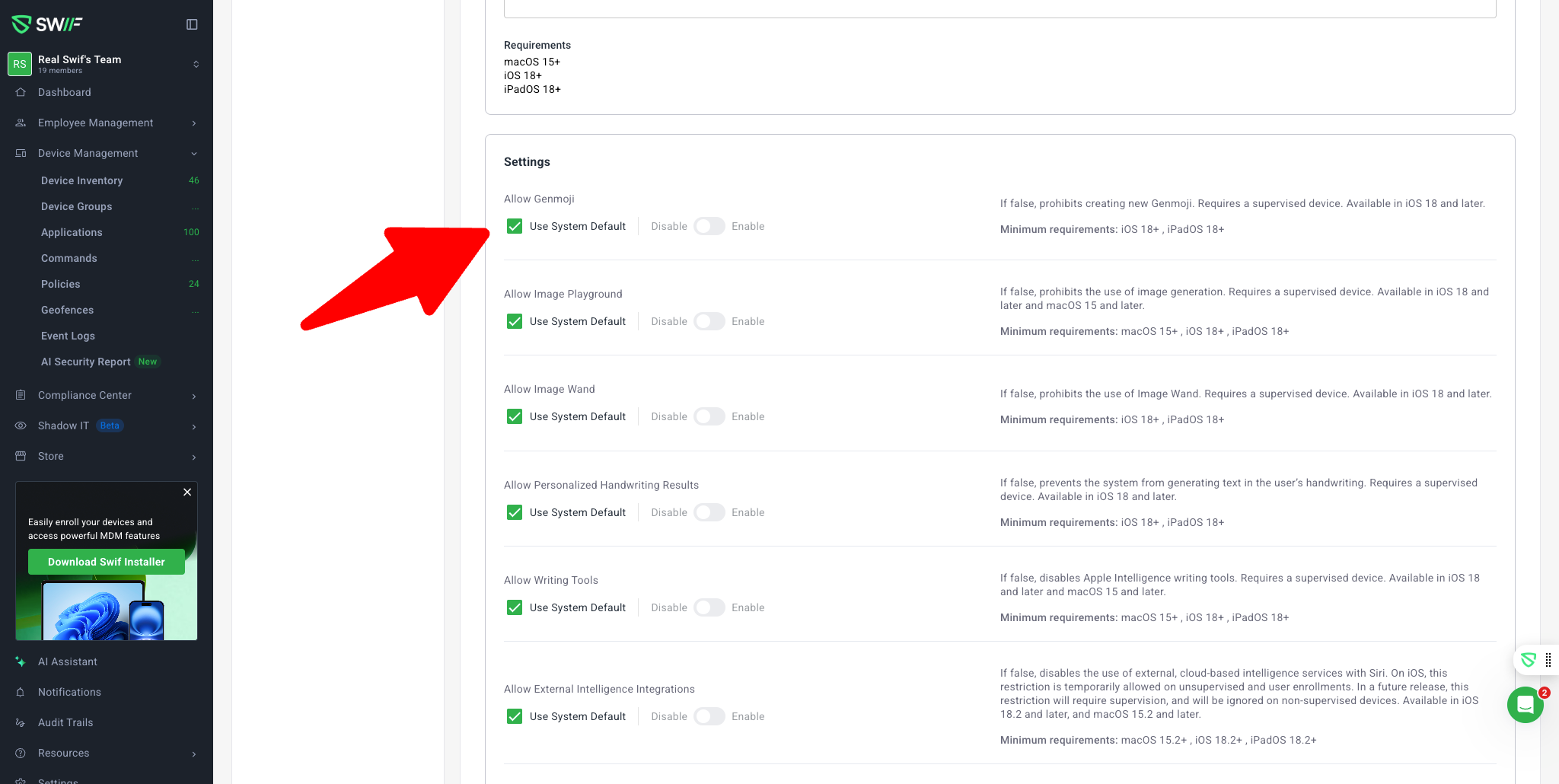
This update introduces significant usability and accessibility improvements to the policy setup screen in the Swif WebApp, focusing on how binary (TRUE/FALSE) and system default (NULL) options are presented and managed.
Key Features
1. Toggle Buttons for Binary Options
All binary (TRUE/FALSE) policy fields now use toggle buttons instead of dropdowns.
This change minimizes clicks and streamlines the user experience.
Example policies: Apple Airdrop Policy, Apple App Store Policy, Apple Dock Policy.
2. "Use System Default" Checkbox for NULL States
For binary fields that support a NULL (system default) value, a checkbox labeled "Use system default" is now available.
When checked, the toggle button is disabled and the field is set to the system default value.
Example policies: Apple Intelligence Policy, Apple Bluetooth Policy, Apple Google Chrome Policy.
3. Tooltip for System Default
Hovering over the "Use system default" checkbox displays a tooltip explaining its function, improving clarity for users.