Notifications: SMS channel support
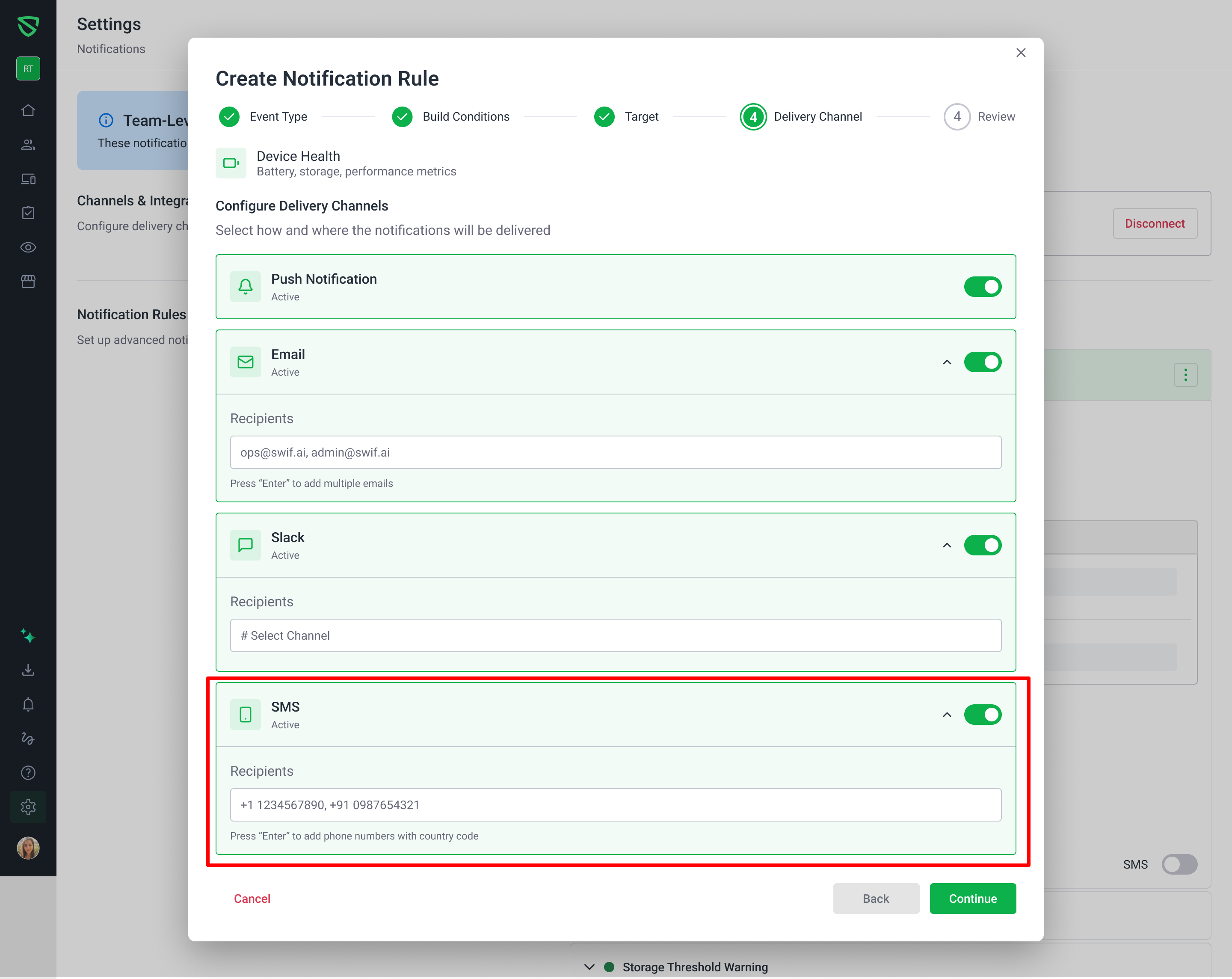
You can now send notification rules via SMS in addition to existing channels.
What’s new
Added SMS as a notification channel when creating or editing a notification rule.
You can manually enter one or more phone numbers to receive SMS alerts (we don’t auto‑pull from team member profiles).
Phone numbers are validated inline (format, required fields, no duplicates) with clear error messages.
SMS appears alongside other channels (Email, Slack, etc.) in:
Rule creation/edit forms
Rule details / summary views
Editing an existing rule with SMS correctly:
Preloads the saved phone list
Lets you add, remove, and modify numbers
Properly clears SMS config if you disable the SMS channel
How it works
In Notifications → Create Notification Rule (or Edit):
Enable SMS in the notification channels section.
Add one or more phone numbers (E.164‑like format, e.g.
+15551234567).Save the rule; the configuration is sent to the backend as:
notificationType: "SMS"phones: ["+15551234567", ...]
SMS can be used together with any other channels without interfering with their configuration.
Learn more at Setting Up the Notification.