Notifications: multiple conditions per rule
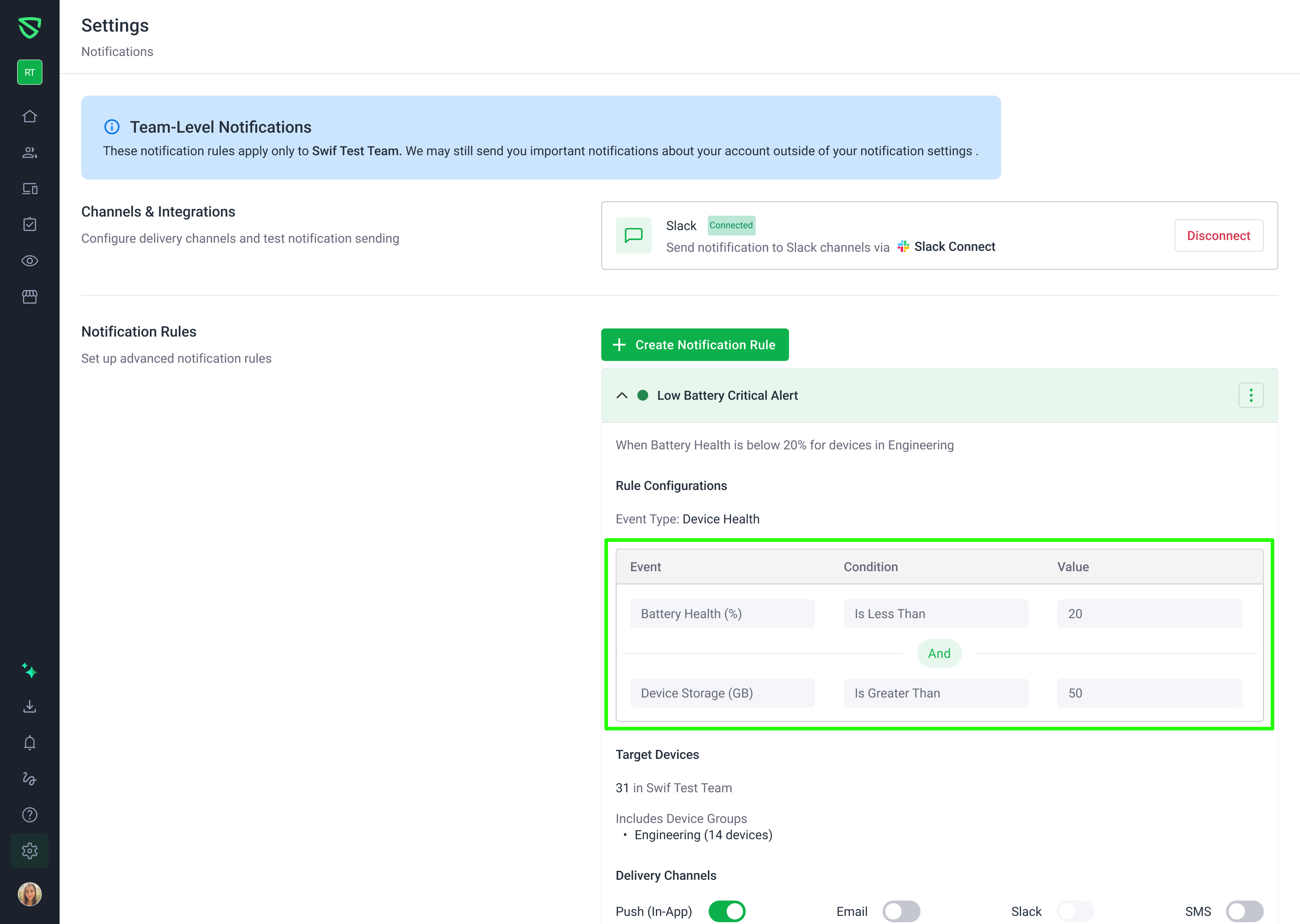
You can now build much more flexible notification rules in the Swif.ai web app.
What’s new
Multiple conditions per notification rule
Add several conditions to a single rule (e.g. “Device OS = macOS” AND “Country in US, CA”).
Group conditions and configure AND / OR logic within a group and between groups.
Visual condition/group builder
Clear grouping for complex logic like:
(Condition A AND Condition B) OR (Condition C)
Drag to reorder conditions within a group.
Drag to reorder entire groups without breaking the logic connectors.
Full create & edit support
Create new rules with multiple conditions directly from Settings → Notifications.
Edit existing rules and see all of their groups, operators, and values reconstructed from the backend.
Change any part of a rule (conditions, order, logic) and the structure is preserved on save.
Backwards‑compatible with legacy rules
Existing single‑condition rules automatically load into the new builder.
You can keep them as‑is or expand them by adding more conditions/groups.
Better validation & safety
Rules must have at least one valid condition before they can be saved.
Inline validation for:
Missing required fields (e.g. no value or operator selected).
Invalid operator/value combinations for a given field.
Clear error messages explain what needs to be fixed before continuing.
Why it matters
This change makes it much easier to express real‑world notification logic without piling up lots of separate rules.
Learn more at Setting Up the Notification.