Introducing Swif Sidekick: Your Unified AI Co-Pilot for Device & Policy Management
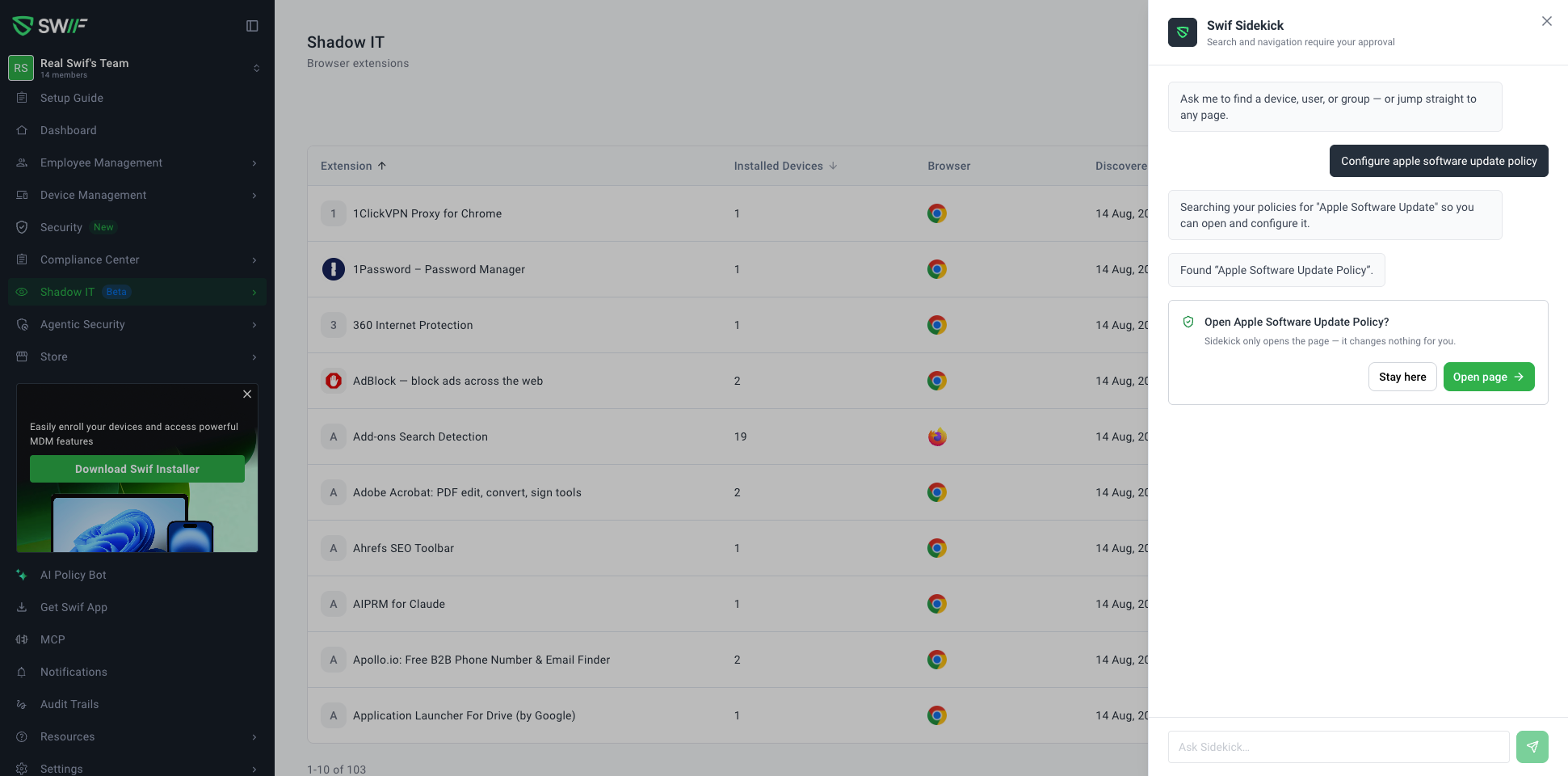
We are excited to announce the launch of Swif Sidekick, a unified AI co-pilot integrated directly across the entire Swif.ai web app. Built specifically for IT administrators and security teams, Sidekick consolidates workspace navigation, user and device lookups, and AI-assisted policy generation into one centralized assistant.
What’s New
Unified Assistant Experience
Always-Accessible Drawer: Available from a floating launcher in the bottom-right corner of every page, allowing you to get answers and navigate without interrupting your workflow.
Merged Policy Bot: The former Policy Bot is now fully unified into Swif Sidekick, bringing day-to-day workspace operations and deep policy configuration into a single interface.
Smart Workspace Search & Deep Navigation
Natural Language Lookups: Instantly find team members, assigned hardware, enrolled devices, compliance settings, and integration configurations using conversational prompts.
Grounded Deep-Linking: Automatically navigate directly to target views—such as specific device details, account settings tabs, or pre-filled policy configuration screens.
Smart Disambiguation: Intelligently matches ambiguous names or device serials and prompts you to select the intended target before proceeding.
AI Policy Creation & Guidance
Cross-Platform Coverage: Draft, explain, and configure security and device policies across macOS, Windows, Linux, Android, and iOS.
Pre-Filled Configuration Forms: Describe your compliance requirements (e.g., FileVault encryption, screen timeouts, or removable storage restrictions) and let Sidekick prepare the configuration for you to review and deploy.
Help Center Integration: Pulls context directly from Swif documentation to explain settings, compare policy options, and recommend best practices.
Admin-First Safety & Zero-Touch Execution
Explicit Approvals: Sidekick requests clear confirmation before querying workspace directories or redirecting active views to protect unsaved work.
Zero-Touch Safety Model: Sidekick never autonomously resets passwords, locks devices, mutates policies, or changes configurations on its own. It guides you to the exact control area so final review and execution remain securely in your hands.
Permission Awareness: Operates strictly within your organization's role and subscription tier to ensure secure, compliant access.
Example Prompts to Get Started
"Help me create a FileVault disk encryption policy for all macOS laptops."
"Where can I see all devices assigned to Jenny?"
"Where do I configure our Google Workspace directory sync?"
"Create a password complexity policy requiring 14 characters and MFA."
For a complete walkthrough on configuring and using Sidekick, check out the Getting Started with Swif Sidekick for the Swif Web App Guide.