Import Employees by Organizational Unit from Google Workspace
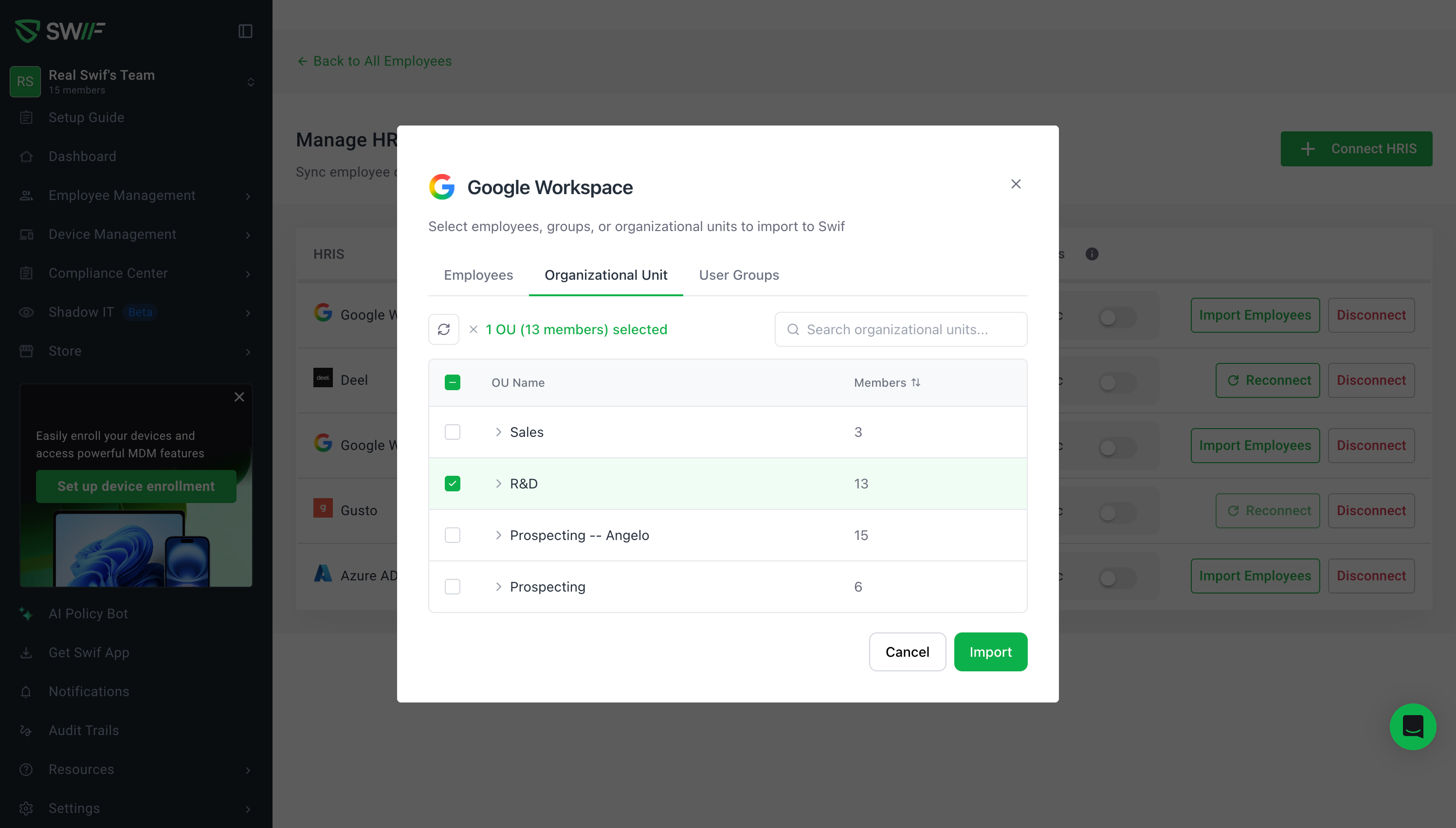
You can now import and auto-sync employees from Google Workspace using Organizational Units (OUs) — in addition to User Groups. This was one of our most-requested features.
What's new
Import by Organizational Unit — Select specific OUs during a Limited Import to bring in exactly the employees you need. OUs are displayed in a collapsible tree view, so you can drill into child OUs and pick the right scope.
Automatic User Group creation — Each imported OU automatically creates a corresponding user group in Swif, keeping your team structure in sync without manual setup.
User Groups tab — User Groups are now available as their own tab during import, separate from OUs, for clearer organization.
Redesigned Review Import step — The review screen before import now uses a tabbed layout (replacing the old accordion) with Will be imported and Will be skipped tabs, making it easier to verify what's coming in.
Updated Google Workspace Details Panel — After connecting, the details panel now includes dedicated Employees, Organizational Unit, and User Group tabs with proper empty states.
Reconnect flow for existing connections — Since this feature uses a new Google API scope, existing connections will show a Reconnect button to authorize the additional permission. New connections get it automatically.
Action menu cleanup — The Disconnect option has been moved into the action menu for a cleaner interface.
How to use it
Add Employees > Manage HRIS integrations (OU is a new scope so it needs a new GW connection)
Go to HRIS → Google Workspace and click Sync Google Workspace
Choose Limited Import and navigate to the Organizational Unit tab
Expand and select the OUs you want to import
Review the import summary and confirm
For full import, all employees (including all OUs) are synced automatically.
Note: If you already have a Google Workspace connection, you'll need to reconnect to grant the new Organizational Unit permission.
📖 Learn more in our help center