Geofencing: configure automated post‑actions (notifications + device lock) for Mac/Win/Linux
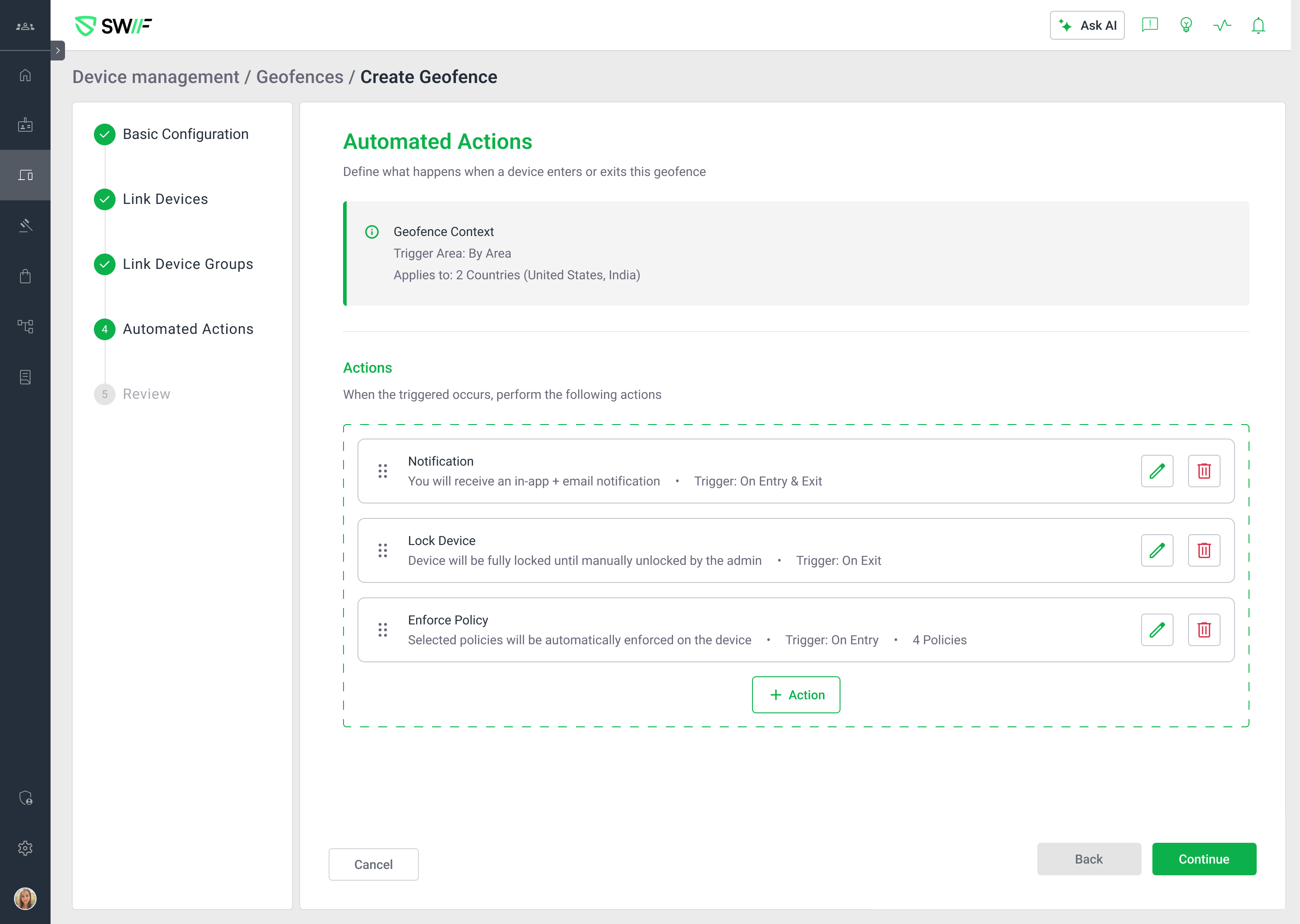
We’ve added a new Automated actions experience to geofencing so you can define what should happen when devices enter or leave a geofenced area.
What’s new
New “Automated actions” step in the Create Geofence flow
Appears after the geofence definition steps.
Includes a read‑only “Geofence context” panel that shows which locations and devices/device groups the geofence applies to.
Configurable post‑actions per geofence
Add, edit, and delete actions in an Actions list:
Notification
Lock device
Actions are only available when the geofence targets at least one device or device group.
Default notification, old trigger removed
The old “Notification trigger” checkbox has been removed from the Basic configuration step.
New geofences now include a default Notification automated action in the Automated actions step, which you can modify or remove.
Action‑level trigger events
Trigger events are configured per action (not at geofence level):
Notification:
On Entry,On Exit, orOn Entry & ExitLock device:
On EntryorOn Exit(no combined entry & exit option)
You can have only one Notification action per geofence.
You can have at most two actions total per geofence (one Notification + one Lock device); once both exist, the Add action button is disabled.
Add / Edit Action modal
A new Add action button opens a modal to configure:
Action type (Notification or Lock device)
Trigger event
Any action‑specific fields (e.g., lock message)
The same modal is used for editing existing actions (fields are pre‑populated).
Policy assignment has been moved out and is tracked separately (ST‑6965), so it does not appear as an action type.
Review & View experiences
The Create Geofence Review step now includes an Automated actions section summarizing each action (type, trigger event, key details) in a read‑only view.
The View Geofence side panel has been extended to show an Automated actions summary, matching existing panel patterns. This view is read‑only—no add/edit/delete from here.
Platform support
Available for macOS, Windows, and Linux devices, aligned with your existing geofencing and device lock capabilities.
For configuration details and examples, see:
Configure automated actions for geofencing (notifications and device lock) | Help Center | Swif.ai