Devices export view can filter by compliance requirements
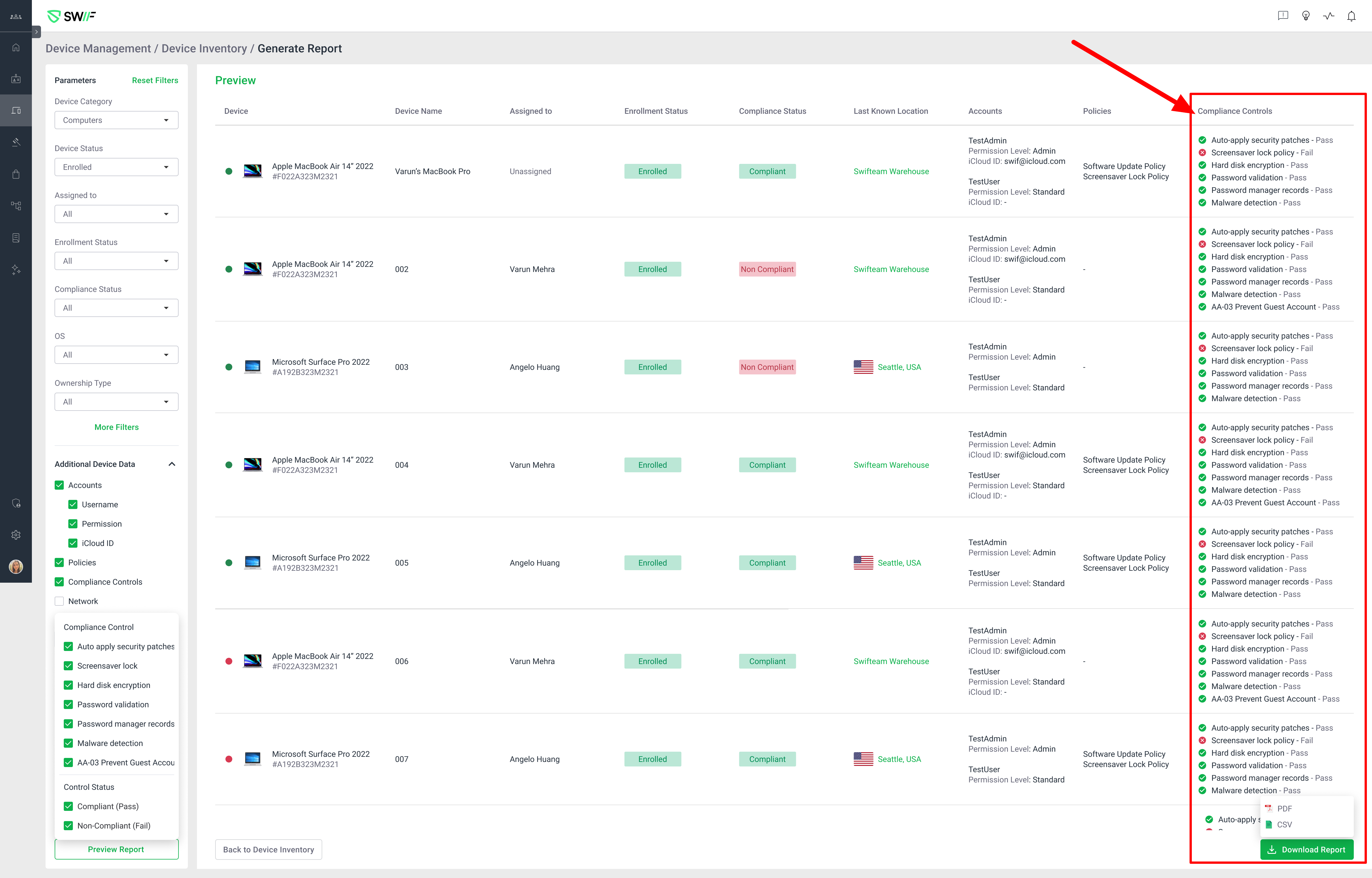
Here are the key features of device export by compliance requirements:
Filter Devices by Compliance Requirements: Users can filter all devices based on compliance controls (both default and custom), including compliance status (Completed, Incomplete, Not Started, Not Supported).
Device List Display: The filtered device list shows all relevant device details, including compliance control status, antivirus scanner status, and other compliance-relevant fields.
Export Functionality: Users can export the filtered device list as CSV or PDF. Exported files include all relevant columns, and there is an export button in the UI.
Pagination and Large Export Handling: For large result sets, exports are limited to 1,000 rows per batch, with UI support for exporting additional batches.
This feature was requested to support SOC 2 compliance reporting and is labeled as high priority, customer requested, and related to compliance and reporting for the web app.