Devices - Custom Views
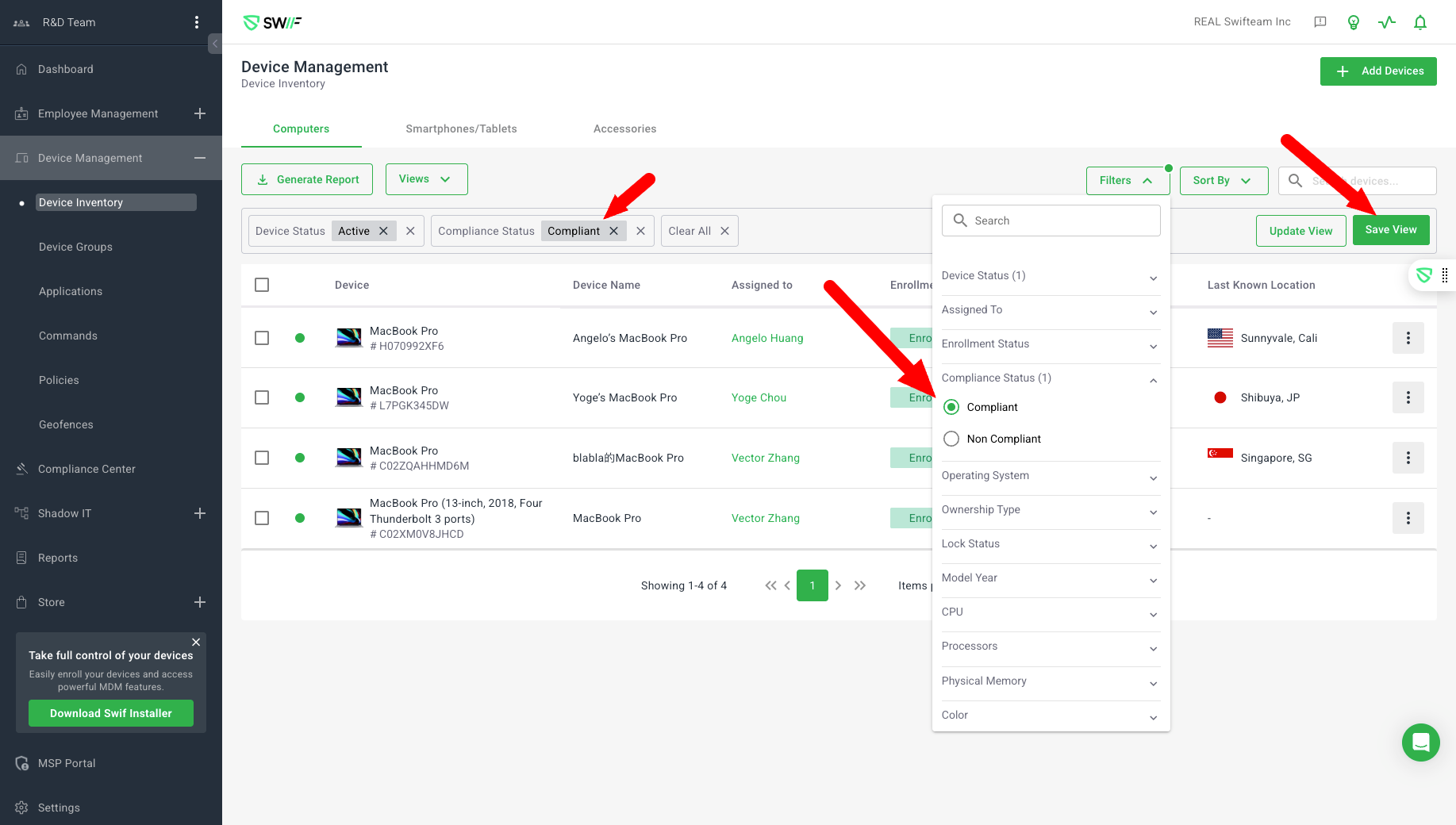
Here are the key features of Devices - Custom Views:
Custom Views for Device Inventory: Users can filter device data (e.g., by compliance status, device status, assigned user, OS, etc.) and save these filter combinations as custom views for quick access. For example, a CISO can save a view for non-compliant devices and revisit it regularly.
Export/Download Reports: After saving a custom view, users can export the filtered data as a report.
Filter Improvements:
Multiple filters can be applied simultaneously.
Filters include device status, assigned user, enrollment status, compliance status, and OS (with a request for multi-selection support).
UI improvements such as sticky search box, auto-collapsing filter sections, and clear filter indicators.
Compliance Status Naming: The column previously named "Security Status" is now "Compliance Status" throughout the UI, reflecting updated compliance logic.
Tab-Specific Views: Custom views are saved per device category tab (Computers, Smartphones, Accessories), and each tab has its own default view.
Default View Behavior: Each tab has a default view (e.g., Device Status = Active), which users can update but not delete.