Defer macOS updates by MaxUserDeferrals & InstallAction
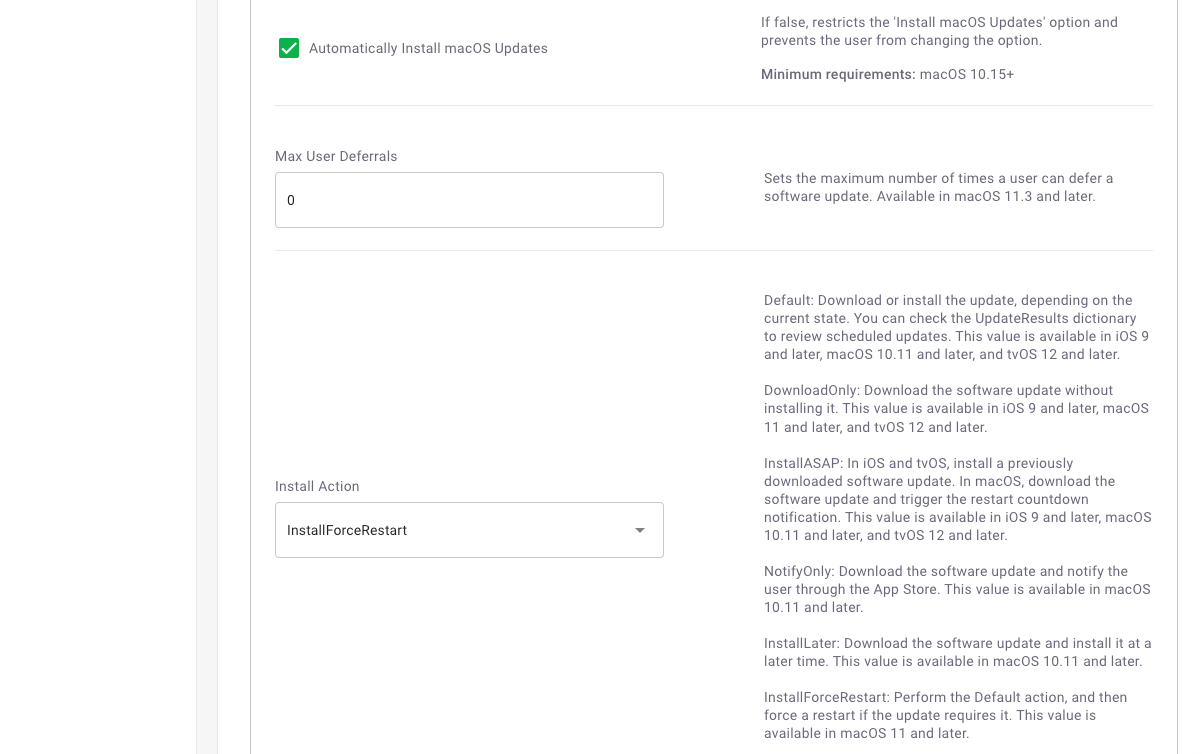
The feature released is related to managing macOS software updates through Swif’s Mobile Device Management (MDM) policies. Here's a summary of the key aspects:
MaxUserDeferrals: This is an MDM key used to control how many times a user can defer a macOS update before it is automatically installed. It ensures that users cannot indefinitely postpone updates, thereby enforcing timely software updates.
InstallAction: This parameter specifies the action to be taken for software updates. It includes several options such as:
Default: Downloads or installs the update based on the current state.
DownloadOnly: Downloads the update without installing it.
InstallASAP: Installs a previously downloaded update or downloads and triggers a restart notification.
NotifyOnly: Downloads the update and notifies the user via the App Store.
InstallLater: Downloads the update for installation at a later time.
InstallForceRestart: Forces a restart if required by the update, although this may not occur automatically on macOS 15 and later.
This feature is designed to streamline the update process, ensuring devices are kept up-to-date with minimal user intervention, while also providing flexibility in how updates are managed and installed.