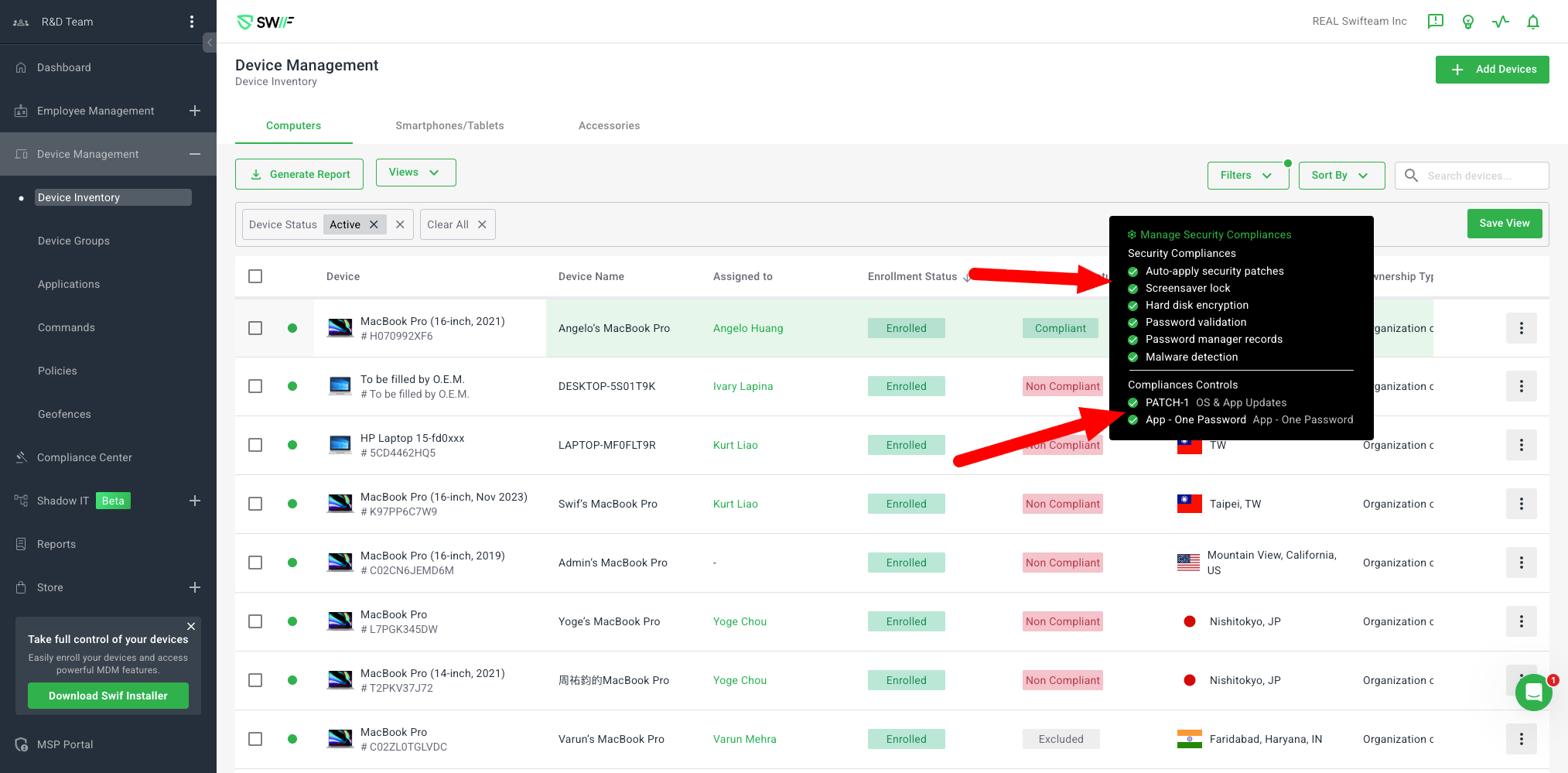
Compliance Center - Separated Custom and System Default Controls
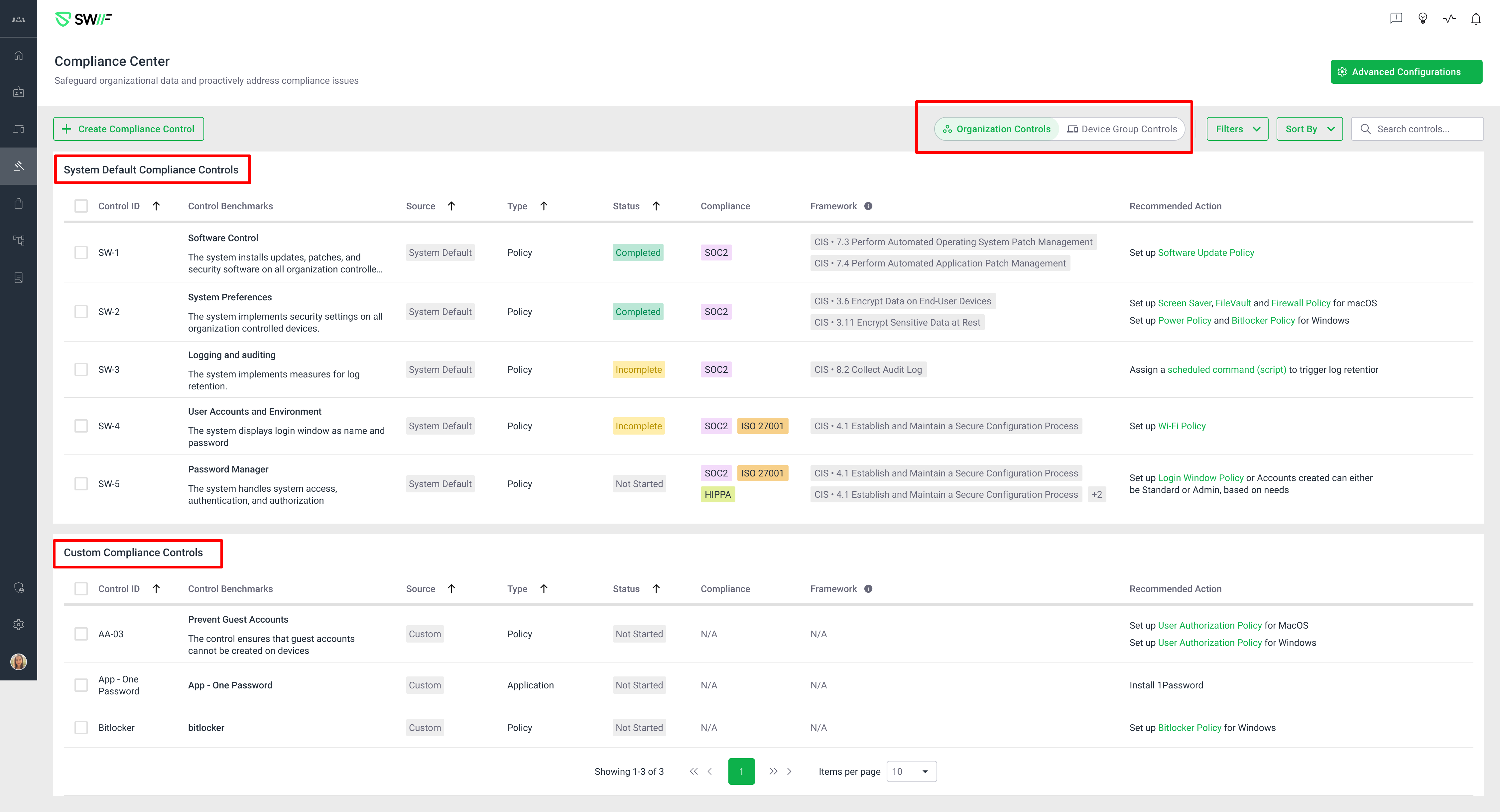
Key Features & Enhancements
1. Compliance Center UI Overhaul
Separated Tables:
"System Default Compliance Controls" and "Custom Compliance Controls" are now displayed in separate tables at the org level.
System Default table contains up to 5 general system controls (no pagination).
Custom Controls table supports pagination for scalability.
Unified Filtering:
Filters (e.g., Compliance, Type, Status) apply to both tables.
The "Source" filter toggles visibility:
Selecting "System Default" hides the custom table.
Selecting "Custom" hides the system table.
Both selected shows both tables.
Sorting & Search:
Sorting and search functionality apply across both tables.
Control Details Panel:
Clicking a control opens a details panel showing the correct "Control Source" (System Default or Custom).
2. Device Details
Device Details Page:
Compliance controls are now split into three sections:
Device Compliance Controls (“Security compliance controls”): 6 default device compliance controls.
System Default Compliance Controls.
Custom Compliance Controls.