Compliance Center – New NIST controls
Release Date: September 19, 2025
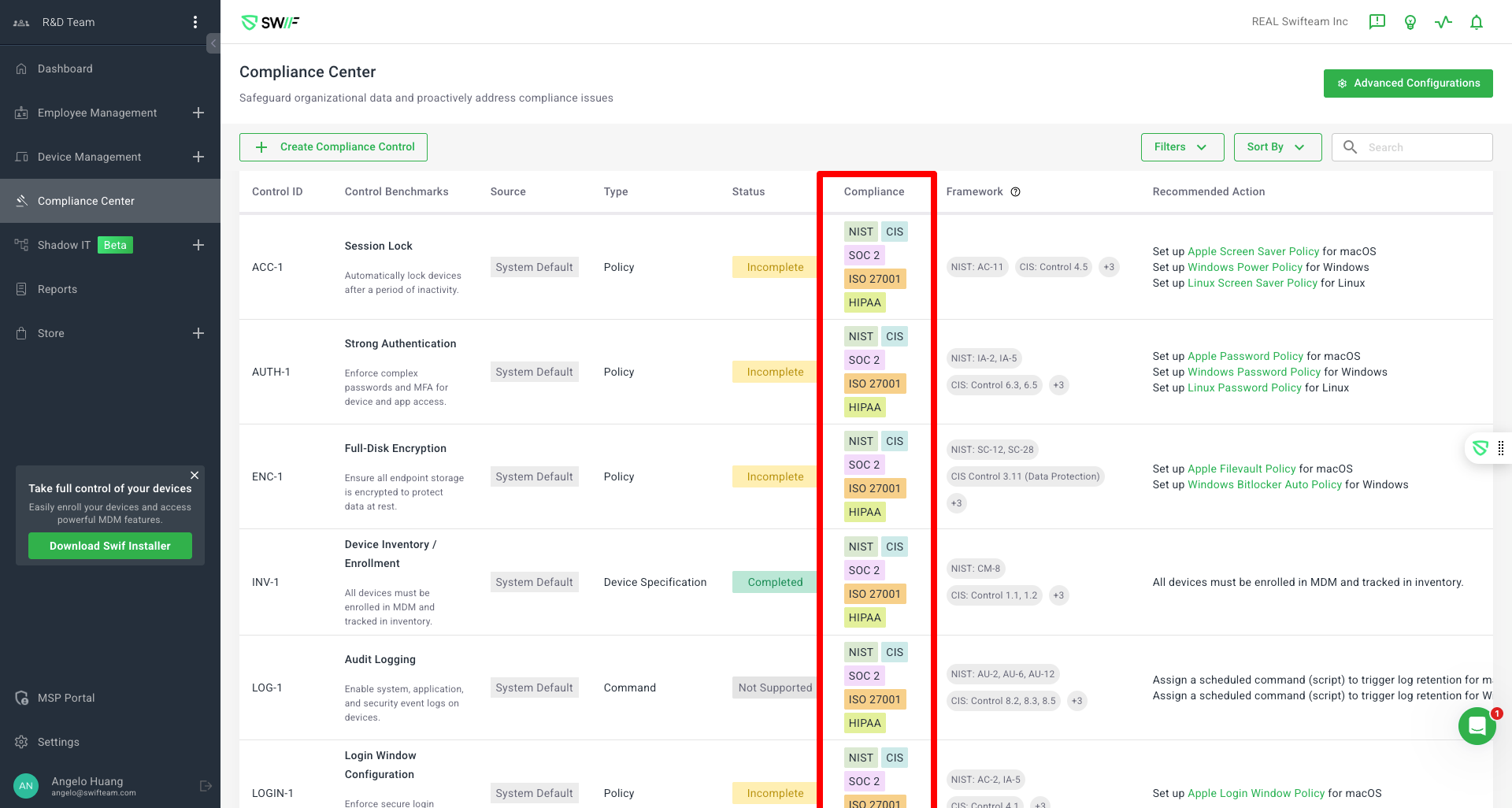
We’re excited to announce major updates to the Compliance Center, making it easier than ever to tailor compliance monitoring to your organization’s needs. Here’s what’s new:
🛡️ Customizable Compliance Scope
Select Your Frameworks: Admins can now choose which compliance frameworks (such as NIST, CIS, SOC 2, ISO 27001, HIPAA, and more) to monitor. Only controls relevant to your selected frameworks will be displayed.
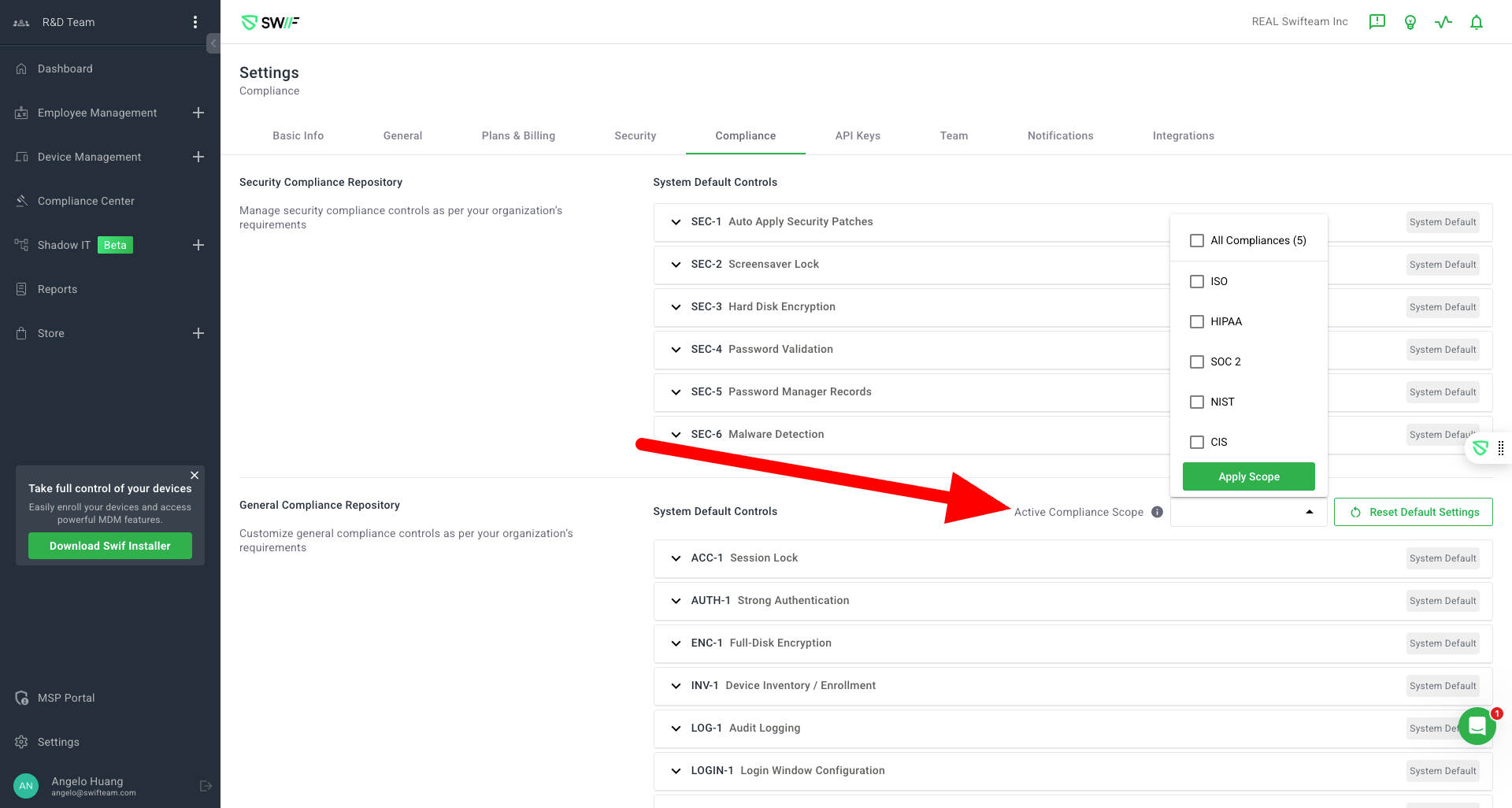
Streamlined Experience: If only one framework (e.g., NIST) is selected, the Compliance Center will show only those controls. By default, all frameworks are included.
Clear Empty States: If no frameworks are selected, the Compliance Center will display a helpful message and disable the “Reset Default Settings” button.
Onboarding Guidance: New users or organizations without a configured compliance scope will see a prompt guiding them to set up their compliance preferences.
🖥️ Compliance Repository UI Improvements
Organized Controls: System Default Controls and Custom Controls are now clearly separated with distinct section titles for easier navigation.
Visual Clarity: “System Default” tags have been removed for a cleaner look, while “Custom” tags remain for user-created controls.
Active Compliance Scope Dropdown: The dropdown for selecting active compliance frameworks is now labeled “Active Compliance Scope” and is easier to find.
Helpful Tooltips & Feedback: Tooltips explain the compliance scope dropdown, and applying a new scope triggers a confirmation message.
Empty State Messaging: If no system default or custom controls are available, clear messages prompt users to take action.
🚦 Enhanced User Experience
Attention Box: If compliance scope isn’t configured, an attention box will prompt users to set it up. This disappears once configuration is complete.
Custom Controls: Easily add and identify custom controls, which are now visually distinct from system defaults.
Responsive Feedback: The interface provides immediate feedback when changes are made, ensuring users always know the status of their compliance settings.
🧪 Thoroughly Tested
Multiple scenarios have been tested, including default and custom compliance scopes, empty states, onboarding flows, and UI feedback to ensure a smooth experience for all users.
These updates make it easier to focus on the compliance frameworks that matter most to your organization, while providing a cleaner and more intuitive interface. As always, we welcome your feedback!
If you have questions or need assistance, please contact our support team.