Changelog: Bulk Configure Policies in Compliance Center
Release Date: December 15, 2025
Key Features
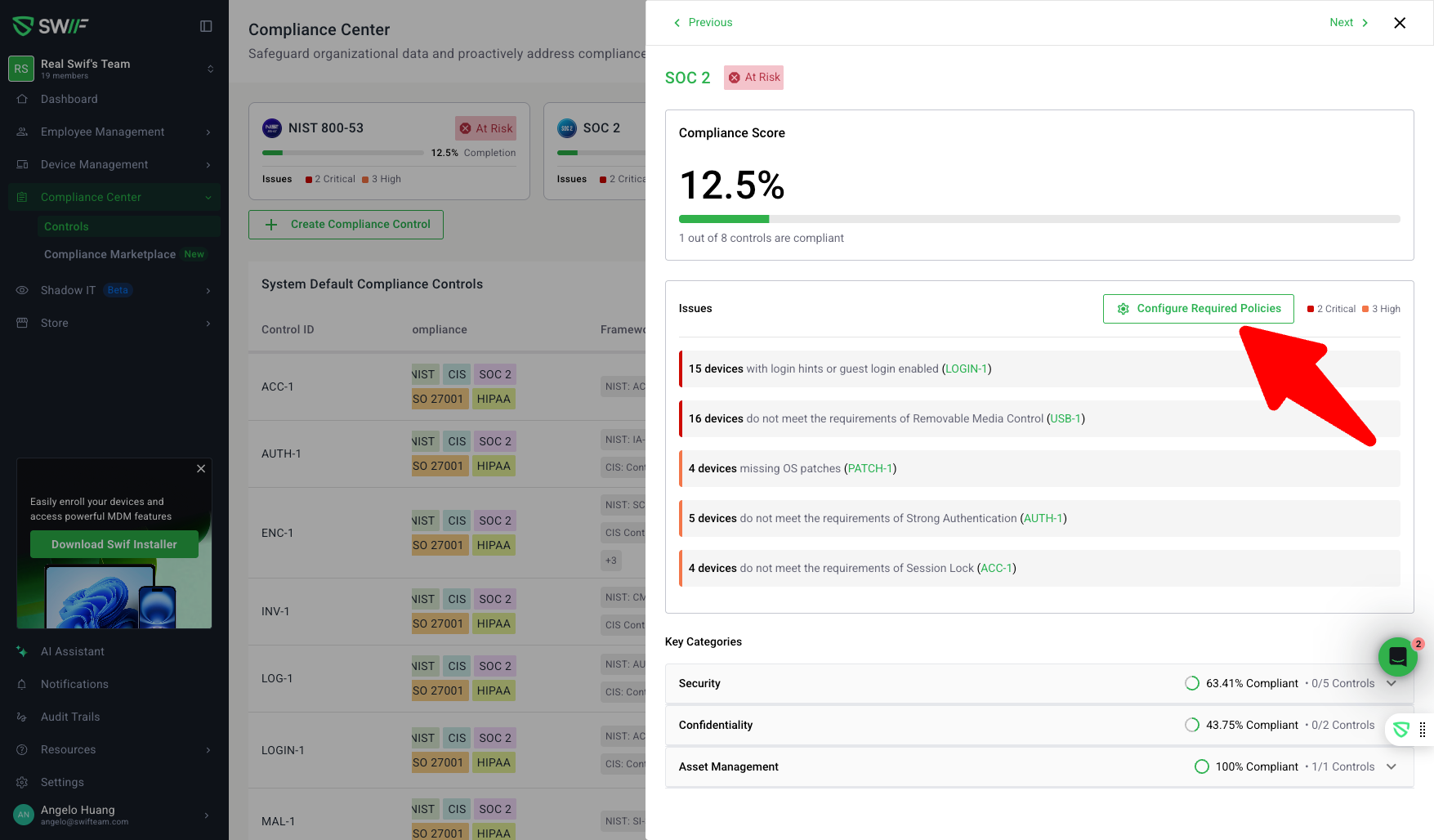
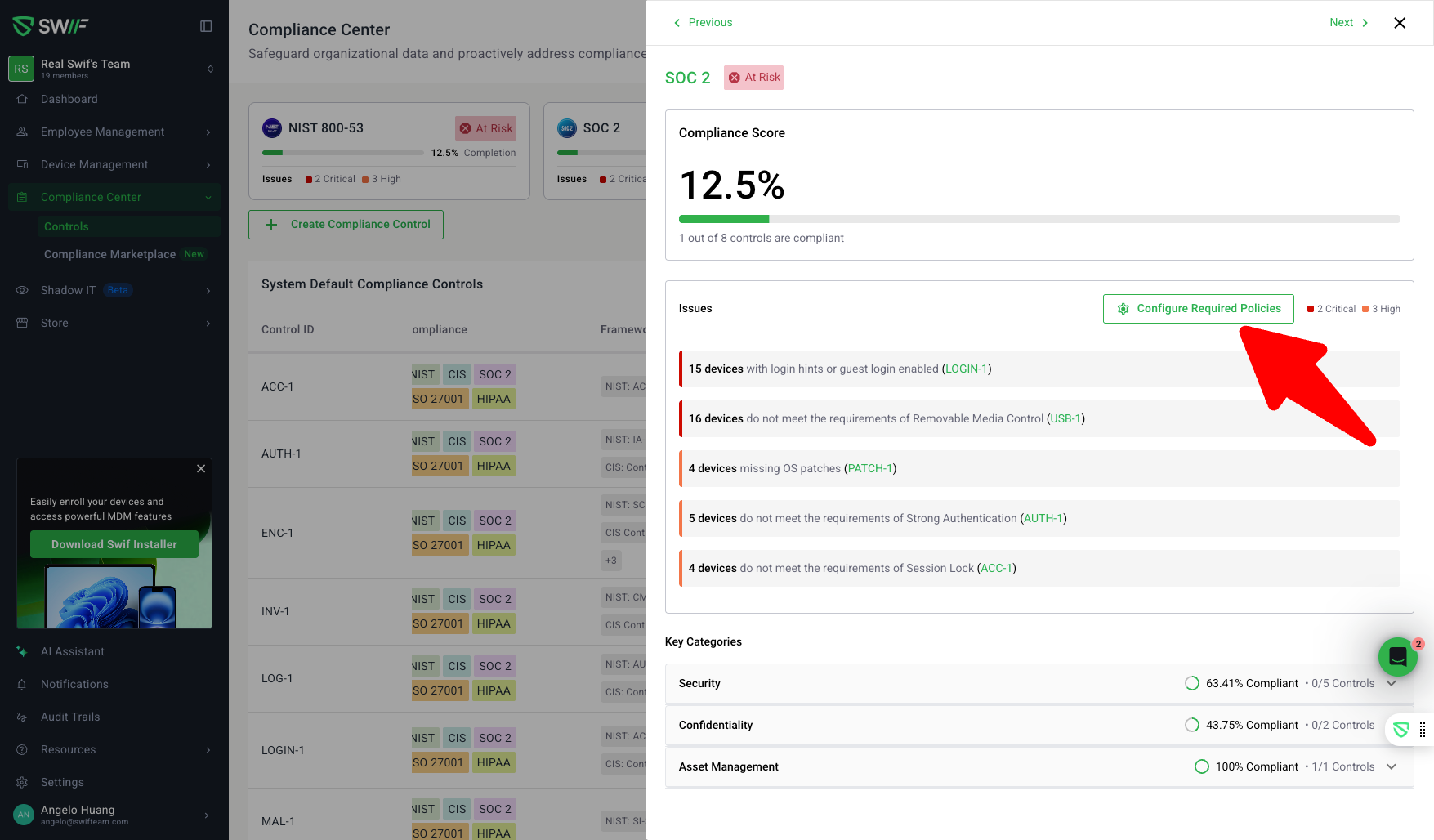
Bulk Configure Policies from Compliance Center:
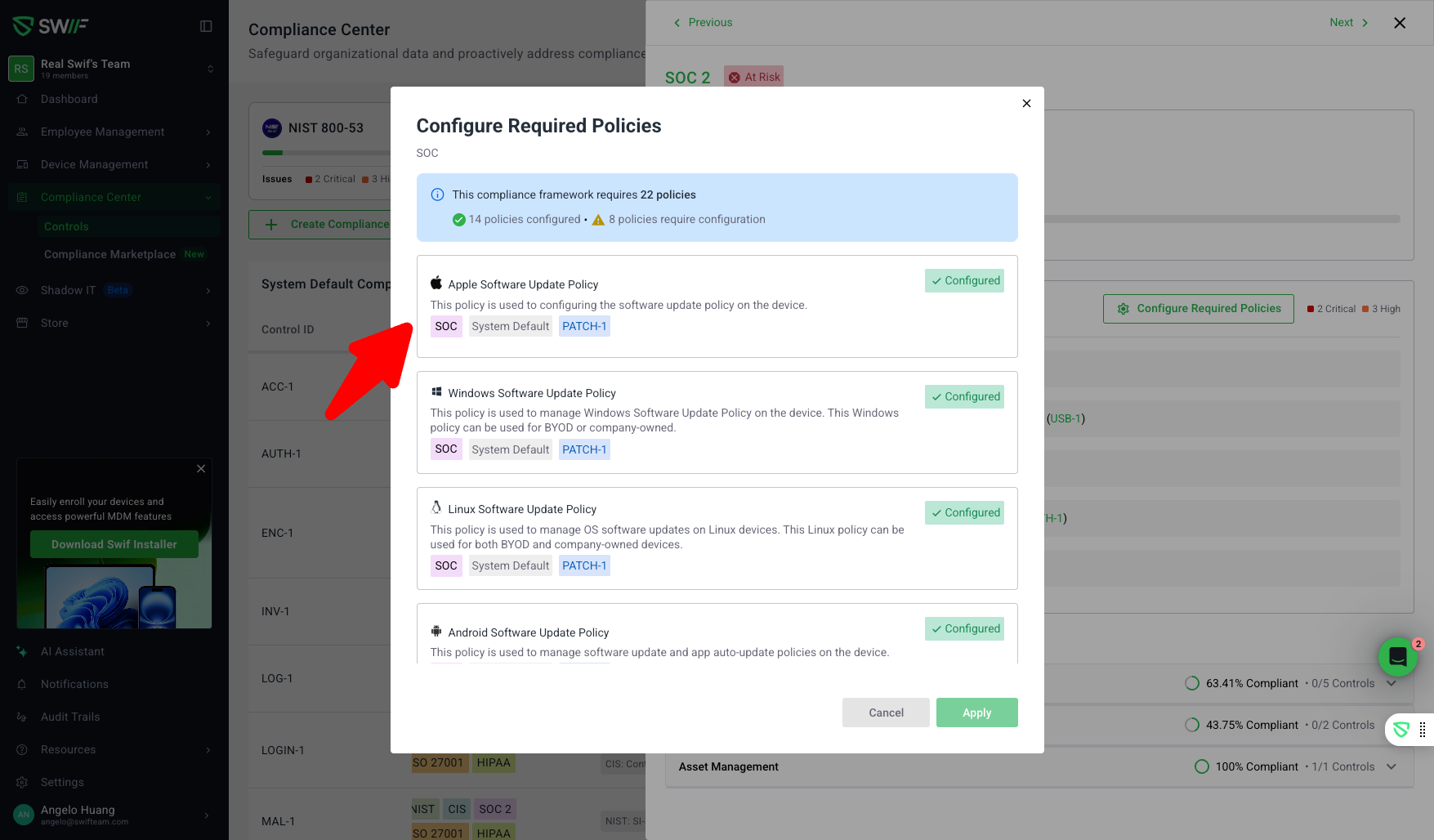
Administrators can now configure all required policies for a selected compliance category (e.g., NIST, CIS, SOC 2, ISO 27001, HIPAA) directly from the Compliance Center, rather than the Policies page. This streamlines compliance management and aligns with how admins think about frameworks and controls.Framework and Control Filtering:
Easily filter and select compliance frameworks and specific controls (e.g., ENC-1, LOGIN-1) to view and configure all relevant policies in bulk.Bulk Selection and Configuration:
Select and configure all policies in a compliance category with a single action, mirroring the onboarding bulk policy creation flow for efficiency.Review Before Enabling:
Policies are clearly marked and reviewable before enabling, ensuring administrators have clarity and control over compliance changes.First-Time User Experience (FTUX) Guidance:
New users are guided through the bulk configuration process with helpful FTUX overlays and instructions.Clear Feedback and Status:
When configuration is queued, users receive a “Configuration Queued” message. Policies are created and updated automatically once processing is complete.Contextual Placement:
The feature is intentionally placed in the Compliance Center to answer the question: “What do I need to fix to become compliant?”—not just to manage individual policies.
Screenshots & Attachments
If you have feedback or questions, please contact the Swif’s support team.