AWS Marketplace Billing Integration
Released: May 7, 2026
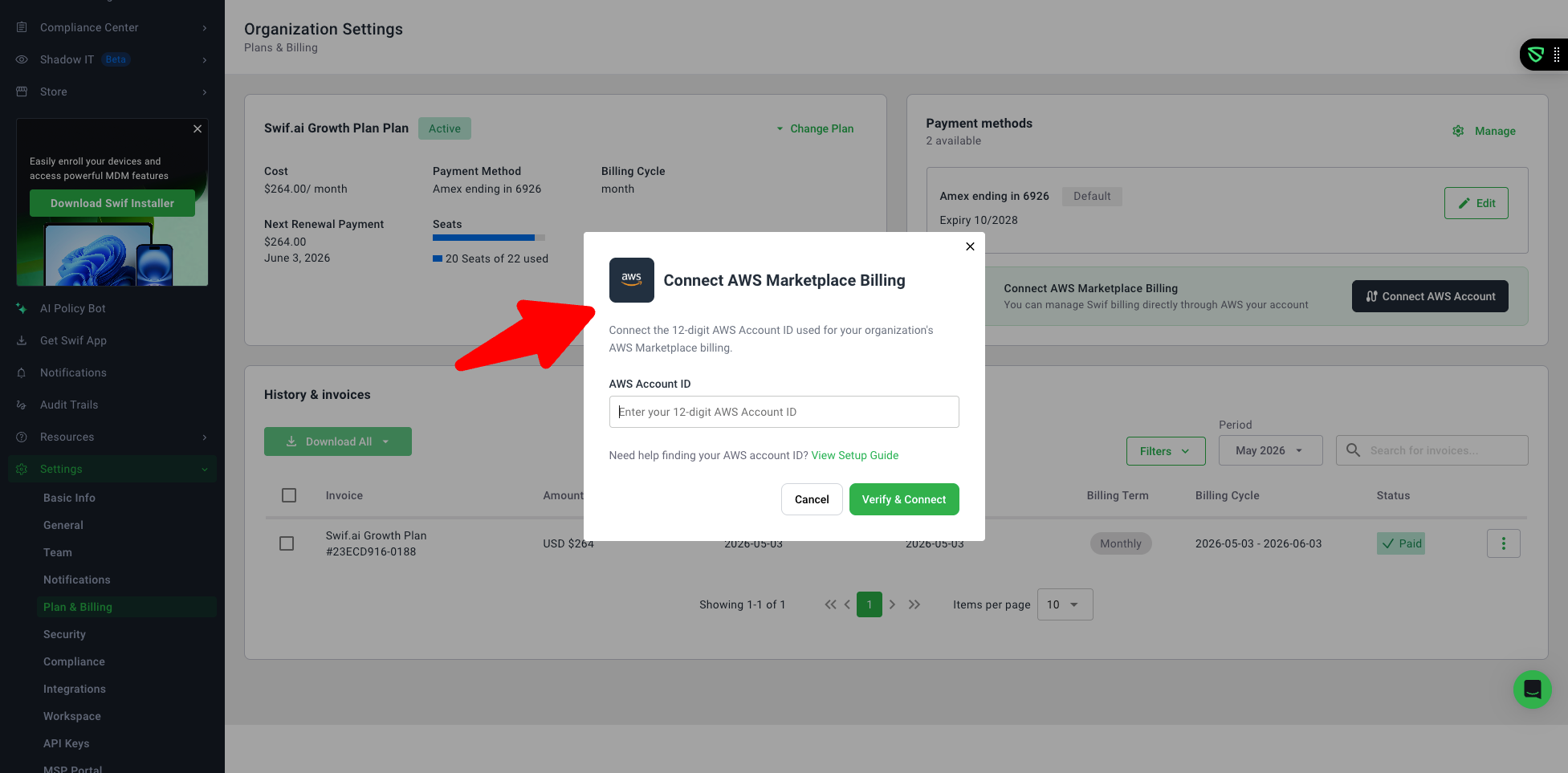
We've added full AWS Marketplace billing support to the Settings > Billing page, giving organizations the flexibility to manage their Swif subscription directly through AWS.
What's New
Connect & Manage Your AWS Account
Organization admins can now connect their AWS Marketplace billing by entering their 12-digit AWS Account ID directly from the Billing settings page.
Already connected? You can update your AWS Account ID at any time from the AWS Marketplace Subscription section.
AWS Subscription Details at a Glance
When an AWS Marketplace subscription is active, your plan details, subscription status, and billing information are displayed directly in the Billing page — no need to leave the app to check your plan.
A convenient "Manage in AWS Marketplace" link takes you straight to AWS for invoice and payment management.
Unified Billing Experience
Billing now clearly indicates your active subscription source — either Stripe (direct billing through Swif) or AWS Marketplace — so there's never any confusion about where your billing is managed.
Only one billing source is active at a time; the UI updates automatically when the source changes.
Additional Billing Improvements
New inline banner highlighting when billing is managed through AWS.
Updated subscription management dropdown with change and cancel options.
Refreshed Plan & Billing filters to reflect AWS subscription states.
Improved payment method management with a streamlined "Manage" flow.
Support users now see a clear message when they lack billing permissions.
Supported Plans
AWS Marketplace billing is available for Education, Standard, Growth, and Enterprise plans.
Learn More
For a step-by-step guide on connecting your AWS account, visit Managing Your Swif Subscription via AWS Marketplace.