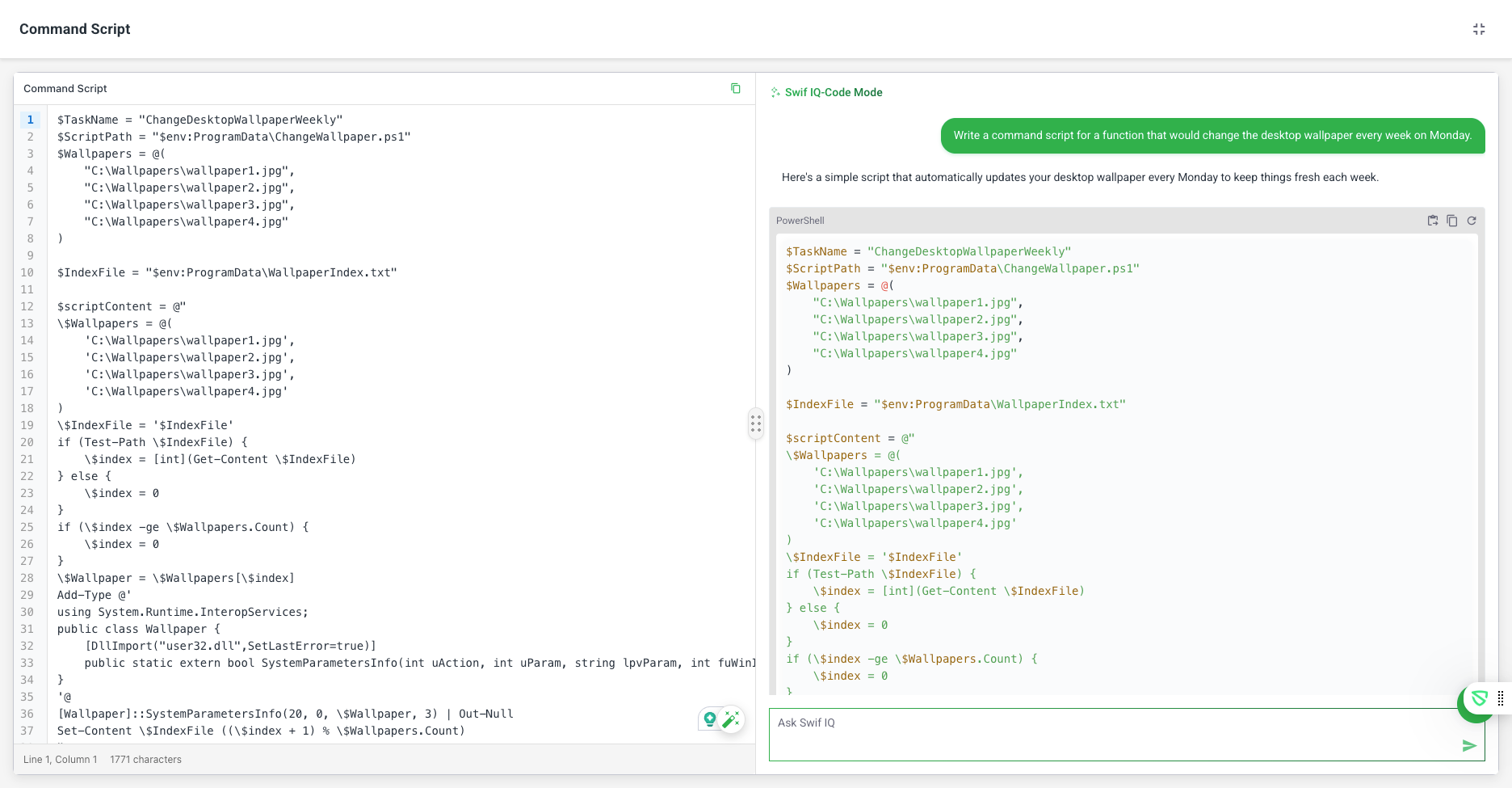
AI-Assisted Code Editor – Full Editor View
Release Date: October 31, 2025
Key Features
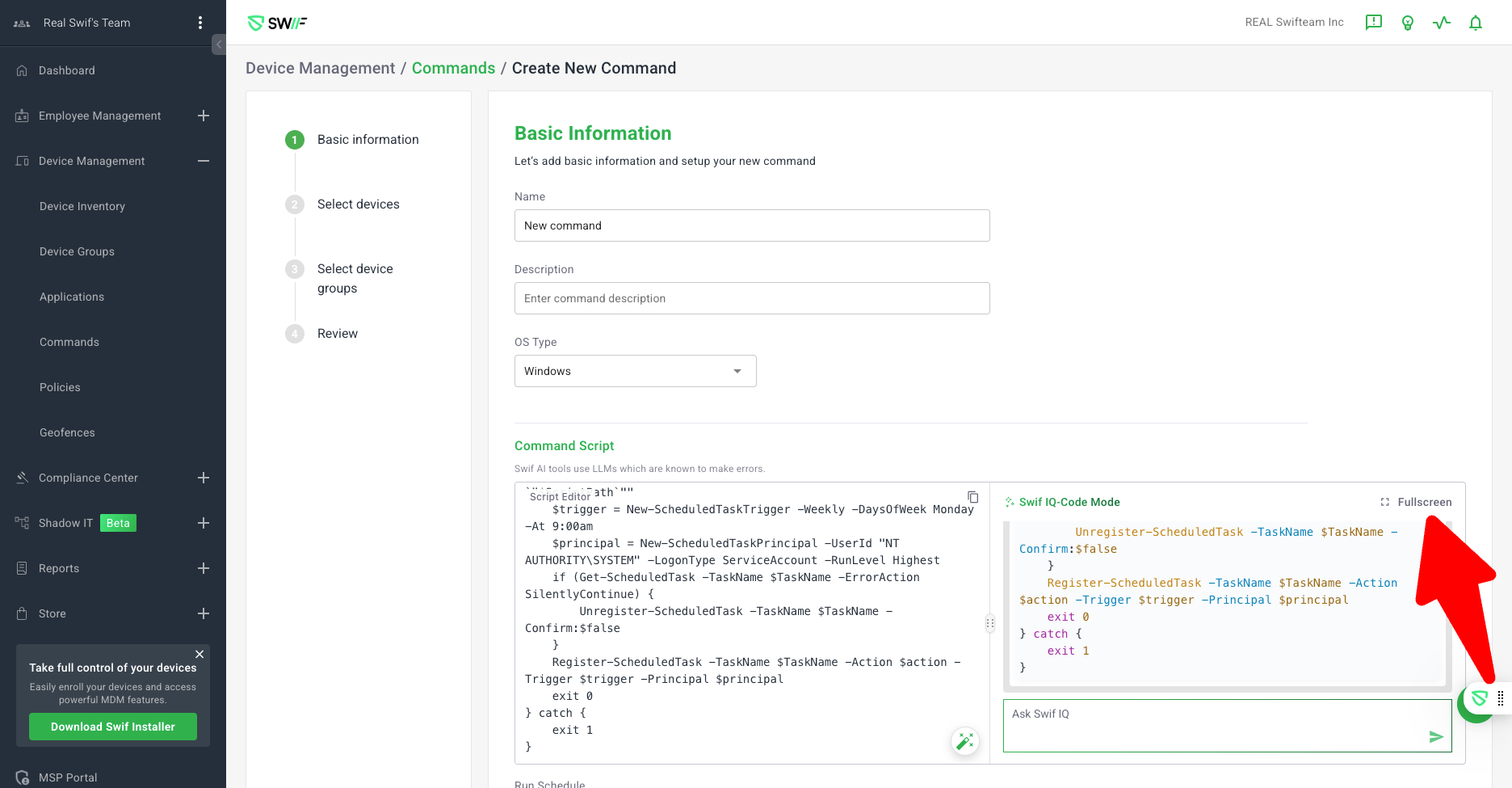
1. Fullscreen Editor for AI-Assisted Code Editing
Added the ability to use Swif-IQ Code Mode in a dedicated fullscreen view for improved focus and usability.
Applies to all AI-assisted editors: Command editor, Live terminal, and Custom Software script editors.
2. Consistent “Insert” Button Experience
The “Insert” button within the AI prompt now inserts generated code directly into the script editor, both in the main and full-screen views.
Ensures a seamless workflow when using AI to generate or modify scripts.
3. Enhanced OS Command Editor Switching
Improved the experience when switching between Mac, Linux, and Windows command editors.
The order of OS switch buttons is now consistent across main and fullscreen views: macOS Bash → Linux Bash → PowerShell.
Fixed issues where scripts were not syncing correctly or the OS selection would revert unexpectedly after code regeneration.
4. Improved Script Appending and Chat Flow
In full screen, new code or chat responses are appended correctly, mirroring the behavior of the main view.
New questions in the chat now appear under the latest script reply, maintaining logical conversation flow.
5. Validation Rules in Full Editor View
AI-assisted validation rules for Linux/Windows Custom Software are now fully supported in the full-screen editor.