Adhoc to set OS Update on Apple devices
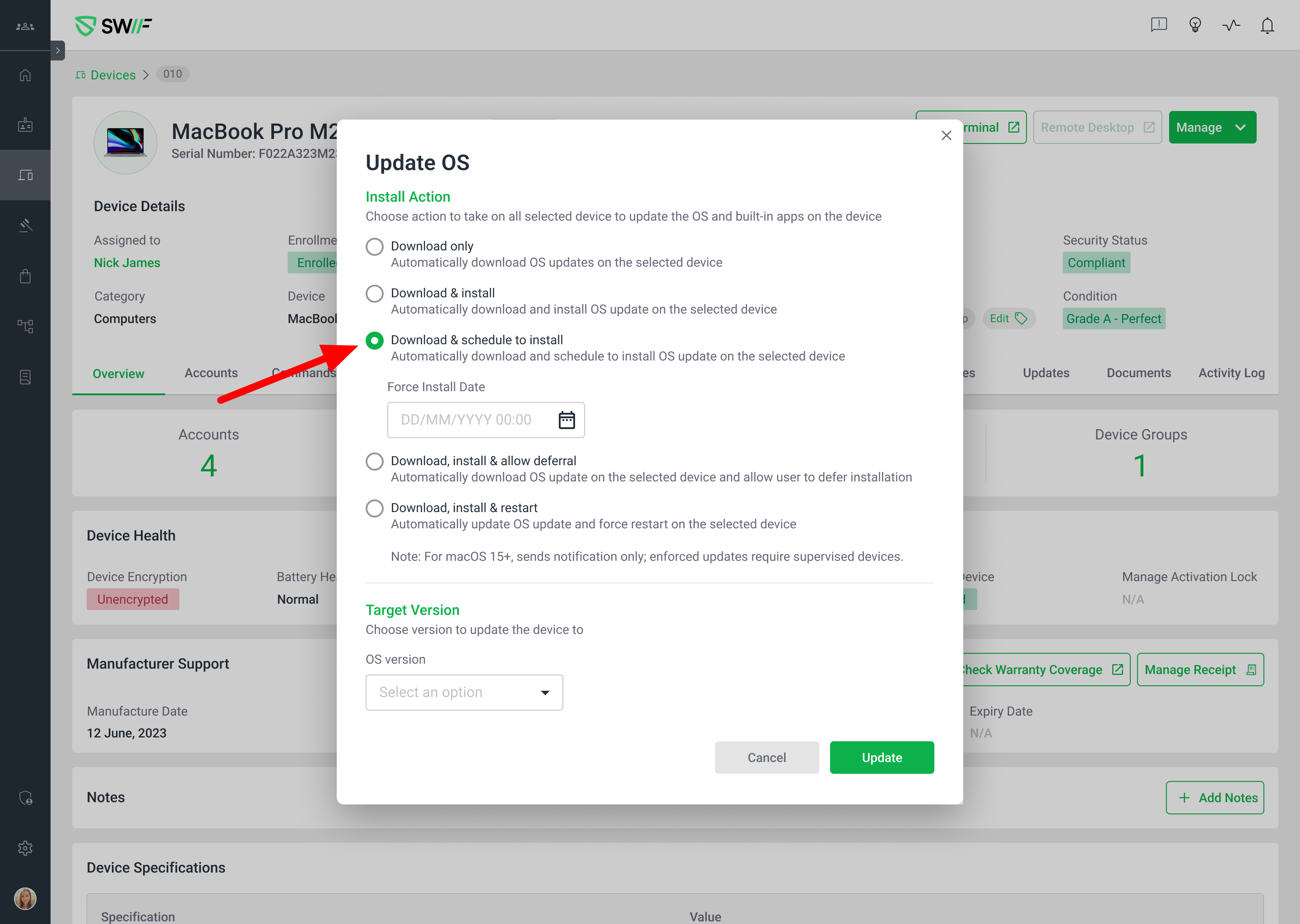
Here are the key features of Adhoc to set OS Update on Apple devices:
Purpose: Adds the ability to set and schedule Apple OS updates ad hoc for individual devices via the web app.
Scope:
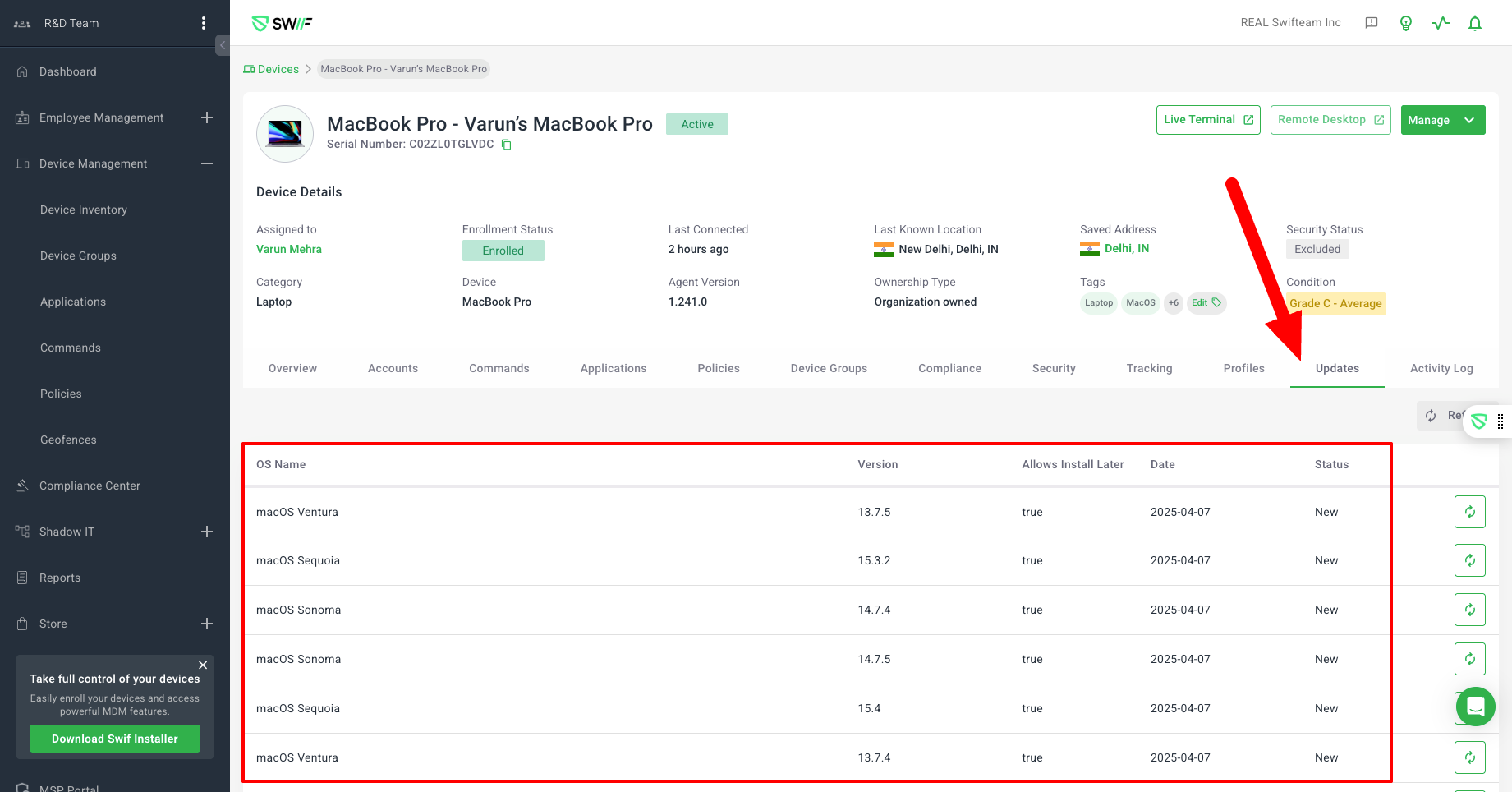
Only visible to devices with updates available, you can check the available OS updates at:
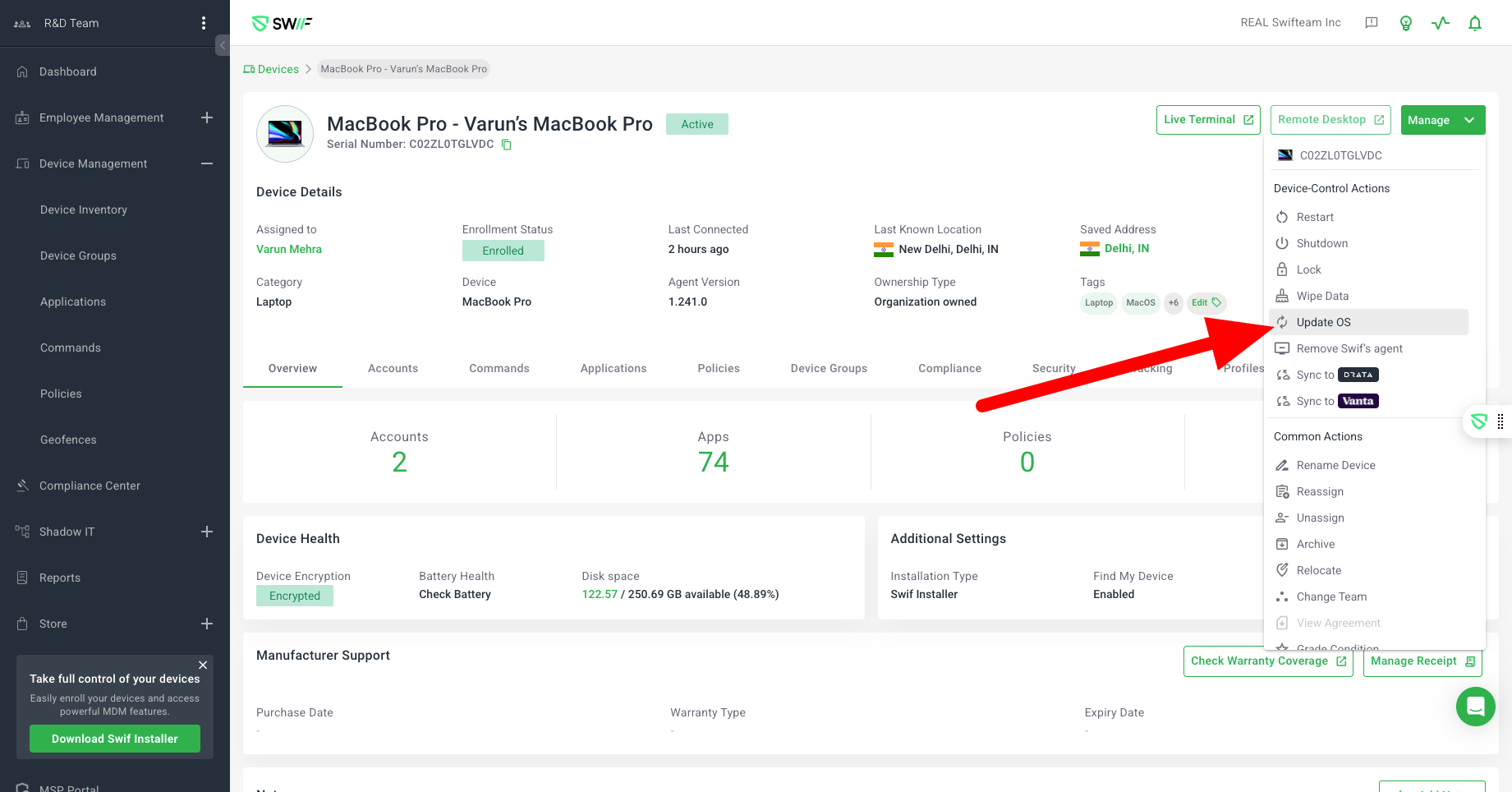
Allows selection of device(s) and then the type of OS update to apply.
Supports multiple install actions:
Download only (
DownloadOnly)Download & install (
Default)Download & schedule to install (
InstallSpesificDate)Automatically download and schedule to install the OS update on the selected device
Notice: This feature is available only for devices running macOS 14, iOS 17, and iPadOS 17 or later.
Notify user (
NotifyOnly)Download, install & allow deferral (
InstallLater)Download, install & restart (
InstallForceRestart)
For macOS 15+, “Download, install & restart” only sends a notification unless the device is supervised.
Notable Limitations:
Apple does not allow multiple update commands simultaneously.
Enforced updates on macOS 15+ require supervised devices.
Related documentation:
This feature enables more flexible, on-demand OS update management for Apple devices in the Swif web app, with clear handling of Apple’s MDM restrictions and user notifications.