A Redesigned Setup Guide for New Organizations
Release Date: October 15, 2026
Category: Onboarding
New Swif organizations now get a redesigned Setup Guide. Tell Swif about your company, devices, and compliance goals in a few steps. Swif then configures your workspace automatically, and walks you through enrolling your first device, so you can see policies enforced on a real device within minutes.
What's New
A Guided Setup in Five Steps
Company Details: Tell us about your organization.
Operating Systems: Choose every OS you use: macOS, Windows, Linux, iOS/iPadOS, and Android. Each card shows the supported versions.
Compliance Frameworks: Choose from SOC 2, ISO 27001, HIPAA, CIS Level 1 and 2, NIS 2, and NIST 800-53, and preview each framework before you commit.
GRC Tool: Connect a GRC platform such as Vanta or Drata, or ask for a referral for preferred pricing.
Identity Provider: Pick your primary identity provider, such as Google Workspace, Microsoft Azure, Okta, or Deel. A new walkthrough guides you through connecting it.
Skip Compliance If You Don't Need It
We Don't Need a Compliance Baseline: Skip the framework and GRC steps, and go straight to your identity provider.
Automatic Workspace Configuration
Live Progress: See each part of your workspace as Swif sets it up, based on your answers.
One Click to Enrollment: When it's ready, continue straight to enrolling devices.
Two Ways to Enroll
Start Testing: Try Swif on your own device first. Swif detects your computer's OS, and suggests a second test device based on the platforms you chose.
Enroll Everyone: Get installers for each OS you picked, including 1-click and silent installers, Apple Business Manager and Windows Autopilot setup, and QR codes for iPhone, iPad, and Android.
Email Your Team: Send employees an enrollment guide in one click.
See Compliance Happen in Real Time
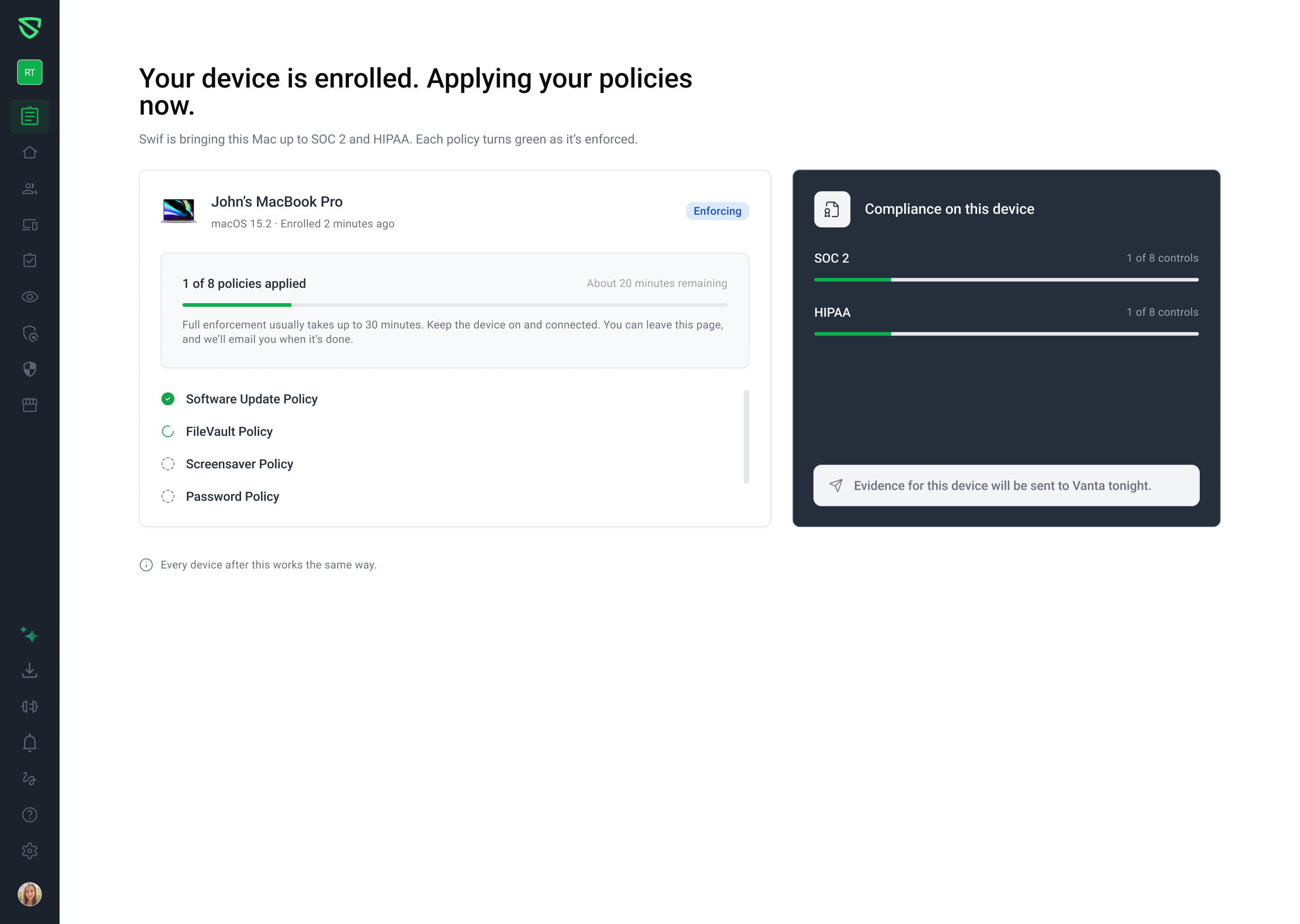
Live Policy Enforcement: After your device enrolls, watch each policy turn green as it's enforced.
Compliance Progress: Track progress for each framework you chose, control by control.
GRC Evidence: See when evidence for the device will be sent to your GRC tool.
Email When Done: Full enforcement usually takes up to 30 minutes. Swif emails you when it's finished.
Getting Started
New organizations see the Setup Guide automatically after signing up. The sidebar unlocks when you select Finish Onboarding & Hide Setup Guide.
Learn More: