Team Onboarding Checklists
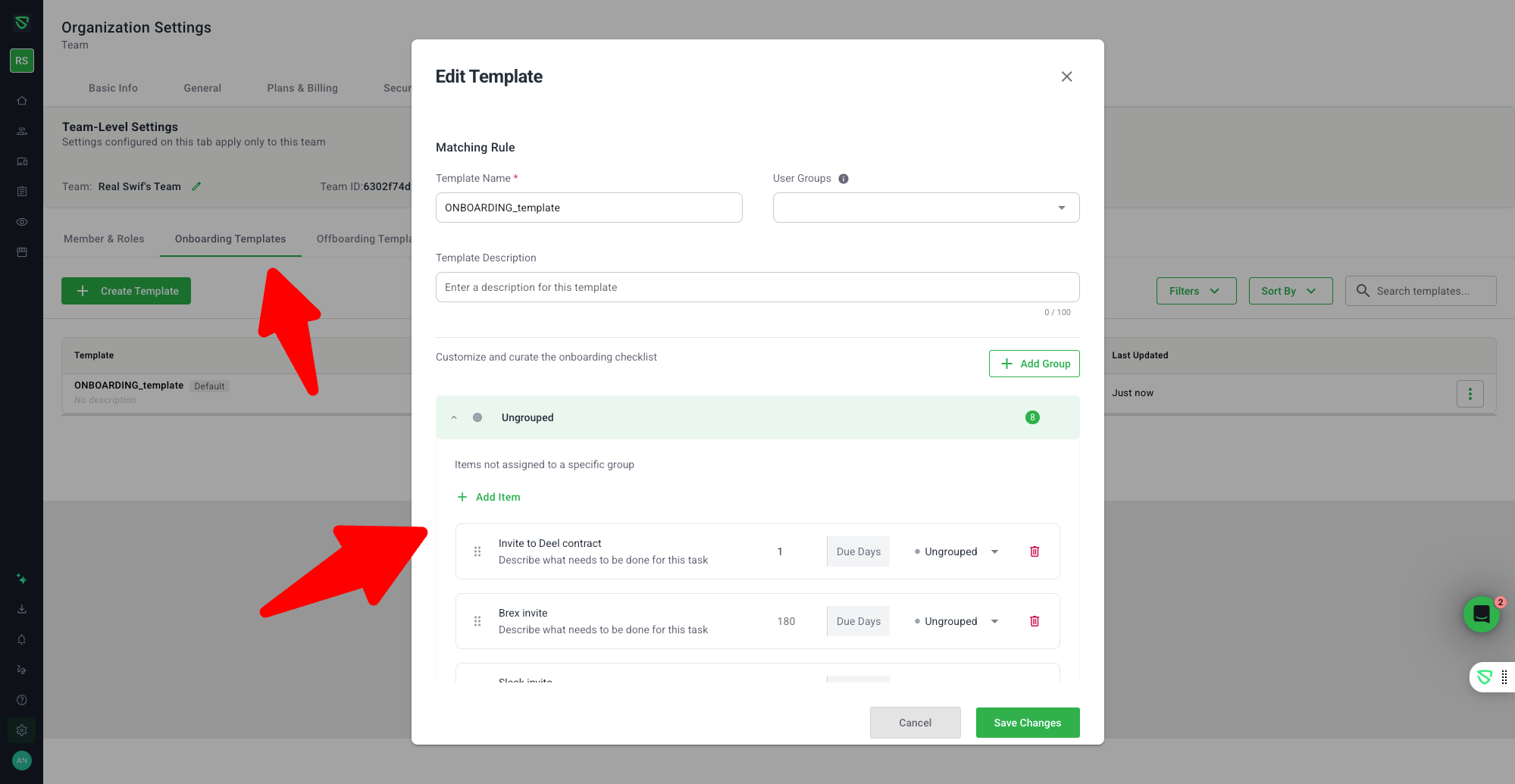
Swif now supports powerful, team-owned onboarding checklists that control employee status and make it easier to manage new hires across your organization.

What’s new
Team-level onboarding configuration
Onboarding settings have moved from a single, org-wide checklist to Settings → Teams → Onboarding Templates.
Each team can now manage its own onboarding and offboarding templates.
The former Team page is repurposed as Settings → Team → Members & Roles.
Custom checklists per team and user group
Create team-level templates that apply to everyone in the team.
Create group-level templates that only apply to specific user groups (e.g., Engineering, Sales).
Configuration rules:
Per team: 1 onboarding + 1 offboarding template when no user group is selected.
Per user group: 1 onboarding + 1 offboarding template per group.
Org-wide onboarding checklist removed
The old Settings → General → Onboarding Checklist section is removed.
All onboarding behavior is now driven by team (and optionally group) templates, giving each team full control of its process.
Checklists available before system onboarding
Custom team checklists are always available, regardless of whether the system default onboarding flow is completed.
The system default onboarding is now optional and skippable, and no longer blocks access to your team’s checklist.
Employee status driven by team checklists
New employee with a customized team checklist → Status: Onboarding.
New employee without a customized team checklist → Status: Active.
Completing all items on the team’s checklist automatically changes status from Onboarding → Active.
Clear status tag on employee card/list
A dynamic status tag now appears on the employee card/list, showing whether someone is Onboarding or Active.
The tag follows the updated design system and updates automatically as checklist items are completed.
When an employee is Active, the “Onboard employee” button is hidden to avoid confusion.
Robust completion logic and resilience
Employees stay Onboarding until every required checklist item is completed.
If a team has no custom checklist, employees remain Active whether or not system default onboarding is used.
Status and tags remain consistent even if checklist items are added, removed, or reordered, or if templates change mid-onboarding.
Email reminders for pending onboarding tasks
When a new employee has outstanding onboarding tasks, their status becomes Onboarding.
Swif automatically sends email reminders to team admins highlighting incomplete checklist items so nothing falls through the cracks.
Why this matters
Swif now makes onboarding team-owned, flexible, and transparent:
Teams design processes that match their own workflows.
Employee status is always accurate and driven by real checklist completion.
Admins get clear visibility and reminders, without being blocked by a global, one-size-fits-all flow.
Learn more in the full help article: https://help.swif.ai/en/articles/13266351-team-onboarding-checklists