January 22nd, 2026

Improved

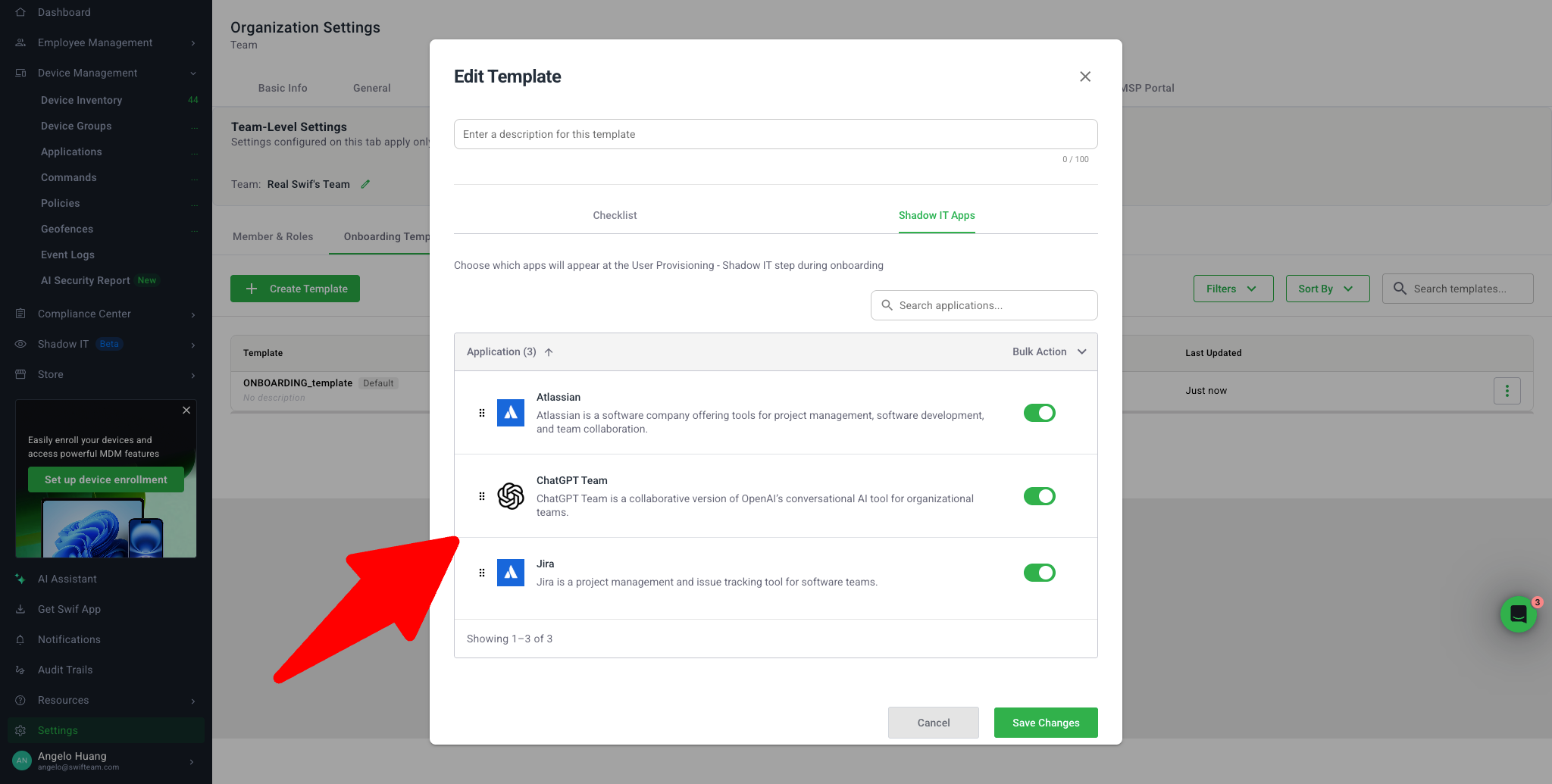
Team-Based Configuration for IT Onboarding's App Provision List
Summary

We’ve redesigned how Shadow IT / application provisioning works during onboarding and offboarding so that app lists are driven by team-based templates instead of a single organization-wide list. This makes the app checklist faster to load, easier to manage for large catalogs, and more relevant for each employee.

For more details, visit the Manual Account Provisioning & Deprovisioning Checklists in Swif.


Key Improvements

1. Team-Based Shadow IT Templates

Area

What’s new

Why it matters

Settings → Team → Onboarding Templates → Shadow IT / Applications tab

Each team now has its own Shadow IT app list that powers onboarding and offboarding.

Different teams (e.g. Design vs. Engineering) can have different app checklists without conflicting with each other.

Isolation across teams

Templates for Team A and Team B are stored independently. There is no cross-team leakage of apps.

Admins can safely tailor app lists to each team.


2. Smarter App List Rendering & Pagination

Area

What’s new

Why it matters

Onboarding & template screens

Initial load of 10 apps, with a “Load More Apps” button that loads 10 additional apps at a time.

Prevents long load times, especially for organizations with hundreds of apps.

Always show selected apps

If the admin has selected more than 10 apps in the template (e.g. 20 apps), all selected apps are always included in the first load, even if this exceeds 10.

Ensures admins never think a selected app is “missing” because of pagination.

Performance

Frontend is integrated with Vector’s new API for app provision list rendering, and the earlier “endless refresh” regression on the Integration page has been fixed.

Onboarding pages now load reliably without continuous re-rendering.


3. Onboarding Experience – Template vs. Non-Template Flows

A. Employees without an onboarding template
(Screen: Onboard Employee – Default, https://zpl.io/o0YqrzE)

Behavior

Details

Default list

Initially loads 10 apps with a “Load More Apps” button to load 10 more.

Visibility

Adds a chip like “XX available apps” and helper text “Showing 1–10 of XX” so admins always know how many apps exist and how many are currently shown.

B. Employees with an onboarding template

Section

Behavior

Details

Templated applications

Shows apps configured on the team’s Shadow IT template, resolved by the employee’s group/labels.

This section appears at the top and is the primary checklist for that employee.

More from Swif / Shadow‑IT Catalog

List additional catalog apps that are not in the template.

For template-based flows, this only appears when the user searches for something not already in the templated list. Helps keep the primary checklist focused.


4. Template Resolution Logic (Who gets which apps?)

On both Onboarding (Invite applications) and Offboarding (Revoke applications) Integration pages, the app checklist now uses a template resolution flow:

  1. Direct membership – if the employee belongs to a group with a template, use that template.

  2. Label matching – if direct membership isn’t available, use a template where the group’s label matches any label/tag on the employee.

  3. Fallback – if no template matches, the flow still works:

    • Either no “Templated applications” section is shown, or a global/default template is used (if configured).

    • Admins can still invite/revoke apps from the broader More from Swif / Shadow‑IT Catalog section without errors.

This logic applies the same way when revoking apps during Offboarding, so templated apps for that team appear together for clean deprovisioning.


5. Smart “Add to Checklist” Banner

Trigger

Behavior

Benefit

Admin invites an app from More from Swif / non‑templated section for an employee who already has a team template

Swif shows a banner like: “Swif IQ has detected that you want to add this app to the onboarding template.”

Helps admins evolve templates over time based on real onboarding behavior.

Accept

The app is added to the team’s Shadow IT onboarding template. Next time you onboard someone in that team, the app appears under Templated applications.

Keeps templates automatically in sync with how admins actually provision apps.

Dismiss

Template is unchanged; the app remains non‑templated. No duplicates or conflicting entries are created.

Gives admins control to avoid cluttering templates.


6. Optional, Non-Blocking App Provision Step

Step

Behavior

Integration (Invite applications) in the system default checklist

This step is OPTIONAL. Admins can skip inviting any apps and still complete onboarding. The employee’s status follows global onboarding rules rather than being blocked by this step alone.