Swif Web Application – Navigation Bar Upgrades
Release Date: November 17, 2025
Key Features & Improvements
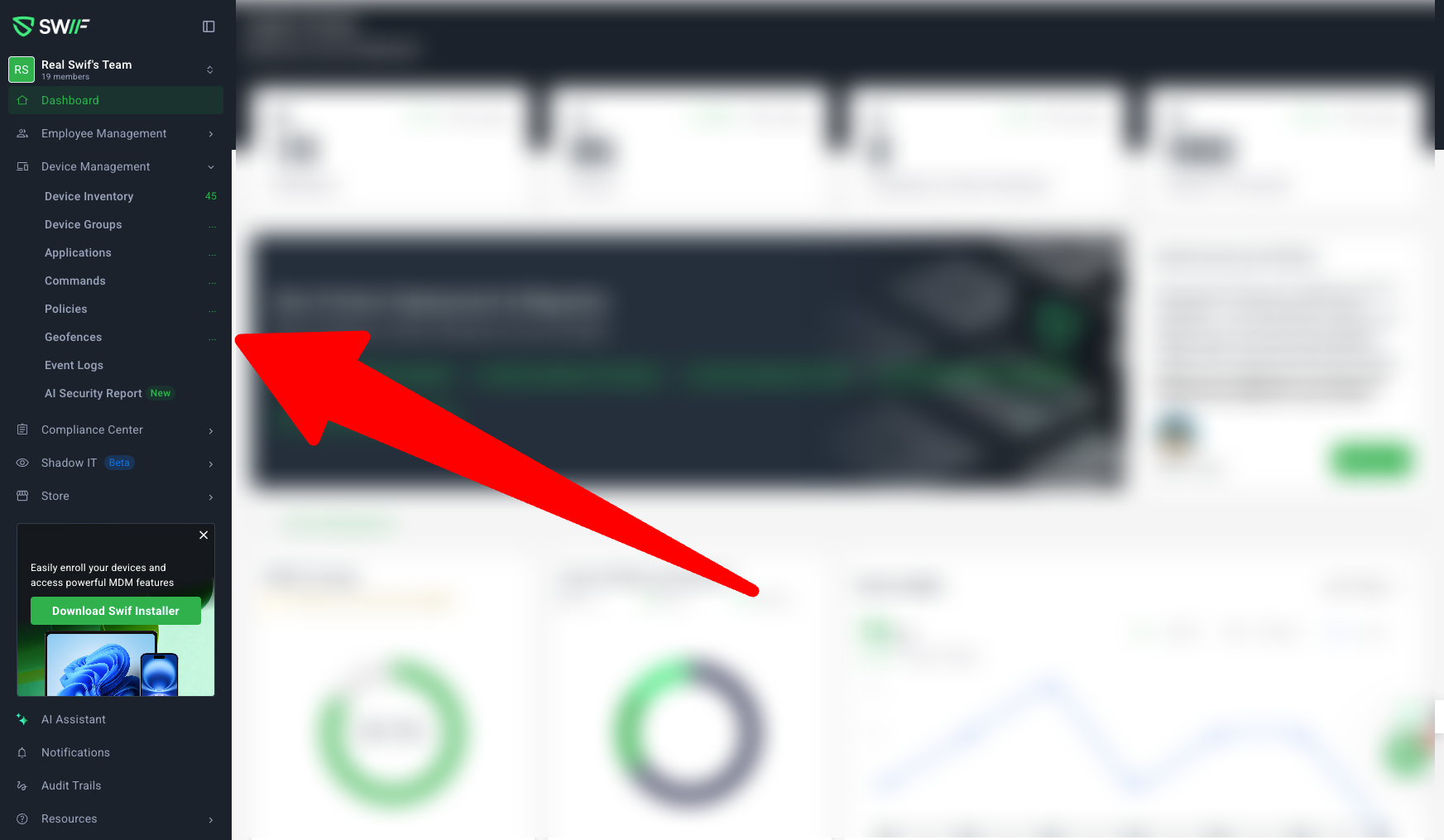
1. Two-State Vertical Sidebar Navigation
Collapsed (Default) & Expanded Modes:
Users can toggle between a compact collapsed sidebar and an expanded view for easier navigation.Collapsed: Shows only icons; tooltips appear on hover.
Expanded: Shows icons and labels; dropdowns for menu items with children.
Interaction Enhancements:
Hover & Submenu:
Tooltips display page names on hover.
Floating submenus for items with children (e.g., Employee Management → Employees, User Group).
Hover feedback with background color change.
Active State:
The active navigation item and icon are highlighted in green.
Expand Icon:
Hovering over the sidebar transforms the Swif logo into an expand icon, with a tooltip (
https://zpl.io/kKYeNgZ).
2. Counter Caching for Improved Performance
Counters for Key Pages:
Employee Management, Device Management, and Store now display counters (e.g., total employees, devices, new requests).
Performance Optimization:
Counters are only fetched and displayed after visiting the relevant page, reducing unnecessary API calls.
If the count is not cached, an ellipse placeholder is shown.
No extra API calls for counters unless the page is visited.
3. Menu & UI/UX Changes
MSP Portal Relocation:
Removed from the main navigation; now accessible under Settings > Organization for better discoverability and reduced clutter.
Page Header Removal:
The page header has been removed, providing more space for main content.
Resources Menu Update:
Moved to the sidebar.
Only essential items are included; “Newsletter” and “Blogs” have been removed.
“Share feedback” is now part of Resources.
4. Change Team & Account Management
Change Team Menu:
Added a “Managed Team” button redirecting to Settings > Teams.
Team member count is now shown below the team name.
Team logo initials logic:
If the team name has spaces, use the first letter of each word (e.g., “My Team” → MT).
If no spaces, use the first two letters (e.g., “Hello” → HE).
Menu opens on hover (collapsed) or click (expanded).
Account Settings Improvements:
“Manage Account” is now accessible from the log-out menu, redirecting to Account Settings > Personal Details.
Personal details have been moved from Organization Settings to Account Settings for better separation.
5. Accessibility & Design Consistency
Accessibility:
All tooltips are accessible via keyboard and screen readers.
Design Consistency:
Padding and color adjustments for improved look and feel.
Collapsed and expanded states match design references.
This upgrade delivers a faster, more intuitive, and modern navigation experience for all Swif web app users.