Export policy configurations as JSON or PDF
What’s new
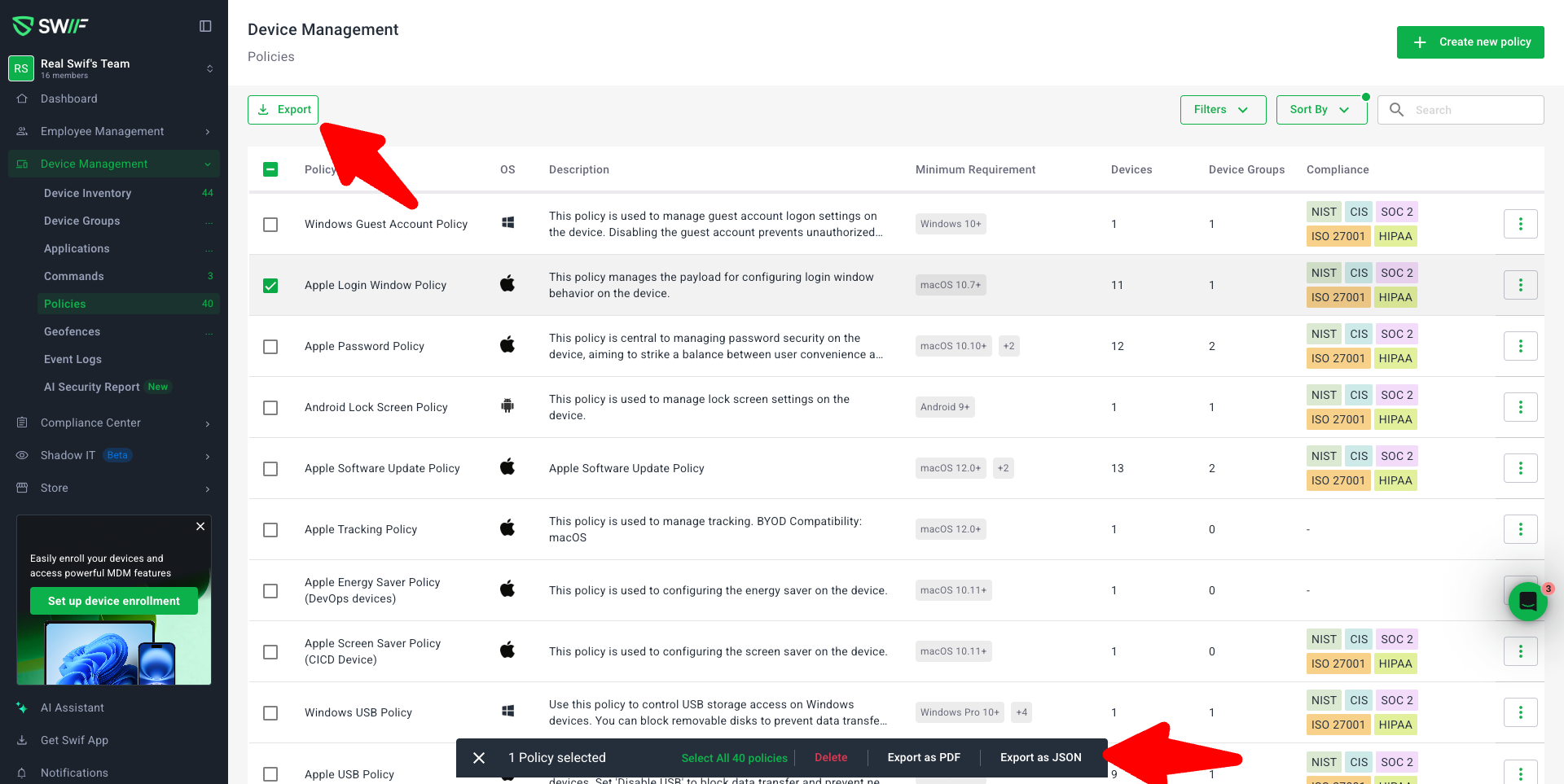
You can now export policy configurations directly from the Policies page in JSON or PDF format. This makes it easier to audit your security settings, share them with external reviewers, or back up configurations outside of Swifteam.
Key capabilities
Table‑level export (list view)
New Export action in the Policies table toolbar.
No rows selected: exports all policies that match your current filters (not just the current page).
Some rows selected: exports only the selected policies.
Supports both JSON and PDF output.
Single‑policy export
Export an individual policy from:
The row “more actions” menu in the Policies table.
The policy side details panel.
Choose between JSON or PDF.
The downloaded file contains only that policy’s configuration.
Bulk export across pages
Select policies across multiple pages using row checkboxes.
Use the bulk action bar to:
See the total number of selected policies.
Select all policies that match the current filters (across all pages).
Export all selected or “select all” policies as JSON or PDF in a single download.
The “Select all” control has been moved from the table toolbar into the bulk action bar so it doesn’t conflict with other toolbar actions like “Generate report.”
Filter‑aware exports
When no rows are selected, exports always respect:
Current filters (e.g., OS = Mac).
Current search terms.
This ensures exported data matches exactly what you’re viewing in the table, at list scope.
Better UX and reliability
Clear loading state while an export is in progress to prevent duplicate clicks.
Error messaging if an export fails.
Verified downloads for:
JSON files (valid JSON payload, opens in editors/viewers).
PDF files (valid PDF, opens in browser viewers and standard PDF apps).
Permissions and safeguards
Export options are only available to users with permission to view/export policies.
If the backend reports partial failures (for example, some policies can’t be exported due to permissions), the UI surfaces a message such as:
“3 of 10 policies could not be exported due to permissions.”
Why this matters
This change was driven by a customer request to make policy configuration review and backup easier. With JSON/PDF exports at table, bulk, and single‑policy levels, teams can:
Share policy settings with auditors or security reviewers.
Version and track configurations in external systems.
Quickly export subsets of policies based on filters (e.g., platform‑specific policies).