Windows: On‑demand OS updates from the Device page & Updates tab
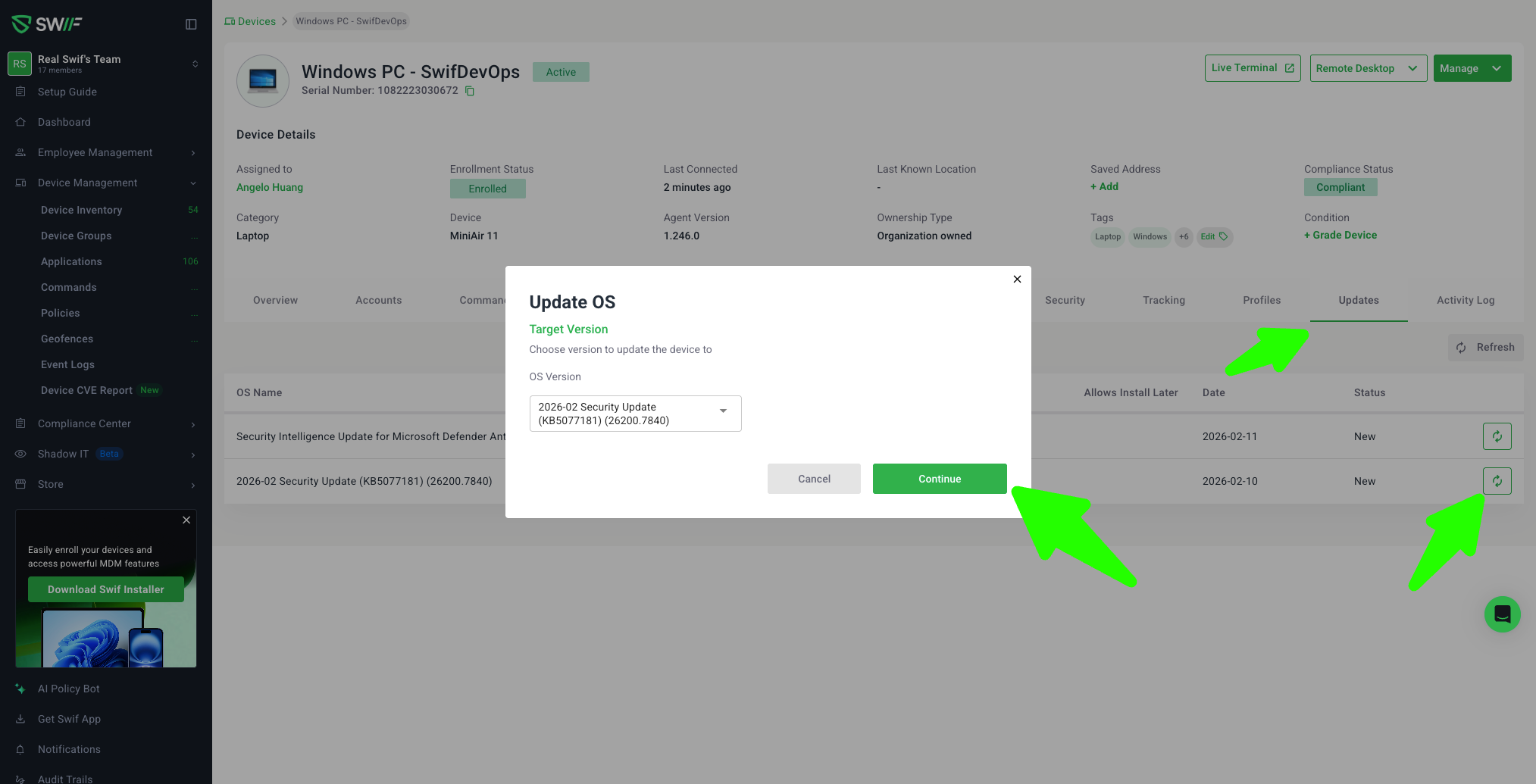
We’ve added support for adhoc Windows OS updates directly from a single device, similar to our existing macOS flow.
What’s new
1. “Update OS” action on Windows device pages
On a Windows device’s detail page, there is now an “Update OS” / “Schedule OS update” action in the device actions menu.
Clicking it opens a Windows OS Update modal that:
Lists available Windows updates from the device (e.g., feature updates like Windows 11 24H2, Defender signature updates, etc.).
Shows key details per update: human‑readable name, version/build (when available), download size, release date, and status.
Lets you select exactly one update and schedule it for that device.
When you confirm, Swif sends a schedule request for that specific update and treats “installation initiated” as success.
Learn more:
Adhoc Windows OS updates | Help Center | Swif.ai
(For parity with macOS behavior, also see: Adhoc OS Updates for Apple Devices | Help Center | Swif.ai
2. Per‑update actions on the Device → Updates tab (Windows)
On a Windows device’s Updates tab, each Windows OS update row now includes a contextual action (for example, “Install this update”).
Clicking this action:
Schedules that specific update on that specific device (no bulk / “Update all” behavior).
Uses the same backend scheduling flow as the Device page modal.
This makes it easy to trigger a one‑off installation for a specific Defender or OS update you see in the list.
3. Safer & clearer scheduling behavior
Scheduling is strictly per device + per update:
No multi‑device bulk updates from this flow.
No device‑group scheduling UI in this release.
The UI:
Shows a clear success notification when a schedule request is accepted.
Surfaces backend error messages (for example, insufficient disk space, or Defender updates that are already being handled by Windows) in a toast and/or inline detail.
Avoids permanent loading spinners with sensible client‑side timeouts.
Refreshes the device’s available updates/status so that:
Completed updates may disappear from the “available” list, or
Their status is updated based on the latest device data.