Team-Based Configuration for IT Onboarding's App Provision List
Summary
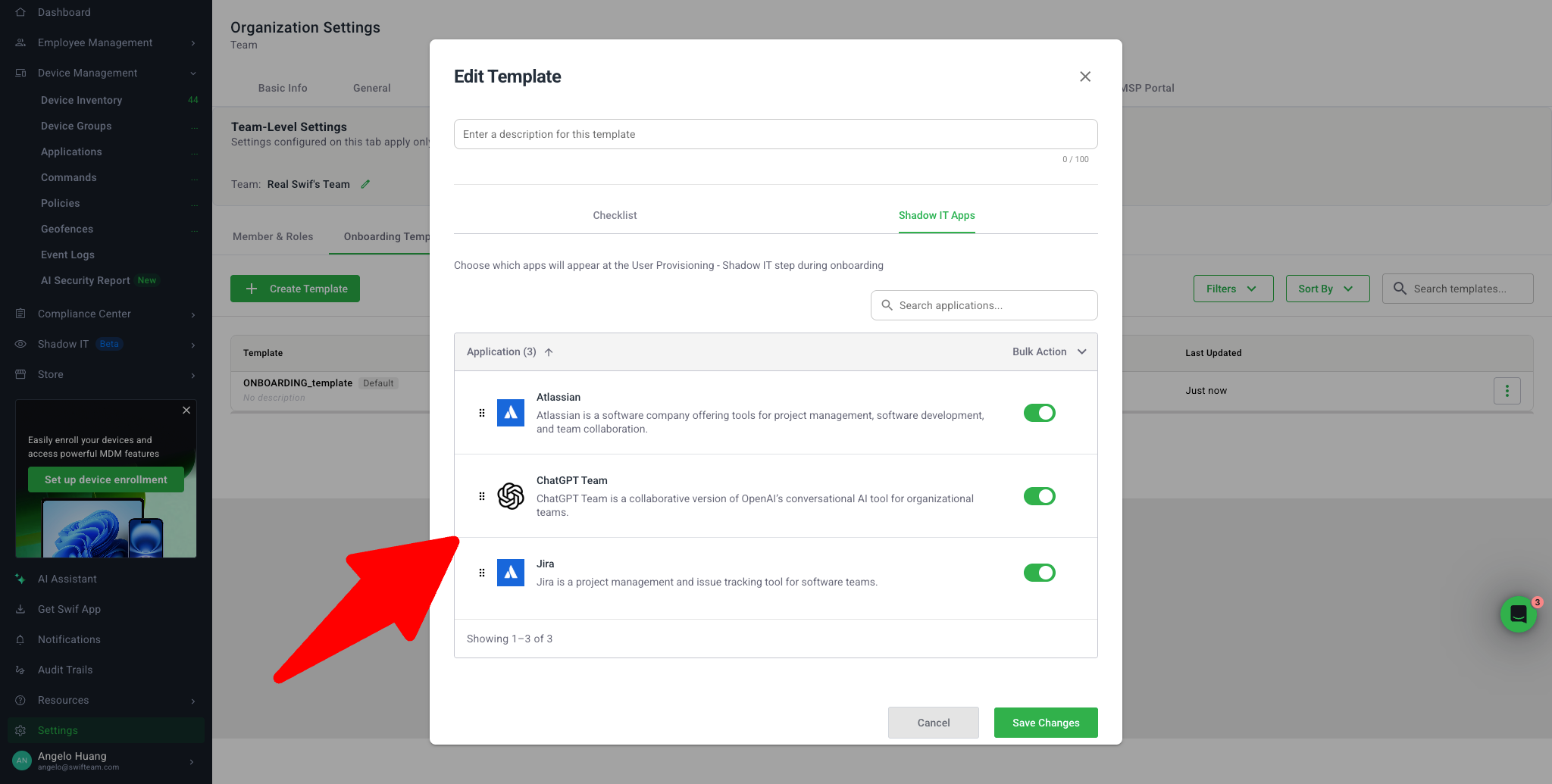
We’ve redesigned how Shadow IT / application provisioning works during onboarding and offboarding so that app lists are driven by team-based templates instead of a single organization-wide list. This makes the app checklist faster to load, easier to manage for large catalogs, and more relevant for each employee.
For more details, visit the Manual Account Provisioning & Deprovisioning Checklists in Swif.
Key Improvements
1. Team-Based Shadow IT Templates
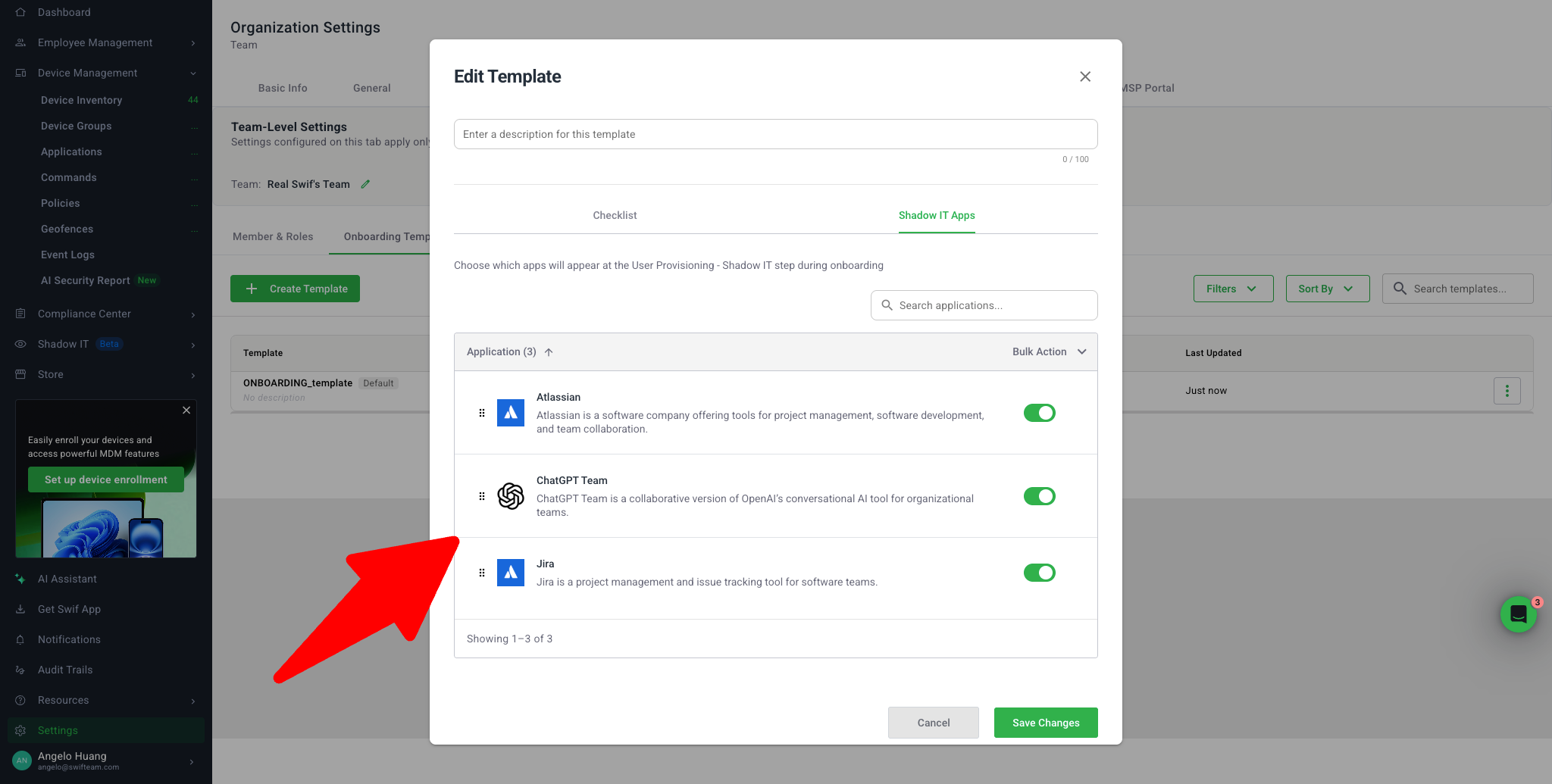
2. Smarter App List Rendering & Pagination
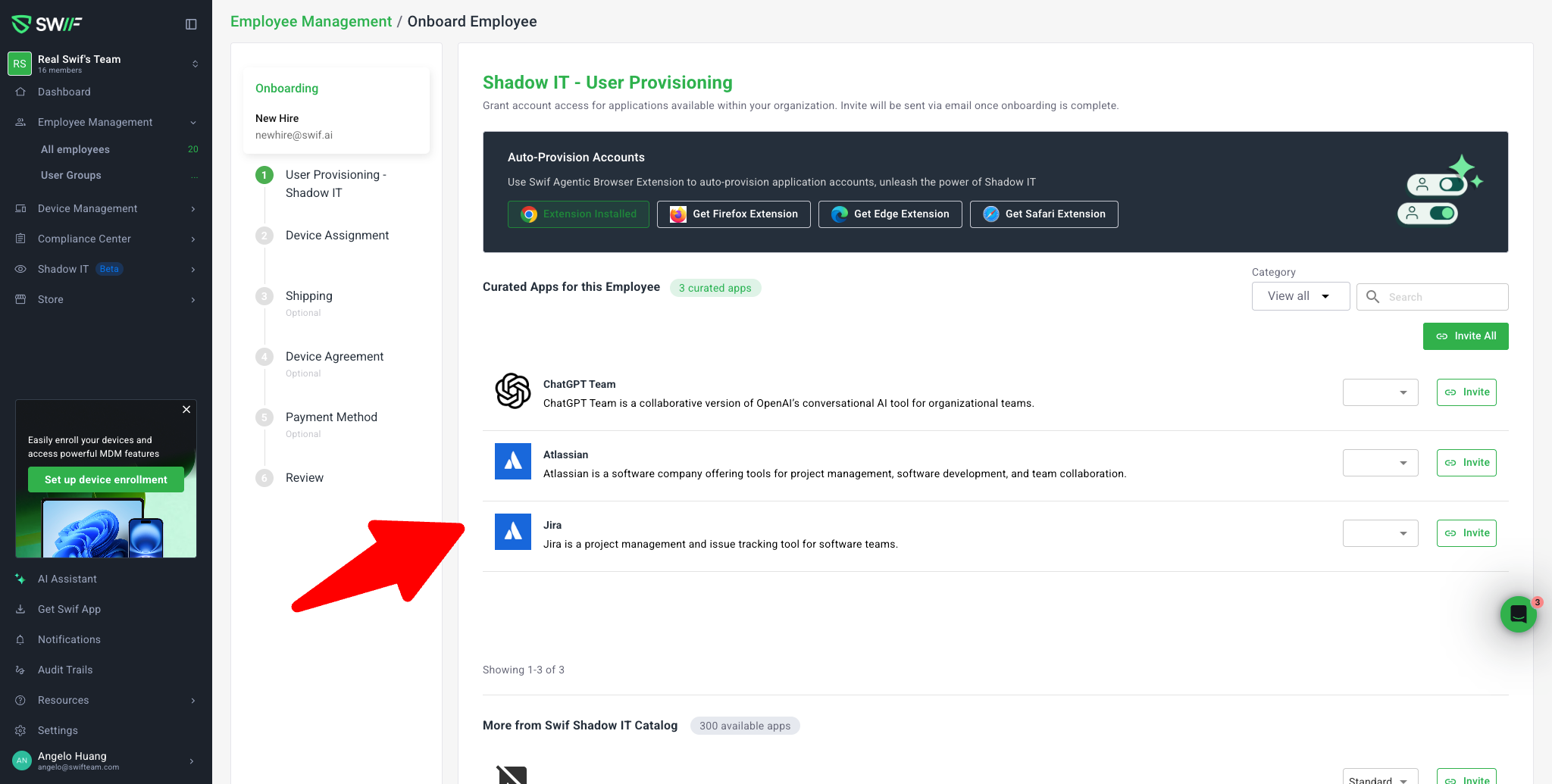
3. Onboarding Experience – Template vs. Non-Template Flows
A. Employees without an onboarding template
(Screen: Onboard Employee – Default, https://zpl.io/o0YqrzE)
B. Employees with an onboarding template
4. Template Resolution Logic (Who gets which apps?)
On both Onboarding (Invite applications) and Offboarding (Revoke applications) Integration pages, the app checklist now uses a template resolution flow:
Direct membership – if the employee belongs to a group with a template, use that template.
Label matching – if direct membership isn’t available, use a template where the group’s label matches any label/tag on the employee.
Fallback – if no template matches, the flow still works:
Either no “Templated applications” section is shown, or a global/default template is used (if configured).
Admins can still invite/revoke apps from the broader More from Swif / Shadow‑IT Catalog section without errors.
This logic applies the same way when revoking apps during Offboarding, so templated apps for that team appear together for clean deprovisioning.