Set Mac updates on the target local day, local hours, and local timezone
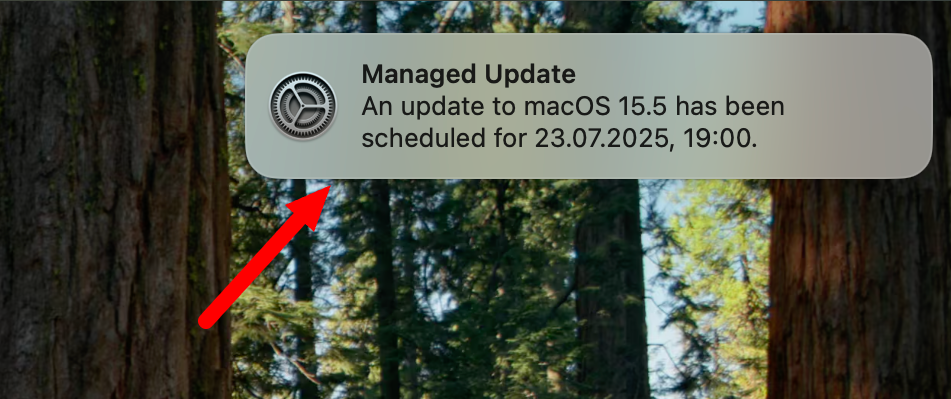
The key features of the ticket "Set Mac updates on target local day, local hours, and local timezone" are as follows:
Declarative Device Management (DDM) System: The implementation involves using DDM to manage software updates on macOS devices. This includes adding a "Software Update at Night" policy.
Target Local DateTime: This feature allows scheduling updates by specifying a local date and time. The
target local day,local hours, andlocal timezoneKeys are used to define the deadline by which the update will be enforced on the device. This enables updates to be scheduled for overnight installation, minimizing disruption during working hours. This feature is only available on macOS 14+.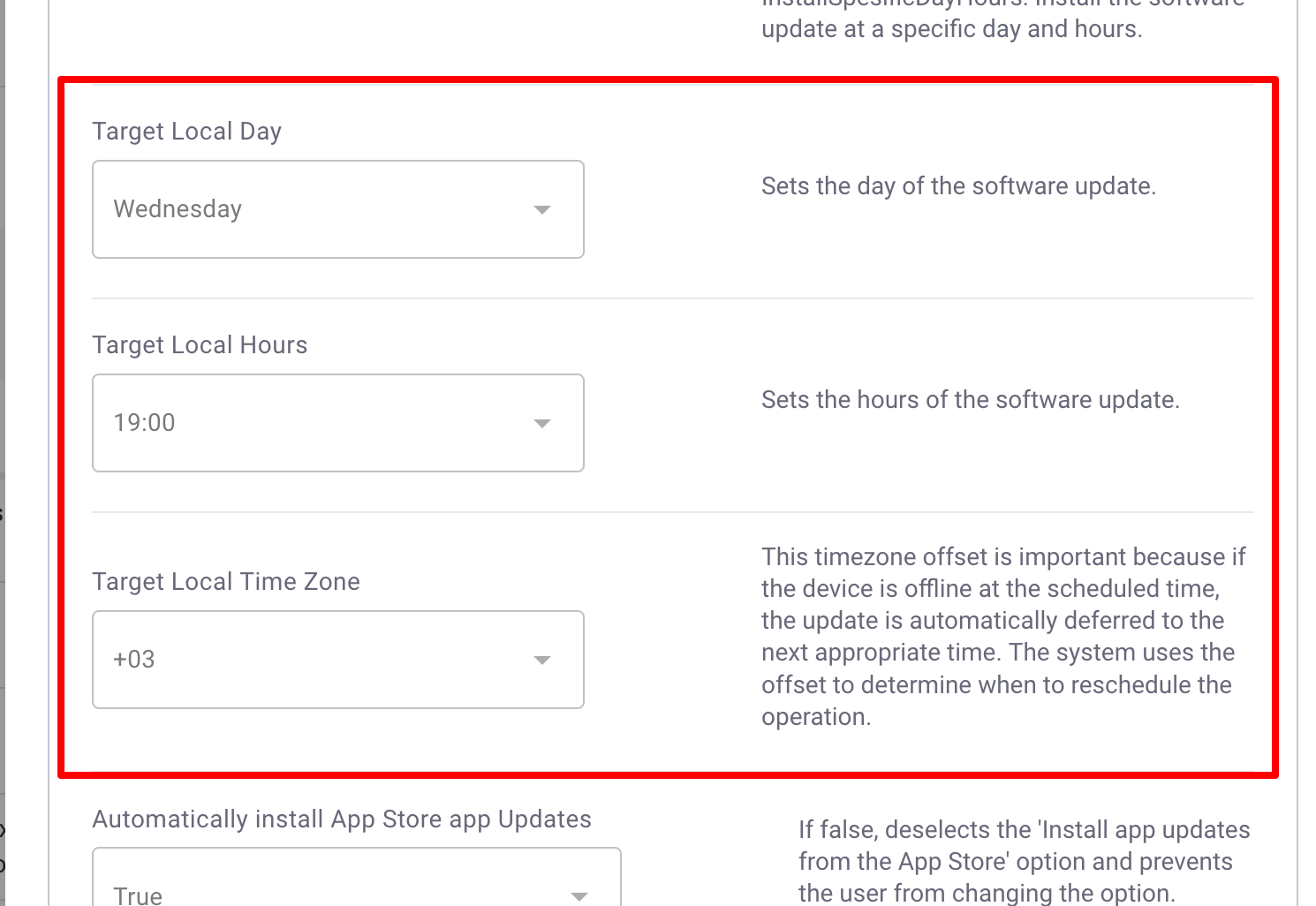
Handling Offline Devices: If a device is offline at the scheduled update time, the update will be applied as soon as the device is turned on. This ensures that updates are not missed due to device unavailability.
User Experience: When an update is scheduled, macOS will notify the user of the pending enforced update, providing options such as "Update Now" or "Update Tonight". This allows users to choose a convenient time for the update.
These features aim to provide a more flexible and user-friendly approach to managing macOS updates, particularly by allowing updates to be scheduled according to the local time of the device.