Redesigned Notifications in Settings
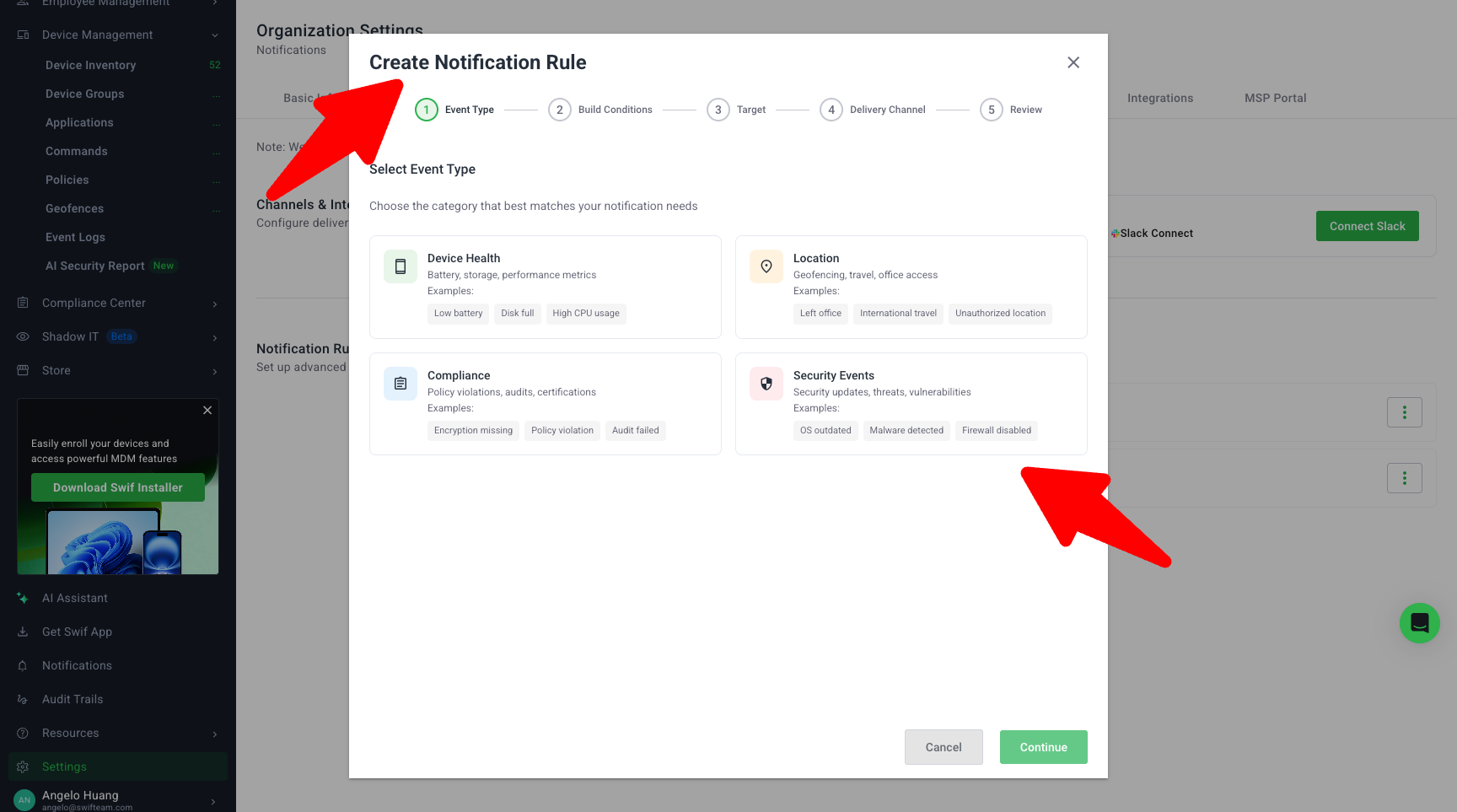
We’ve redesigned the Settings → Notifications experience to make it easier to understand, create, and manage alert rules across email and Slack.
What’s new
Revamped Notifications page UI
Fully updated layout based on the new design from ST‑6183.
Clearer grouping of notification rules by type (e.g. Device Health, Location, Security, Compliance).
Visual consistency with the new Settings → Compliance experience.
Step-by-step “Create Notification Rule” flow
Creating or editing a rule now follows a guided, multi-step wizard:Select Event Type
Events are categorized (instead of one long dropdown) so it’s easier to find the trigger you need.
Build Conditions
Configure rule conditions (e.g. thresholds such as “less than” for insufficient disk) with a cleaner UI and more understandable validation and error states.
Select Target
Target rules to the right scope:
Device Health → All devices
Location → Device groups only
Security (event logs) → All devices or specific devices
Compliance → All devices, device groups, or specific devices
Some notification types are only valid for specific targets; the UI now reflects those constraints instead of showing unsupported combinations.
Select Channels
Choose where the notification is delivered:
In‑app / Swif event
Email
Slack (when Slack is connected)
Slack channel selection has been made more robust by using a search-based lookup for the Slack integration.
Review & confirm
A final review step shows a concise summary of your rule (event, conditions, targets, and channels) before saving.
Cleaner, more resilient behavior and UX polish
All logic is preserved from the previous Notifications implementation; this is primarily a UI/UX revamp, not a behavior change.
UI elements from earlier designs that are not supported by the backend have been removed for now (for example, Estimated Frequency and Potential Conflicts, and multiple conditions per notification rule).
Improved error handling:
User-facing messages are clearer and shown in a consistent location.
Fixed issues where the page could hang when toggling Email/Slack switches.
Visual styling (colors, borders, layout spacing) refined with Product Design to avoid overuse of green and to match the rest of Settings.
What stayed the same
Existing notification rules and targeting logic continue to work as before.
This release does not introduce multiple conditions per rule or advanced conflict/frequency analysis; those may be considered in future enhancements.
Learn more at Setting Up the Notification.