MDM-Mac - Reset user password should confirm existing Swif admin password
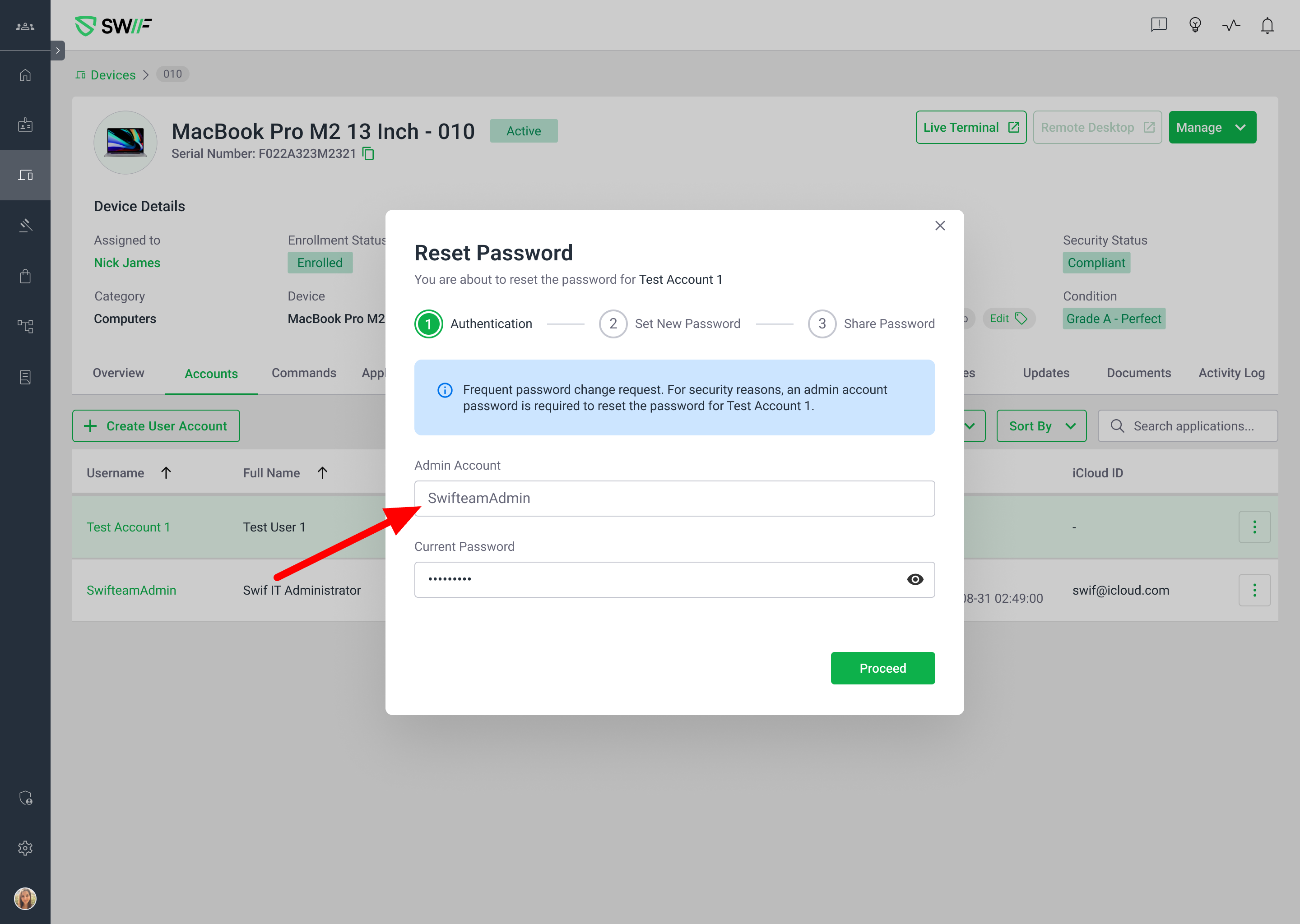
Here are the key features of this reset user password fix:
Purpose: Improve the password reset flow for Mac devices managed by Swif, specifically to confirm the existing Swif admin password and handle cases where the password is incorrect or lost.
Default Flow (All OS):
The standard password reset flow is used if there have been no recent errors. This includes UI/UX improvements and password policy enforcement.
Password reset steps: set new password, enforce password policy, option to share password via email, and confirmation of successful reset.
Redundancy Flow (Mac Only):
If a password reset fails for any user on a device within 24 hours, the next attempt triggers a redundancy flow.
The redundancy flow prompts the admin to enter credentials for any admin account on the device (not just the Swif admin).
The admin can select from available admin accounts and provide the correct credentials to proceed.
Special Cases:
If the Swif admin password is changed manually on the device (not via Swif console), the new Swif admin password needs to be given in the Redundancy Flow.
In BYOD scenarios, if no Swif admin exists, the first available device admin is used.
Related Documentation: Swif admin user behavior on managed devices
Summary:
This ticket ensures that password resets on managed Macs are robust, secure, and user-friendly, with fallback mechanisms if the main admin credentials are lost or incorrect. It introduces a redundancy flow to minimize lockouts and improve admin flexibility.