Installer UI/UX redesign for macOS, Windows, and Linux
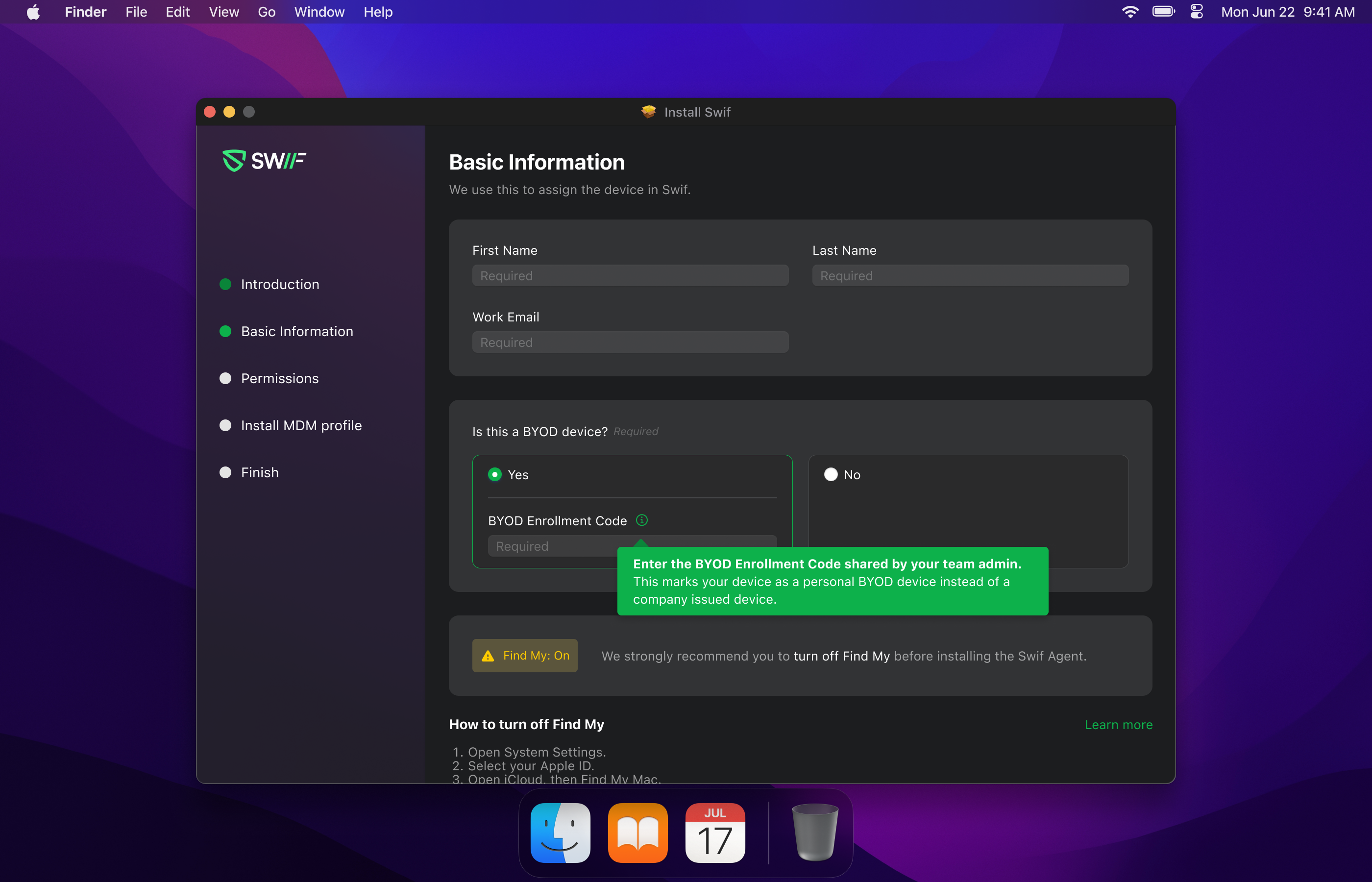
We’ve refreshed the Swif agent installer across all three desktop platforms to make device enrollment smoother, clearer, and more consistent.
macOS
Simplified step flow
Removed the separate “Pre-check” tab and merged it into Basic Information to reduce the number of steps.
Improved copy and guidance
Updated welcome screen and finish screen text to better explain what’s happening and what users should expect.
Shortened and clarified Permissions instructions so users can more quickly grant required access.
Clearer MDM setup
Renamed the “Installation Instruction” step to “Install MDM profile” to better match what the user is doing.
Made the MDM instruction frame scrollable so larger images and content are easier to view.
Added an inline banner when an old MDM profile is detected, so users understand why there’s a conflict and what to do.
Linux
Guided, Linux-specific flow
Updated Introduction copy to clearly explain what the Swif agent does.
Added a dedicated Password Permission step to request sudo credentials up front (required on Linux).
Better device context and options
Updated Basic Information step to:
Include BYOD (Bring Your Own Device) selection.
Add a Read-Only enrollment option for devices that should not be fully managed.
Install and enrollment clarity
Refreshed the Ready to Install step with clearer messaging on what will happen next.
Shows an inline banner if an old MDM is present, helping prevent confusing failures.
Updated the Device enrollment complete screen with clearer success messaging and next steps.
Windows
Aligned flow with macOS/Linux
Standardized the installer steps: Introduction → Password Permission → Basic Information → Ready to Install → Device enrollment complete.
Improved messaging
Refined copy in Introduction, Password Permission, and Basic Information to match the new cross-platform tone and to set expectations.
Install step enhancements
Updated Ready to Install contents for better clarity on what’s being installed.
Added an inline banner on the install step when an existing MDM is detected to warn users about potential conflicts.
BYOD support
Ensured the Device enrollment complete screen supports and reflects BYOD flows consistently.
Behavior & quality improvements
The installer:
Enrolls macOS, Windows, and Linux devices using the new UI flows.
Prevents duplicate mounting of the installer volume (per the earlier Linux mounting issue).